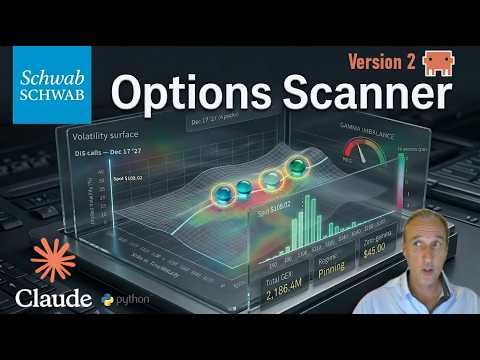
Find the Best Options with Schwab and Claude
Overview of Option Chain Scanning
Introduction to Option Chains
- The video begins with a demonstration of an option chain scan for Intel using Yahoo Finance, highlighting the potential for stale data and the need for verification through a broker.
- A comparison is made with Schwab's scanning capabilities, emphasizing the differences in data reliability.
Schwab vs. Yahoo Finance
- Schwab provides real-time data, including accurate Greeks and live bid/ask prices, enhancing confidence in trading decisions.
- The episode focuses on integrating Schwab into the Stockpile open-source options scanner, detailing its significance and setup process.
New Features in Stockpile Scanner
Enhancements and Updates
- Introduction of a new GEX chart and support for native index options; custom CSV formats are available for unsupported brokers like Interactive Brokers.
- Three new tabs featuring spread strategy scanners contributed by community members are highlighted as significant additions to the project.
Importance of Real-Time Data
Benefits of Using Schwab
- Emphasis on real-time data from Schwab as a major advantage over Yahoo Finance, which suffers from issues like stale implied volatility.
- Key limitations of Yahoo Finance include outdated IV calculations and lack of real Greeks, leading to inaccurate trading signals.
Setting Up Schwab Integration
Step-by-Step Configuration
- To use Schwab's API, users must have an active brokerage account; registration involves creating a developer account linked to their brokerage credentials.
- After registering at developer.schwab.com, users must wait for manual approval before proceeding with app creation.
App Creation Process
- Users create an app within their developer account; specific permissions should be requested only for market data production without trading capabilities.
- Once approved, users will configure their
config.tomlfile with necessary credentials while ensuring security measures are followed.
Finalizing Setup and Testing
Authorization and Token Generation
- A one-time authorization process is required to generate an OAuth token that allows access to Schwab’s API using brokerage login credentials.
Switching Between Data Sources
- After successful setup, users can toggle between Schwab and Yahoo Finance within the web UI; live updates indicate when using Schwab's data source.
Community Contributions and Future Directions
Collaboration Highlights
- Recognition is given to Claude for implementing new features efficiently; discussions around future enhancements based on user feedback are encouraged.
Turn any video into a summary like this
YouTube links, meetings, lectures. With transcripts, search, and chat.