An ESSENTIAL ChatGPT & Claude browser extension you don't know about - Easy Folders
Organizing Your AI Workspace with Easy Folders
Introduction to Easy Folders
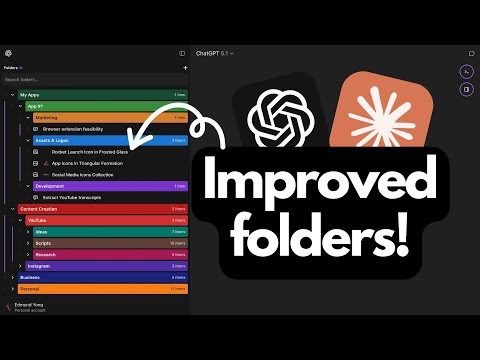
- The speaker discusses the challenges of managing chat history in ChatGPT and Claude, highlighting a limitation in organizing chats at a single level.
- Introduction of Easy Folders, a browser extension designed to create organized folder structures for chats, projects, and images.
Creating and Managing Folders
- Instructions on creating folders: click the plus icon, name the folder, and add it. Subfolders can be created by right-clicking.
- Users can customize folders with logos or colors for better organization. The process is similar for organizing chats in Claude.
Syncing Across Devices
- All folders within ChatGPT and Claude are automatically synced with the Easy Folders account, allowing access from any device or platform.
Bookmarking Features
- Users can bookmark favorite chats and projects for quick access. Bookmarks can be added or removed easily through a simple interface.
Using the Prompts Manager
- Overview of the prompts manager: users can create custom prompts using variables for dynamic content.
- Users have options to organize prompts into folders with customization features like color and logos.