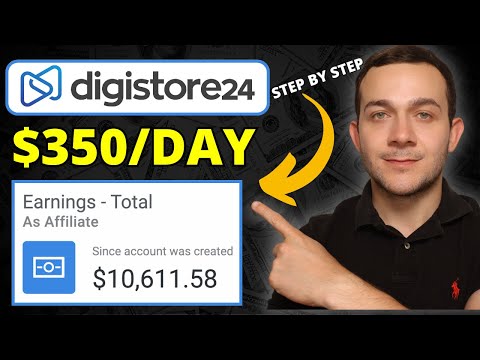
Digistore24 Affiliate Marketing Tutorial for Beginners 2024
Making Money with Affiliate Marketing on Digistore24
In this tutorial, the speaker shares a strategy for making money through affiliate marketing on Digistore24. They explain how to sign up and promote products using a free traffic method.
Signing Up for Digistore24
- To get started, head over to digistore24.com and register for an account.
- Once registered, select the "Marketplace" tab and choose "All Offers" to see the different niches and categories of products available for promotion.
Choosing Products to Promote
- There are over 8,000 products available on Digistore24 spanning over 44 different categories or niches.
- The speaker recommends promoting a product in the fitness and health niche called "Custom Keto Diet," which pays a commission of $33.66 per sale.
Promoting Products with Free Traffic
- The speaker explains how to promote the chosen product using a free traffic method that involves creating a lead magnet landing page in under five minutes.
- By following this method, the speaker was able to triple their monthly affiliate income from around $2,000 to over $6,000.
Maximizing Affiliate Sales
- The speaker also shares a simple method that takes only five minutes to set up but can help maximize affiliate sales.
- They encourage viewers to subscribe to their channel for more tutorials on making money online through affiliate marketing strategies like this one.
Promoting Affiliate Links with Free Traffic
In this section, the speaker explains how to promote affiliate links using free traffic. The method involves selecting an article from ezinearticles.com and customizing it with affiliate links.
Using Ezinearticles.com for Free Articles
- Go to ezinearticles.com to find articles in your niche.
- Search for articles related to your product by typing keywords into the search bar.
- Select an article that you like and copy the text.
Customizing the Article with Affiliate Links
- Paste the article into a Google Docs document and give it a title.
- Add affiliate links into the article as call-to-actions.
- Format the title of the article and add bold or underline formatting as desired.
Posting the Article for Free Traffic
- Post the customized article onto a website to generate free traffic.
- Use a method that maximizes affiliate commissions in just five minutes.
Adding Call to Action and Uploading to SlideShare
In this section, the speaker explains how to add a call to action at the end of every page of a document and how to upload it on SlideShare for generating organic traffic.
Adding Call to Action
- To add a call to action, type "click here" in all caps at the end of each page.
- Highlight the text and make it bigger (14).
- Right-click on it and insert your affiliate link.
- Download the document as a PDF.
Uploading on SlideShare
- Go to slideshare.net and sign up/register.
- Upload your downloaded PDF article.
- Share your SlideShare article with an audience interested in dieting and weight loss.
Customer Experience After Reading Article
In this section, the speaker explains what happens when someone clicks on an affiliate link after reading an article.
- When someone clicks on an affiliate link after reading an article, they are taken to the affiliate sales page.
- The sales page has a video that is highly effective in converting potential customers into paying customers.
- Some potential customers will lose interest or be too busy and close the window without making a purchase.
How to Create a Landing Page for Affiliate Marketing
In this section, the speaker explains how to create a simple landing page that captures potential customers' email addresses. This method allows for retargeting via email broadcasts and has helped the speaker triple their affiliate sales.
Creating a Simple Landing Page
- A simple landing page can be created in under five minutes.
- The landing page should capture potential customers' email addresses and redirect them to an affiliate sales page.
- Even if the customer does not make a purchase, their email address can be used for retargeting via email broadcasts.
Retargeting Potential Customers
- With captured emails, potential customers who have already shown interest in a specific niche can be retargeted with related affiliate products.
- The speaker has been able to maximize their affiliate sales by using this strategy and promoting 30-40 affiliate products through landing pages.
- Examples of successful landing pages include those promoting custom keto diet plans and dog training courses.
Setting Up Automated Email Responders
- An automated email responder can be set up so that every time someone enters their email address on the landing page, they receive targeted emails about related affiliate products.
- The speaker will show viewers how to create a landing page like this and generate a link to replace raw affiliate links in articles uploaded to slideshare.net.
Setting up an Automated Affiliate Marketing System with Get Response
In this section, the speaker explains how to set up an automated affiliate marketing system using Get Response. He emphasizes the importance of creating multiple landing pages and retargeting leads with automated email responders.
Signing Up for Get Response
- To sign up for Get Response, click on the link in the description box below.
- The cheapest basic version costs $15.58 per month and allows you to create multiple landing pages and set up automated email responders.
- Signing up for the free version only allows you to promote one landing page at a time.
Creating a Landing Page
- Click on "Create Landing Page" in the dashboard.
- Choose a pre-made customized template from the library or customize your own.
- The speaker recommends using the "Video Boot Camp" template to promote his custom keto diet affiliate product.
- Customize the template by changing some of the writing and imagery.
Setting Up Automated Email Responders
- After creating your landing page, set up an automated email responder to retarget leads who don't purchase immediately.
- This has been a game changer for increasing affiliate commissions.
- Use Get Response's automation workflow feature to create personalized emails that are triggered based on user behavior.
Conclusion
- By setting up an automated affiliate marketing system with Get Response, you can maximize and exponentially increase your affiliate income.
- Although it may cost money upfront, it is well worth it in terms of return on investment.
Customizing the Landing Page
In this section, the speaker explains how to customize a landing page for a product using images and banners.
Adding Images to the Landing Page
- Right-click on the image and select "Save As"
- Save the image by clicking "Replace"
- Double click on the background image of the landing page and drag and drop the downloaded image into it.
- Wait for it to upload, then click "Use".
Editing Text Boxes
- Delete all text boxes by clicking on them and selecting "Delete".
- Drag down and across the sign-up box so that it lines up with the custom keto diet image.
- Edit text boxes by centering them, changing their content, or scaling them down.
Adding Affiliate Links
- Retrieve affiliate links from Digistore24 product by double-clicking on it.
- Add affiliate link to access now button by linking it in GetResponse customizable landing page template.
Sending Automated Emails
In this section, the speaker explains how to send automated emails related to a product every time someone enters their email address into a landing page.
Creating a List
- Click on "Contacts" in GetResponse dashboard.
- Click on "Create List".
Setting Up Automated Emails
- Create an automated email broadcast related to the product.
- Send the automated email every time someone enters their email address into the landing page.
Creating an Automated Affiliate Marketing System
In this section, the speaker explains how to create an automated affiliate marketing system that generates consistent commissions on autopilot.
Creating a List
- Create a list by clicking on "Create List" and naming it something relevant like "Dieting Keto Diet."
- Click on "Create" and then go back to the editable landing page.
- Click on "Next Step" to bring up an important page.
Adding Affiliate Link
- Select the list so that anyone who enters their email address is pushed into it.
- Add your affiliate link to the custom URL text box under "Custom Thank You Page."
- Click on "Publish" and save the unique URL generated by GetResponse.
Maximizing Sales with Automated Email Broadcasts
- Set up automated email broadcasts in GetResponse's autoresponder tool.
- Design and configure emails that promote products related to dieting and keto.
- Specify when you want these automated emails to go out based on customer behavior.
Setting up Automated Email Broadcasts
In this section, the speaker explains how to set up an automated email broadcast that will be sent out to every lead who enters their email address into a landing page. The email will promote a product within the niche that they have already shown interest in.
Designing the Email Message
- To set up an automated email broadcast, specify the day and time for it to go out.
- Click on "Design Message" to customize the message using hundreds of available templates.
- Select a template and customize it by editing text and replacing images.
- Use affiliate support pages to get material for your customized message.
Finalizing Automated Affiliate Email Responder
In this section, the speaker explains how to finalize an automated affiliate email responder that promotes products within a specific niche.
Promoting Products Within Niche
- Promote products within a specific niche by customizing emails with affiliate links.
- Customize emails containing images of affiliate products that you would like to promote.
- Save and publish your automated email broadcast so that it is set up for anyone who enters their email address into your landing page.
Replacing Raw Affiliate Link with Unique Landing Page Link
In this section, the speaker explains how to replace raw affiliate links with unique landing page links in order to increase conversions.
Replacing Raw Affiliate Links
- Right-click on CTA (call-to-action) button and click on "Edit Link."
- Copy unique GetResponse landing page link and paste it into CTA button link field.
- Click "Apply" and make sure you've replaced all raw affiliate links with unique landing page links.
Uploading PDF to SlideShare.net
In this section, the speaker explains how to upload a PDF document to SlideShare.net and generate free organic traffic.
Uploading the Document
- To upload the PDF document, click on "Upload" in the top right-hand corner of SlideShare.net.
- Select the recently downloaded custom keto diet PDF document.
- Verify that you are human by clicking "I'm not a robot."
- Add a title and description for your article.
- Select a relevant category and add three or four tags.
- Click "Publish."
Generating Traffic
- By publishing your article on SlideShare alone, you can generate free organic traffic as this platform gets over 60 million visitors every month.
- Copy the link to your article and head over to Quora.com.
- Search for questions related to the niche of your affiliate product (in this case, custom keto diets).
- Paste the link into an answer and provide valuable information related to the question.
Using Quora.com for Lead Generation
In this section, the speaker explains how to use Quora.com for lead generation.
Finding Niche Related Questions
- Head over to Quora.com and search for questions related to your niche.
- Provide valuable information related to these questions in order to establish yourself as an authority in your field.
Adding Links
- Include links back to your website or affiliate products within your answers on Quora.com.
- Make sure that these links are relevant and add value for readers.
Building Relationships
- Use Quora.com as a way of building relationships with potential customers or clients.
- Engage with users who ask questions related to your niche and provide them with helpful information.
Finding Questions to Answer on Quora
In this section, the speaker explains how to find questions to answer on Quora and how to add value by providing informative answers.
Finding a Question to Answer
- Look for a question that you can answer by Googling it.
- Put the answer into your own words.
- The key is to add value.
Example: Effective Weight Loss Methods
- Answered the question "What is the most effective weight loss method or program?"
- Found three top tips for losing weight on Google and put them into his own words.
- Recommended the custom keto diet as the most effective dieting program.
- Shared a short but informative article about how the keto diet works.
- Posted an article about the custom keto diet on SlideShare.
Adding Value with Affiliate Marketing
- By answering questions and sharing articles with affiliate links, you can increase your affiliate commissions.
- Promote multiple affiliate products at once, each with its own landing page.
- Search for questions related to your affiliate products and provide valuable answers with links to your landing pages.