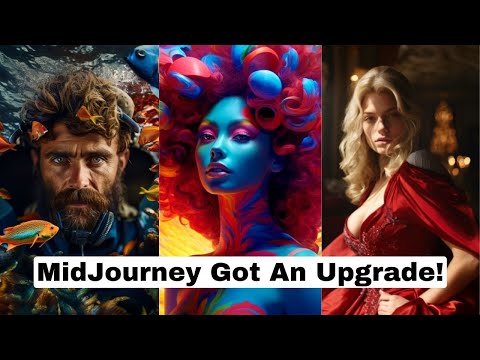
MidJourney Levels Up With This Major Upgrade
Introduction
In this video, the speaker discusses the new features of MID Journey 5.2 and showcases some of the cool things that can be done with it.
New Features of MID Journey 5.2
- The new update for MID Journey 5.2 has unlocked all sorts of new potential inside of a mid-journey.
- New features include an infinite zoom effect, creating consistent characters, and putting two different characters into a single image.
- The speaker shows off some really cool art from other people using the newest version of MID Journey to demonstrate the quality that people are getting out of it.
Zoom Out Feature
- Orkton's artwork demonstrates how the zoom out feature brings new creativity to images.
- Astral Knot's realistic faces show how advanced MID Journey 5.2 is becoming.
- Mirror King Ai's artwork showcases high-quality art generated with MID Journey 5.2.
- Professor Crispy's video storyline demonstrates how zooming out on MID Journey 5.2 can unveil unexpected and incredible plot elements.
Infinite Zoom Effect
- Nick St Pierre's video showcases an almost infinite zoom effect using frame interpolation technique.
- Another example is shown in reverse where we see a spacecraft bedroom being zoomed in on.
- Neo11's long video continually zooming out and adding more to the picture changes style and what you think you're looking at all of a sudden changes to something completely different.
Overlaid Images
- Door Brothers' crazy effect throughout their entire video was created by overlaying a whole bunch of different image generations that were zoomed in and zoomed out.
Conclusion
The new features of MID Journey 5.2 have unlocked all sorts of new potential inside of a mid-journey, including an infinite zoom effect, creating consistent characters, and putting two different characters into a single image. The zoom out feature brings new creativity to images, while overlaid images create crazy effects throughout videos.
Creating Cool Effects with Mid Journey
In this section, the speaker demonstrates how to create cool effects using Mid Journey. The first effect shown is how to get two different characters into the same scene. The second effect demonstrated is how to get a consistent character effect.
Getting Two Different Characters into the Same Scene
- To get two different characters into the same scene, start with one person and upscale their image.
- Use custom zoom to add another person's image and adjust settings such as aspect ratio and zoom level.
- Repeat this process until you have an image of both characters in the same scene.
Getting a Consistent Character Effect
- Start with a close-up of a face and add soft focus.
- Add aspect ratio 16:9 for a wider image.
- Upscale the image and use custom zoom to place the character in different environments.
- Repeat this process for variations on the character in different environments.
Creating Images of People in Different Environments
In this section, the speaker continues demonstrating how to create images of people in different environments using Mid Journey.
Creating Images of People in Different Environments
- Start with an image of a person's face and add soft focus.
- Use custom zoom to place them in an environment such as on a beach or in a forest at night.
- Upscale the resulting image and repeat this process for variations on the character in different environments.
Zooming and Video Effects
In this section, the speaker demonstrates how to create a collection of images using Runway ml and generate a video with frame interpolation. The speaker also shows how to create an infinite zoom video effect using Mid-Journey and DaVinci Resolve.
Creating a Collection of Images
- The speaker zooms out to show a collection of seven images that they generated using Runway ml.
- The speaker explains how to use Runway ml's frame interpolation tool to generate a video that transitions between the images.
- The speaker acknowledges the limitation of the method, which is that the woman's face in each image is always in the same pose.
Creating an Infinite Zoom Video Effect
- The speaker demonstrates how to create an infinite zoom video effect using Mid-Journey and DaVinci Resolve.
- The speaker starts with a base image of a wolf in a snowy forest landscape and uses custom zooms to alter it into something completely different.
- After generating 10 different images, the speaker upscales them for better quality using Topaz AI or other free upscalers.
- Finally, the speaker creates a new timeline in DaVinci Resolve and adds all 10 images onto it. They then double the size of each image on their timeline and set each clip duration to two seconds before closing gaps.
Creating an Infinitely Zooming Video in Mid-Journey 5.2
In this section, the speaker demonstrates how to create an infinitely zooming video using Mid-Journey 5.2.
Setting Keyframes and Applying Zoom Effect
- To create an infinitely zooming video, set keyframes for each image by clicking on the diamond icon.
- Apply a zoom effect to each image by setting the zoom level to one.
- To speed up the process, copy and paste attributes from one image to all others.
Creating a Compound Clip and Reversing Direction Arrow
- Select all clips and create a new compound clip.
- Click on speed change and reverse the direction arrow to make the video continually zoom in instead of out.
Other Tools for Creating Infinitely Zooming Videos
- Adobe Premiere offers similar tools for creating infinitely zooming videos.
- Mid-Journey 5.2 offers many other cool effects that can be used creatively.
Conclusion and Call-to-Action
In this section, the speaker concludes their tutorial on creating an infinitely zooming video using Mid-Journey 5.2 and provides a call-to-action for viewers.
Join FutureTools.io Newsletter
- Visit futuretools.io to join the free newsletter.
- The newsletter provides updates on AI news and curates cool tools every week.
Subscribe to Channel for More AI Tutorials
- Subscribe to the channel for more tutorials on AI research, news, and creative effects using AI technology.