Установка на первый сервер
Distributed Installation of Database and Indexer
Starting the Installation Process
- The installation begins with setting up the database and index server by executing the relevant executable file.
- Traffic Monitor Enterprise is selected as the software to install, indicating a focus on network traffic monitoring.
Choosing Installation Type and Templates
- A distributed installation type is chosen, which implies that components will be installed across multiple servers.
- The first server will host both the database and index, emphasizing that a single template cannot solely install the database on this server.
Configuring Database Settings
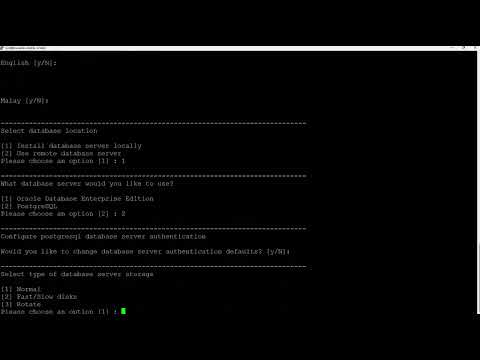
- A local database installation is required since the chosen template necessitates a database on this specific server.
- PostgreSQL is selected as the database type, showcasing a preference for open-source relational databases.
Authentication and Default Parameters
- Default authentication parameters are retained during setup, simplifying initial configuration.
- Other settings are also left at their default values to streamline the installation process.
Final Steps in Installation
- The installation of Traffic Monitor commences after all configurations are set.
- A server reboot is necessary post-installation to ensure all components are properly initialized.
- After rebooting, a command (
IVTM status) will be executed to verify if all components have successfully started.