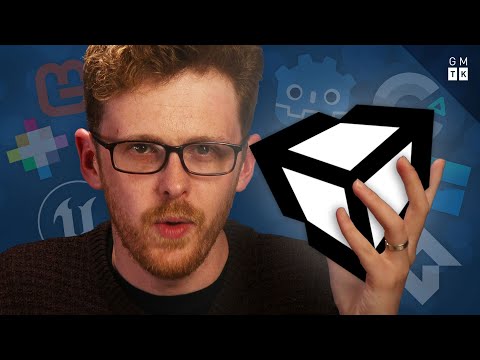
How I learned Unity without following tutorials (Developing 1)
Introduction and Choosing a Game Engine
In this section, Mark Brown introduces himself and discusses the challenge of making his own video game. He then talks about the process of choosing a game engine and explains why he decided to go with Unity.
Making My Own Video Game
- Mark Brown is making his own video game.
- It is a big endeavor and a significant challenge.
Choosing a Game Engine
- A game engine is software that helps in making games by handling complex tasks like rendering graphics, physics calculations, etc.
- Unity, Unreal Engine, Godot, Pico-8, Game Maker, Construct are popular game engines.
- There are also specialized engines for specific types of games.
- Mark chose Unity because it strikes a balance between power and ease of learning.
- Unity supports both 2D and 3D games.
- Unity is widely used in the industry and has extensive resources available.
- Popularity means more tutorials, resources, assets, plugins, and community support.
Initial Challenges with Learning Unity
In this section, Mark shares his initial struggles with learning Unity through online tutorials. He reflects on his demoralizing experience and compares it to how he learned Adobe Premiere.
Learning from Tutorials
- Mark initially tried learning Unity through online tutorials on YouTube.
- Followed along diligently but couldn't retain what was taught.
Comparing with Adobe Premiere
- Mark reflects on how he successfully learned Adobe Premiere despite its complexity.
- Initially learned basic steps from a colleague for video reviews at work.
Repeating Basic Steps
- To master Adobe Premiere, Mark had to repeat the basic steps multiple times while creating dozens of video reviews.
Overcoming Demoralization and Continuing the Game Development Journey
In this section, Mark discusses how he overcame his demoralization and decided to continue his game development journey despite initial setbacks.
Feeling Demoralized
- Mark felt like an idiot and doubted his ability to learn game development.
- Considered canceling the series and giving up on game development.
Drawing Inspiration from Adobe Premiere
- Mark drew inspiration from how he successfully learned Adobe Premiere.
Continuing the Journey
- Despite setbacks, Mark decided to continue with the game development series.
- Acknowledged that learning takes time and perseverance.
Conclusion
Mark Brown shares his experience of starting his own video game project and choosing Unity as the game engine. He reflects on initial challenges with learning Unity through tutorials but finds inspiration in how he learned Adobe Premiere. Despite feeling demoralized, he decides to continue his game development journey with determination.
Learning Premiere Pro
In this section, the speaker discusses their approach to learning Premiere Pro and how they built up their skills over time.
Learning Approach for Premiere Pro
- The speaker believes in trying at least one new thing in each video to gradually build a repertoire of effects and knowledge.
- By doing video reviews, the speaker became familiar with Premiere Pro and gained comfort with the software. This allowed them to experiment and try new things.
- The three-step formula followed by the speaker for learning Premiere Pro includes:
- Learn the absolute basics and nothing more.
- Familiarize oneself with those basics through repetition and simple projects.
- Slowly build a repertoire of tools in Premiere Pro over time.
Benefits of the Learning Approach
- Building familiarity with the tools in Premiere Pro allows for confidence and comfort when experimenting with new ideas. It also helps in understanding how the software works, making it easier to find solutions or seek help when facing challenges.
- The speaker draws parallels between learning video editing software like Premiere Pro and game development, emphasizing that building familiarity with tools is crucial for problem-solving in both fields.
Applying the Learning Structure to Unity
In this section, the speaker discusses their plan to apply their three-step learning structure (basics, familiarize, experiment) to learn Unity.
Starting Point for Game Development
- The speaker has some prior knowledge of programming fundamentals from Tinder profile claims and experience with Game Maker. However, they need to understand how Unity itself works.
- Understanding the basics of Unity includes learning about its UI, keyboard shortcuts, and conceptual understanding of GameObjects as invisible containers with position, rotation, and scale.
Essential Knowledge for Making Games in Unity
- The speaker identifies a list of things they need to know in order to make games in Unity:
- Making GameObjects interact with each other
- Spawning and deleting GameObjects
- Handling collisions between GameObjects
- Implementing UI, sound effects, and animation
- Managing levels and game over scenarios
Learning Process for Unity
- The speaker uses tutorials, Google searches, and conversations with others to find answers to their questions and learn the basics of Unity. They acknowledge that there may be better ways or more comprehensive lists for learning Unity but believe their approach is enough to get started.
Learning Through Plagiarism
In this section, the speaker discusses their approach of copying simple games as a training tool to understand how Unity works.
Copying Simple Games
- The speaker copies really simple games like arcade games, mobile games, web games, etc., with basic gameplay and rules. This helps them prove their understanding of how Unity works.
- By copying these simple games, the speaker can familiarize themselves with fundamental aspects of game development using Unity. It serves as a starting point for building more complex projects.
Learning Game Development by Remaking Games in Unity
In this section, the speaker discusses their approach to learning game development by remaking games in Unity. They explain how they broke down the process into small steps and learned through reverse engineering.
Remaking Flappy Bird in Unity
- The speaker wanted to recreate Flappy Bird in Unity by themselves instead of following tutorials.
- They started by understanding how the game worked and created a game plan.
- Instead of making the bird fly through pipes, they made it stay still while the pipes moved across the screen.
- Collisions were implemented so that hitting a pipe resulted in a game over, while passing between two pipes added to the score.
- Sound effects and additional features like clouds flying by were added to enhance the game.
Feeling Accomplished
- The speaker expresses pride in successfully recreating Flappy Bird and gaining familiarity with Unity.
- Encouraged by their success, they decided to remake another game called Pop the Lock using similar methods.
Remaking Pop the Lock in Unity
- The speaker reverse engineered Pop the Lock and broke it down into smaller steps.
- They encountered difficulties with rotations but found a solution using Unity's built-in function called
.RotateAround.
- Understanding parent-child relationships between GameObject helped solve additional problems.
- The speaker expresses satisfaction in successfully recreating Pop the Lock and building their confidence with Unity.
Moving Forward
- The speaker plans to start building their own games and experimenting further.
- They acknowledge that challenges and problems will arise, but they feel confident in their ability to solve them using their familiarity with Unity.
- Learning through experimentation and hands-on experience worked well for the speaker, although they acknowledge that different learning styles may vary.
The transcript is already in English.
New Section
In this section, the speaker asks for feedback on whether viewers would find a tutorial video useful and mentions the possibility of creating one in the future.
Viewer Feedback and Tutorial Video
- The speaker invites viewers to provide feedback on whether they would find a tutorial video helpful.
- If there is enough interest and time permits, the speaker may create a tutorial video to accompany the series.
- The section concludes with gratitude for watching and an indication of future content.
No specific timestamps were provided in the transcript for this section.