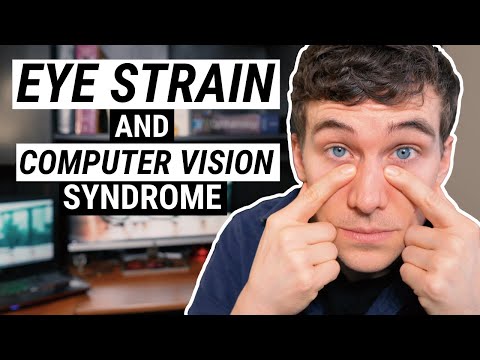
5 Tips and Eye Exercises for EYE STRAIN Relief
Tips for Eye Strain Relief Due to Computer Vision Syndrome
In this video, Dr. Allen shares five tips and eye exercises that will help with eye strain relief due to computer vision syndrome.
Take Frequent Breaks
- Follow the 20-20-20 rule: for every 20 minutes of device use, take a 20-second break.
- Look at something at least 20 feet away in the distance to relieve your eye muscles.
Adjust Your Screen Position
- Make sure your computer screen is about arm's length away.
- The height of your screen should be about three-quarters of the way up on the screen.
- Adjust your screen to reduce glare coming off of anything like a window or an indoor light source.
Adjust Your Device Settings
- Increase font size if it's too small and you find yourself squinting.
- On Windows 10, hit the control button and hold it down while pressing plus or minus buttons to control font size.
- You can also adjust brightness level by right-clicking on the home screen and going down to display settings.
Blink More Often
- Blink more often when using digital devices as it helps keep eyes lubricated.
Do Eye Exercises
- Palming exercise: Rub hands together until they're warm, then place them over closed eyes for a few minutes.
- Focus change exercise: Hold a pen at arm's length and focus on it. Then bring it closer until it's about six inches from your nose. Repeat several times.
Conclusion
These tips and exercises can help alleviate eye strain caused by prolonged use of digital devices. Remember to take frequent breaks, adjust your device settings, blink more often, and do eye exercises.
Tips for Reducing Eye Strain from Digital Devices
In this video, the speaker provides tips on how to reduce eye strain caused by digital devices. The tips include adjusting the screen brightness, using night mode settings, managing dry eye symptoms, and doing eye exercises.
Adjust Screen Brightness
- Reduce screen brightness to a comfortable level.
- Increase text size to reduce eye strain.
- Use night mode settings to adjust blue light wavelength in the evening.
Manage Dry Eye Symptoms
- Blink more often while using digital devices.
- Use supplemental eye drops or warm compresses if necessary.
Eye Exercises
- Take breaks and engage in outdoor activities like walking or playing catch.
- Do cupping exercises by warming hands and placing them over eyes without applying pressure.
- Do eye direction exercises by looking at distant objects in different directions of gaze.
Eye Exercises to Reduce Eye Strain
In this section, the speaker discusses some eye exercises that can help reduce eye strain caused by prolonged computer use.
Eye Exercises
- Hold your gaze for a few seconds and stretch your eye muscles.
- Follow up with eye circles, making slow rotations in a clockwise and counterclockwise fashion while looking at something in the distance.
- Repeat these exercises multiple times to feel less strain on your eyes.
Importance of Eye Care
- If you experience pain or discomfort during any of these exercises, stop immediately and consult an eye care physician.
- It is important to follow up with a doctor regularly if you spend a lot of time in front of computers or experience eyestrain.
Conclusion
- If you have any questions about eyestrain, computer vision syndrome, or blue light's effects on our eyes, drop them in the comments below.
- Remember to take care of your eyes by doing regular exercise and consulting an eye care physician.