UD1 Introducción a los sistemas microinformáticos 5
Introduction to CPU and Its Functions
Overview of the Central Processing Unit (CPU)
- The CPU, or Central Processing Unit, is often referred to as the brain of the computer, responsible for executing instructions from programs.
- It reads and processes instructions that make up software applications, converting them into simpler operations that can be executed by the machine.
- The CPU operates using binary code (ones and zeros), which represents electrical signals in electronic systems.
Basic Operations Performed by the CPU
- The CPU simplifies complex instructions into basic arithmetic operations (addition, subtraction, multiplication), logical operations (true/false), and data movement tasks involving bits and bytes.
- A bit is a single binary unit (0 or 1), while a byte consists of 8 bits. These fundamental operations are crucial for processing tasks efficiently.
Components of the CPU
Key Components
- The main components of a CPU include:
- Control Unit
- Arithmetic Logic Unit (ALU)
- Registers
- Internal Buses
Functionality of Each Component
- The Control Unit manages program execution by reading instructions from memory and directing other components on how to execute them.
- Programs initially stored on hard drives are loaded into faster memory for quicker access during execution.
Execution Process in Detail
Instruction Handling
- Instructions are fetched from memory into registers where they are decoded into basic operations before being executed.
- For example, if an instruction involves adding two numbers, the Control Unit retrieves it from memory and sends it to the ALU for processing.
Role of Registers
- Registers temporarily store data such as intermediate calculations and program counters that track instruction sequences during execution.
Overview of CPU Components and Memory
Key Components of a CPU
- The CPU's power is determined by its ability to handle complex instructions, with three main components being crucial for its function.
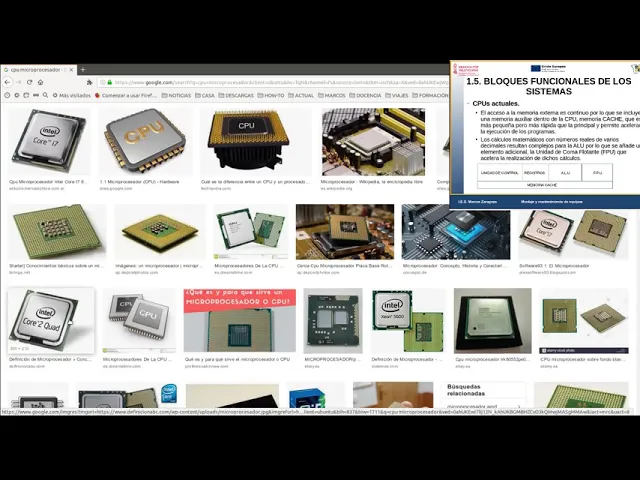
- Visual examples of CPUs, such as microprocessors, are discussed to illustrate their physical appearance and structure.
- The Core i7 is highlighted as an example of a microprocessor, emphasizing that it is made from silicon wafers which will be elaborated on later regarding processor manufacturing.
Enhancements in Modern CPUs
- Modern CPUs include additional features like cache memory, which accelerates program execution by reducing the need to access slower main memory frequently.
- Cache memory is smaller than main memory but sufficient for storing currently executing programs, thus minimizing latency when accessing data.
Functionality of Cache Memory
- Cache memory helps speed up processing by allowing quick access to frequently used data within the CPU itself rather than retrieving it from external sources.
- Most modern CPUs have multiple levels of cache (L1, L2, etc.), which serve as important performance metrics when comparing different processors.
Floating Point Unit (FPU)
- The FPU specializes in handling calculations involving real numbers (decimals), enhancing the CPU's capability to perform complex mathematical operations efficiently.
Understanding Memory Structure
Basics of Computer Memory
- Memory consists of bits and serves as a storage device for programs and data needed by the CPU for execution or writing purposes.
- Each byte in memory corresponds to a specific position identified through binary addressing; this organization allows efficient retrieval and storage.
Accessing Data in Memory
- Each piece of information stored has an address that enables the CPU to locate it quickly; this system relies on binary representation converted into decimal values for ease of understanding.
Reading Data Efficiently
- The CPU accesses memory in multiples (bytes), typically reading 8, 16, 32, or 64 bits at once. This method enhances overall system performance based on how much data can be processed simultaneously.
Random Access Nature
- Memory access is random; the CPU can jump between addresses without following a sequential order. This flexibility improves efficiency when retrieving various pieces of information.
Understanding RAM and I/O Units
Overview of RAM
- The discussion begins with an introduction to RAM (Random Access Memory), highlighting its role as a primary memory type in computers.
- Typical RAM modules are described, noting that they consist of chips on a printed circuit board. More chips equate to greater memory capacity, with common sizes being 2GB, 4GB, 8GB, and 16GB.
- RAM is essential for storing billions of bytes of data, which facilitates the operation of applications and processes.
Input/Output Unit Functionality
- The input/output (I/O) unit is introduced as the component responsible for communication between the CPU and other system elements known as peripherals (e.g., keyboard, mouse, monitor).
- It is noted that modern CPUs often integrate graphics cards; however, traditionally I/O units encompass all components external to the CPU and memory.
Communication Mechanisms
- The I/O unit manages communication through buses connecting the CPU to peripherals. This unit acts as an intermediary controlling data flow.
- Each peripheral has specific electronic circuitry called controllers that facilitate communication with the CPU. These controllers interpret digital instructions from the CPU into actions performed by peripherals.
Controller Functions
- Controllers translate binary instructions from the CPU into electrical signals that activate various functions within peripherals (e.g., printing documents).
- They serve a critical role similar to a control unit within the CPU by managing communications between it and connected devices.
Interfaces in Communication
- An interface connects the controller to both the CPU and memory via buses. This point serves as an access hub for commands sent from the CPU.
Turn any video into a summary like this
YouTube links, meetings, lectures. With transcripts, search, and chat.