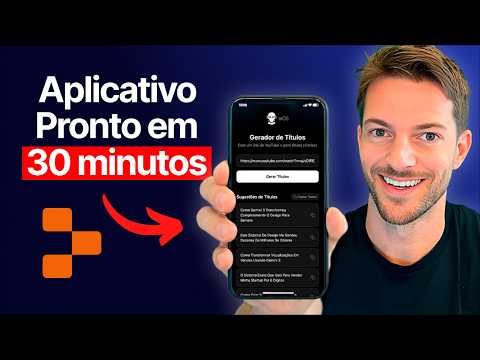
Criei Um App Mobile Usando Só o Celular (Zero Código)
Creating a Mobile App from Your Phone
Introduction to No-Code App Development
- The speaker shares their experience of creating a fully functional mobile app using only their phone while commuting, emphasizing the ease of the process.
- They introduce the concept of "vibe coding," which allows users to create apps without programming knowledge or writing code.
Tools for Building Apps
- The primary tool mentioned is Raplet, a platform designed for vibe coding that facilitates app design and development on both mobile and desktop.
- Users can start by downloading the Raplet app from the App Store or directly use it on desktop after creating an account.
Workflow and Features
- The speaker explains how they transitioned between mobile and desktop versions of Raplet, highlighting its seamless integration.
- They discuss starting with planning in the app before moving to development, showcasing features like previewing designs and managing databases.
Developing an Idea
- The speaker outlines their project: an app that generates optimized YouTube titles based on video links provided by users.
- They emphasize beginning with planning stages to clarify ideas before diving into development, ensuring all aspects are considered.
Testing and Iteration Process
- A structured approach is recommended where basic functionalities are tested first using mock data before integrating real APIs or connections.
- The advantages of using Raplet include built-in integrations that simplify processes typically requiring manual API connections.
Debugging Challenges
- As they continue developing on desktop, they note challenges faced during testing when connecting various components of the app.
- The importance of dividing tasks into manageable steps is highlighted to avoid errors during development.
This markdown file captures key insights from the transcript regarding no-code app development using Raplet, providing timestamps for easy reference.
Transcription and Design Feedback Process
Understanding the Transcription Error
- The speaker discusses encountering a short or empty transcription error despite knowing that the video had a transcription available. This raises questions about the underlying issues causing this error.
Utilizing Visual Aids for Problem Solving
- The speaker emphasizes that users do not need extensive programming knowledge; they can simply take a photo or describe their issue to seek help. Tools like RPET assist in identifying problems by allowing users to preview errors.
Streamlining the Design Process
- The process involves sending instructions regarding design issues, such as text truncation and layout adjustments. Users can request specific changes, including adding logos or animated elements, based on their design preferences.
Leveraging Design References
- If users lack design expertise, they can ask for recommendations or use platforms like Dribbble and Behance for inspiration. They can extract styles from these references to adapt them into their applications.
Testing Applications with Expo Go
- To simplify mobile testing before app store submission, the speaker recommends using Expo Go, which allows easy testing of applications without complex setup processes. This tool is highlighted as user-friendly for developers.
Troubleshooting Application Issues
- If an application does not function correctly during testing, users are guided on how to adapt it for Expo Go. They can initiate troubleshooting steps directly within the platform to identify and resolve issues efficiently.
Generating QR Codes for Mobile Access
- Once an application is set up correctly, a QR code is generated for easy access on mobile devices. This facilitates quick testing of the application’s functionality in real-time.
Previewing Applications on Mobile Devices
- The speaker demonstrates how to load an application onto a mobile device using Expo Go by scanning a QR code. This step showcases how closely the mobile version mirrors what is seen on desktop during development.
By following these structured insights from the transcript, one can grasp essential concepts related to transcription errors, design feedback processes, and effective methods for testing applications in development environments.
Video Overview Exploring App Development with Raplet
Generating Titles and Fixing Errors
- The process begins by pasting a video link and generating titles. Initial errors in the preview are noted, but the mobile version functions correctly.
- If generated titles are incorrect, users can request corrections via chat. A "copy all" button allows easy transfer of content to other platforms.
Publishing Applications
- Users can publish their applications through a provided link (e.g., Replet), allowing public access.
- For App Store connections, additional steps are required, including having a developer account and undergoing a review process before publication.
Advantages of Using Raplet for MVP Testing
- The speed of development is emphasized; many common issues in SaaS can be resolved directly within the platform without database concerns.
- Users have options for managing OpenAI credits or connecting accounts via API for cost-effective solutions.
Rapid Prototyping and Market Testing
- Creating a Minimum Viable Product (MVP) is encouraged as an effective way to test app ideas without extensive market research.
- Instead of relying on hypothetical consumer interest, developers should create simple MVP versions with payment systems to gauge actual user willingness to pay.