Why every iPhone user needs a Synology
The Ultimate Backup Solution
In this section, the speaker introduces Synology as an ultimate backup solution for all your precious data.
Introduction to Synology
- Every iPhone comes with its own price tag and monthly bill from the carrier.
- Cloud storage is often one of the biggest hidden costs these days for backing up your data.
- Technology has made it possible to store more precious data than ever before, but losing that data can be a horrible feeling.
- Signing up for online backup services can be confusing and expensive, so why not make your own cloud that works exactly as you'd like it to?
- Synology offers an excellent combination of premium hardware with amazingly capable software that'll let you safely and securely back up all your files on all your devices.
Introduction to Synology DS1621+
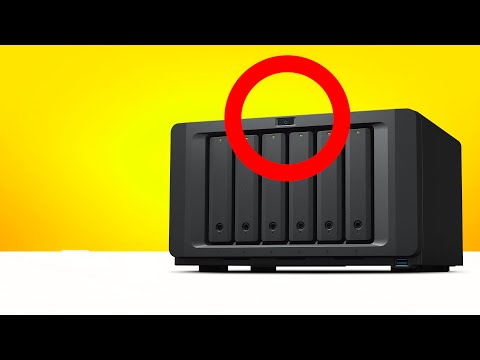
- The Synology DS1621+ is a networked attached storage device (NAS).
- It's like a big external hard drive that's also a small low power computer.
- You can configure your Synology with the hard drives of your choosing depending on the model you get and how many hard drive bays are available.
- The setup process is incredibly intuitive and you'll be walked through the entire process step by step.
Backup with Synology
- If you use Macs and are comfortable with Apple's Time Machine backup software, you can set your Synology as your backup drive through Time Machine and automatically back up all the files in your Mac to your Synology device.
Synology: The Ultimate Backup Solution
In this section, the speaker introduces Synology and its backup solutions.
Introduction to Synology
- Synology offers automatic backups with no cost associated.
- Synology Photos automatically backs up photos from your phone wirelessly with no monthly payment, license or subscription required.
- Synology Drive seamlessly syncs files between different devices, allowing you to start a work file on one device and pick it back up on another without having to think about it.
Active Backup for Business
- Active Backup for Business is a powerful backup tool that automatically backs up computers on your network at set time intervals.
- It is licensed and subscription-free, making it easy to roll back in case of data loss due to viruses or deleted files.
Hyper Backup
- Hyper Backup adds an extra layer of security and redundancy by backing up the entire contents of your Synology NAS to the cloud.
- This ensures that you have a second copy of all your precious data in case anything happens.
Importance of Backing Up Data
In this section, the speaker emphasizes the importance of backing up data and shares personal experience with data loss.
Personal Experience with Data Loss
- Losing any important data can be a big deal and something we don't want to happen.
- Thanks to RAID 5 and Synology, losing a drive did not result in any lost data.
- The storage pool was automatically rebuilt within 20 - 30 minutes.
Synology's Versatility
In this section, the speaker discusses how Synology devices can grow and adapt to fit your workflow.
Adapting to Your Workflow
- Synology devices can grow and adapt to fit your workflow.
- You can start with a few drives for backups or build out your workflow with apps like media servers, VPN servers, and web development platforms.
- A 10-gigabit network card is available that can be easily installed into compatible units like the DS1621+ for faster data transfer.
Why Choose Synology?
In this section, the speaker summarizes why Synology is a great choice for backup solutions.
Summary of Benefits
- Synology is a leader in the industry with years of experience.
- Their high-quality devices are premium and combined with versatile software that offers ease of use and peace of mind knowing that your data is safely stored locally.
- There are many feature-packed apps available to let your Synology do cool things.
Overall, Synology offers an excellent lineup of backup solutions that are versatile, reliable, and easy to use.
I understand the instructions. Let's get started!