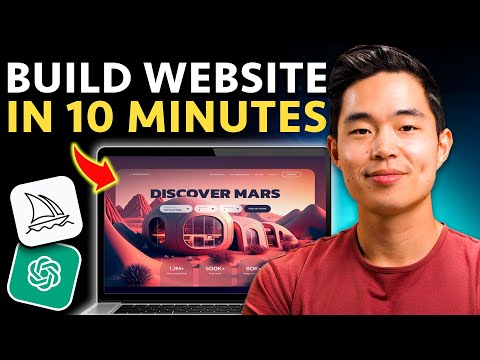
How To Build a FAST Website Using AI (Step-by-Step)
Building a Website with AI Builder
In this video, the speaker shows how to use an AI website builder to create a complete website in under a minute. The process involves describing your brand and the type of website you need, and the AI Builder generates a website with unique content text images and all the features that you need.
Getting Started
- To get started, go to Hostinger's special landing page for the best possible pricing by clicking on the link provided in the description.
- Click "Claim Deal" and select "Premium Web Hosting" plan.
- Choose your time period for your plan (12 months, 24 months or 48 months).
- Enter code Charlie Chang to lower the price even more.
- Enter your credit card information and click submit secure payment.
Setting Up Your Website
- Go to Hostinger dashboard and click on "Premium Web Hosting" then click "Setup".
- Select "Hostinger Builder with AI" as it allows building a website in under one minute.
- Set up your new domain name which comes with your hosting subscription.
- Put a description of your business or project which will influence how the AI builds your website.
Customizing Your Website
Using AI Tools
- Use AI tools like mid-journey and chat GBC to further customize your website.
Pre-made Templates
- You have an option to use pre-made templates instead of using the AI Builder.
**** The speaker recommends using Hostinger's Premium Web Hosting plan as it allows building up to 100 different websites with just one hosting plan. Having a presence online is important whether or not you're building your own business, personal brand, creating a blog or even just sharing thoughts with the world.
Generating a Website with Hostinger's AI Builder
In this section, the speaker demonstrates how to use Hostinger's AI Builder to generate a website. The AI Builder will find pictures and choose the right look and colors for the website. The speaker shows how to select templates, change fonts and color palettes, add pages, customize elements, and preview the mobile view.
Using Hostinger's AI Builder
- There are different templates available to choose from.
- Users can change font and color palette in the "Style" section.
- Pages can be added by clicking on the plus arrow.
- If none of the templates look good, users can click "Create" again to regenerate a new website.
- The actual website builder is easy to use with drag-and-drop features.
Customizing Elements
- Text can be edited by double-clicking on it.
- Images generated based on description can be changed by clicking "Change Image."
- Buttons can be added by selecting "Button" in "Add Elements."
- Sections can be deleted by clicking "Delete."
Previewing Mobile View
- Before publishing, users should preview their website in mobile view to ensure that everything looks good.
Building a Website with Hostinger's AI Builder
In this section, the speaker introduces Hostinger's AI website builder and demonstrates how to use it to create a website.
Using Hostinger's AI Tools
- The speaker shows how to use Hostinger's AI logo maker and AI writer tool to generate a logo and about section for the website.
- The speaker demonstrates how to use Hostinger's AI heat map tool to visualize where users are most likely looking on the website.
- After building the website using the app builder, clicking "go live" will publish it for everyone in the world to see.
Customizing Your Website with Chat GPT and Mid-Journey
- The speaker recommends signing up for Chat GPT, which can help with research and writing content for your website.
- Chat GPT can also be used to come up with names for your business or advise on different sections that should be included on your website.
- Mid-Journey is another tool that allows you to generate images based on prompts, which can be useful if you want a custom image that is not a generic stock photo.
Overall, this section provides an overview of some of the tools available through Hostinger's AI website builder as well as additional tools like Chat GPT and Mid-Journey that can help customize your site.
Creating a Website using AI
In this section, the speaker discusses how to create a website using AI and Hostinger's AI website builder.
Using Photograph Keywords for Website Design
- The speaker suggests using photograph keywords like hyper-realistic, tilted high perspective, etc. to create cool pictures of cameras and studio setups for your website.
- These images can be created easily with Hostinger's AI website builder.
Pairing Hostinger's AI Website Builder with Other Tools
- When you pair Hostinger's AI website builder with other tools like chat gbt and mid-journey, it allows you to create an amazing website in just a matter of minutes.
Taking Action and Making Your Own Website
- The speaker encourages viewers to take action by following along with the video and making their own website using Hostinger.
- Viewers should use the provided link to get the best price possible and use code Charlie Chang for an even bigger discount.
- The speaker recommends Hostinger as the most affordable way to start building a website.
Conclusion
- Viewers who found value in this video are encouraged to hit the like button and subscribe for more content on personal finance, entrepreneurship, and investing.
- The speaker thanks viewers for their time and ends the video.