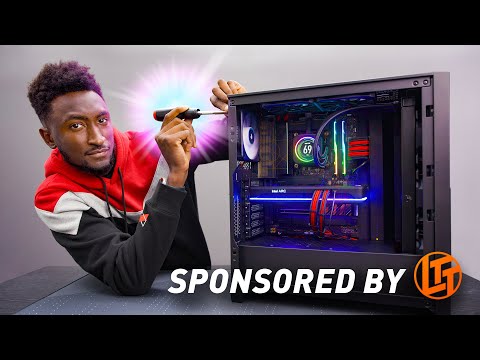
World's First Intel ARC PC Build! (A770)
Building a PC with Youtuber Merch
In this video, MKBHD builds a PC using only Youtuber merch. He unboxes the Linus Tech Tips screwdriver and introduces the parts he will be using for the build.
Unboxing Youtuber Merch
- MKBHD unboxes his Youtuber merch including a desk mat, JerryRigEverything knife, and Linus Tech Tips screwdriver.
- He shows off the features of the Linus Tech Tips screwdriver and announces that he will be giving away two creator edition versions at the end of the video.
- MKBHD introduces all of the parts he will be using for the build including a Corsair 4000x case, ASUS Pro Art Z690 motherboard, Intel Core i9 CPU, Corsair H150i liquid cooler, G-Skill RAM, M.2 SSDs, ASUS 1200 watt modular power supply, and an Intel Arc A70 GPU.
Building the PC
- MKBHD starts building his PC by installing components onto his ASUS Pro Art Z690 motherboard including an Intel Core i9 CPU and G-Skill RAM.
- He continues to install components onto his motherboard such as M.2 SSDs before moving on to cable management.
- The modular power supply allows him to pick which cables to use for cable management.
- The Intel Arc A70 GPU is installed last.
Conclusion
- At the end of the video, MKBHD announces that he will be giving away two creator edition versions of the Linus Tech Tips screwdriver used in this video.
Installing CPU
In this section, the speaker installs the CPU.
Installing CPU
- The speaker opens the latch and lines up the arrow on the bottom corner with the arrow on the bottom left corner.
- The cover is pushed down to pop off and reveal that the CPU is installed.
Installing RAM and SSDs
In this section, the speaker installs RAM and SSDs.
Installing RAM
- The speaker installs two 32GB DDR5 memory sticks.
- Dual channel memory is installed in appropriate slots on board.
Installing SSDs
- M2 ports are opened using a screwdriver.
- Four terabyte drive is connected to pins and seated.
- Cover with heatsink is popped back on for protection.
Preparing Case for Power Supply Installation
In this section, the speaker prepares case for power supply installation.
Removing Hard Drive Bracket
- Hard drive bracket is removed from case since there are no hard drives in this build.
Power Supply Installation
In this section, the speaker installs power supply.
Modular Power Supply
- Modular power supply comes with a box of cables but cable mod cables are used instead.
- Cables are labeled for motherboard connection.
- Air intake at bottom determines orientation of power supply in case.
Checking Parts Fit
- Board has its spot at top of case.
Replacing the Front Fans with a Radiator
In this section, the speaker replaces the three front fans of the PC with a radiator. They explain that they will have to take out the fans and remove the front panel to install it.
Installing Radiator
- Replaces three front fans with a radiator.
- Takes out fans and removes front panel to install it.
- Explains that they will have to put tubes at the top since they are not supposed to do that but they don't have any other option.
Installing CPU Cooler and GPU
In this section, the speaker installs the backplate behind the motherboard, puts in the CPU cooler, and installs the GPU.
Installing CPU Cooler
- Puts backplate behind motherboard.
- Installs CPU cooler on CPU.
Installing GPU
- Installs AMD Arc A770 GPU in top PCI slot.
- Takes out top two slots for dual-slot card.
- Lines up GPU and listens for click sound when installing it.
Cable Management and Final Build
In this section, after fast-forwarding through cable management, we see that everything is plugged in correctly. The speaker boots up their PC for the first time and shows off its capabilities.
Final Build
- Fast-forwards through cable management process.
- Shows finished build with red-and-black aesthetic.
Booting Up PC
- Boots up PC for the first time.
- Comments on how clean and open the build looks with M.2 SSDs.
- Compares it to previous builds, such as a hackintosh that was difficult to turn off.
- Shows off gaming capabilities of the PC with Forza running at high settings and FPS.
Conclusion
In this section, the speaker concludes by giving away their LTT screwdriver and reflecting on what they learned during the build.
Giveaway
- Announces giveaway of LTT screwdriver used in the build.
Reflection
- Reflects on what they learned during the build process.
Turn any video into a summary like this
YouTube links, meetings, lectures. With transcripts, search, and chat.