TUTORIAL CONTASOL - COMO ABRIR UNA EMPRESA
Introduction and Program Overview
The speaker introduces the program "Contador" for creating a company, emphasizing its free availability and ease of use.
Program Setup and Company Creation
- The program interface is shown, highlighting the desktop view where users can navigate to create a new company.
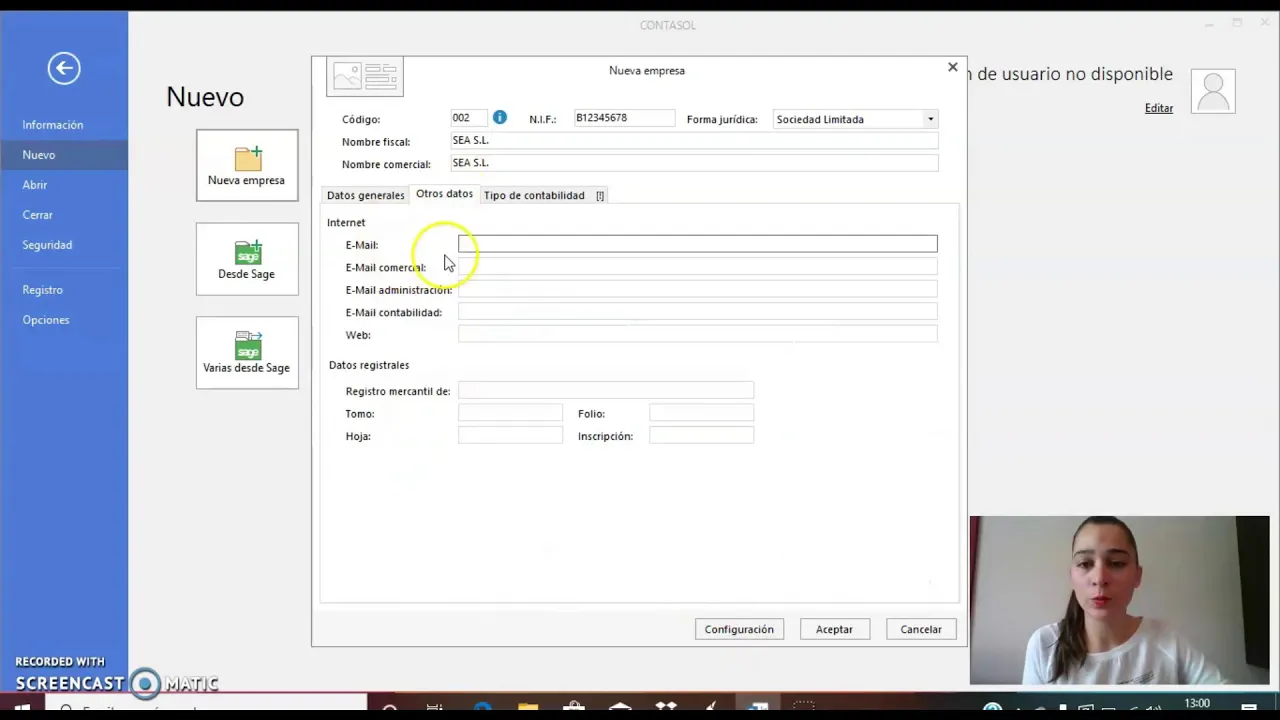
- Detailed steps on setting up a new company are provided, including selecting legal form, entering company details like name, fiscal number, address, and contact information.
- Instructions on specifying additional company information such as province, phone number, email, and commercial data are given.
- Setting up accounting preferences is discussed with options for creating a custom accounting plan or choosing a general one suitable for SMEs.
Accounting Configuration
The focus shifts to configuring accounting settings within the program for effective financial management.
Accounting Preferences and Settings
- Selecting the accounting year (e.g., 2018), defining the number of digits in codes, setting tax preferences like VAT on a quarterly basis are explained.
- Inputting details about representatives of the company including administrators and their roles is demonstrated.
Company Finalization and Daily Entries
Concluding steps in creating a company within the program and initiating daily financial entries.
Completing Company Setup
- Reviewing entered data before finalizing the creation of the company is emphasized.
Daily Financial Entries