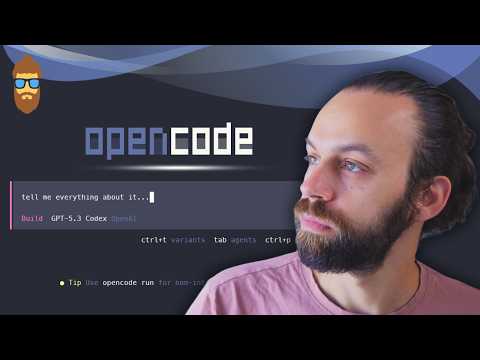
Open Code: Este es Mi setup definitivo (Skills + Comandos + MCPs + Multi Agentes)
Open Code: A Free Alternative to Cloud Code
Introduction to Open Code
- Open Code is presented as a free alternative to Cloud Code, allowing users to access older models without payment.
- The speaker expresses confidence in Open Code's capabilities, suggesting it may even surpass Cloud Code after extensive use.
Purpose of the Video
- The video aims not only to showcase Open Code but also to share insights on optimizing AI tools for better results at lower costs.
- Key topics include commands, skills, agents, executing multiple agents in parallel, and connecting MCPs (Model Control Protocols) to Open Code.
Overview of Open Code Features
- The speaker highlights that OpenCode.aiai offers numerous features and is frequently updated with new functionalities.
- While there is a desktop version available for Windows, the focus will be on the terminal version which serves as an equivalent to Cloud Code.
Installation Process
- The installation process begins with options provided in the terminal; npm is chosen due to its existing installation.
- Users can install Open Code easily; however, prior installations may lead to errors during setup.
User Interface and Functionality
- Once installed, users can open Open Code in various command line interfaces like PowerShell or Bash for functionality similar to Cloud.
- The interface includes a chat window alongside file systems for efficient coding review and interaction with AI models.
Accessing AI Models
- Users have immediate access to various models upon installation; default settings provide a free model option for initial use.
- Although premium models are available for purchase, users can experiment with free options that are consistently rotated within the platform.
Open Code and Model Connectivity
Overview of Open Code Functionality
- Open Code allows users to connect with various AI models, enabling flexibility in model selection. Users can access a menu of options by pressing the space bar.
- The platform features popular models such as OpenAI, Copilot, and Google Gemini, along with an extensive list of other available models for user selection.
Model Selection and Access
- Users can view details about free models within the "models" section. The default model upon installation is Big Pickle, but previous versions may also be available.
- After entering credentials, users gain access to multiple OpenAI models including version 5.3 and others that can be configured for specific sessions.
Understanding Open Code Sen
- Open Code Sen is highlighted as a curated list of models provided by Open Code itself. It functions similarly to other providers like Antropic or OpenAI.
- Users must log into Open Code Sen to utilize its features; it offers a streamlined experience similar to using an aggregator like Open Router.
Benefits of Using Aggregators
- Aggregators like Open Router allow users to manage multiple accounts and switch between different models easily while ensuring optimal performance through testing and optimization.
- While using aggregators may not guarantee the best model version at all times, they provide assurance that tested versions are being utilized effectively.
Subscription Details for Enhanced Features
- A subscription fee of $10 per month grants access to additional features including Kimi, GLM, and Minimx—models known for their cost-effectiveness compared to alternatives like Cloud.
- Users need an API Key for integration within Open Code; tracking costs associated with each model is facilitated through detailed breakdowns provided by the platform.
Performance Assurance and User Experience
- Models specifically tested for coding tasks ensure high performance; this feature is optional but recommended for those interested in maximizing efficiency.
- Feedback from users regarding interest in detailed comparisons between different models could lead to further exploration of performance metrics across platforms.
Agent Functionality Within the Platform
- Currently, two agents are available: Plan (for read-only access focused on planning changes without implementation), and Build (which implements changes).
- The ability to switch agents enhances user control over project management processes within the platform's environment.
Open Code: Customizing Agents and Building a NextJS Website
Customizing Agents and Variants
- Users can add their own agents and select which one to use with the Tab key. Variants can be adjusted using Control + T, allowing users to change reasoning styles based on the chosen model.
- The reasoning effort can be set to minimum, low, medium, high, etc., depending on user preference for cognitive load during processing. Each model has its specific settings.
- Themes can also be changed directly in the interface; familiar themes from Visual Studio Code are available for selection.
Project Initialization
- To start a project, it is set to planning mode where a website for a barbershop is created using NextJS. Users are encouraged to specify features like appointment booking while keeping creativity in check.
- The system tracks token usage, context percentage, and costs associated with API usage. This transparency is highlighted as an advantage over Cloud Code.
Implementation Process
- After planning, the project moves into build mode where users specify setup preferences (e.g., app router). The implementation process begins after confirming these details.
- A summary of the build process appears similar to Cloud Code's output format; it’s noted as easy to read and user-friendly.
Testing Functionality
- Upon completion of the build process, users are prompted to run commands (e.g.,
npm randev) to test functionality. The generated code includes features like booking services.
- Initial testing shows that all requested functionalities are present but lacks images or photos at this stage.
Managing Context with Agents
- Using the command
initcreates anagents.mfile that serves as a condensed knowledge base about the repository—similar in purpose tocloud.md.
- There’s debate regarding whether such files create more noise than value due to potential generic information conflicting with specific technologies used within applications.
Best Practices for Repository Management
- Maintaining clean repositories is emphasized; developers should ensure only necessary context is included for LLM interactions.
- While some argue against excessive summarization in agent files, others find them useful for providing general overviews that aid LLM understanding of projects.
This structured approach provides clarity on how Open Code facilitates customization and project management while highlighting best practices in repository maintenance.
Open Code: Understanding Commands and Sessions
Overview of Open Code Functionality
- The main context for using the language model (LM) is established, where users can set up skills and agents to dictate interaction styles.
- Users can return to previous sessions in Open Code, allowing them to resume work by referencing session names and IDs.
- A user can access all past conversations through a session search feature, enabling easy navigation back to specific points in their workflow.
Command Features in Open Code
- Various commands are available in Open Code, such as "thinking" which toggles the visibility of the LM's reasoning process.
- Additional commands include "undo" for reversing the last message and options for showing or hiding timestamps during interactions.
- The "timeline" command allows users to jump back to any prompt within long conversations, enhancing usability.
Session Management Capabilities
- Users can copy entire sessions, rename them for easier recall, or share them via generated URLs that allow others to view ongoing discussions.
- The sharing functionality is highlighted as a significant feature that keeps pace with other platforms like OP Open Adi.
Understanding Commands Structure
- Three core pillars of AI-assisted programming are identified: commands (what to do), agents (who will do it), and skills (knowledge accessible by agents).
- Each command is structured as an MD file containing details about its function, associated agent, model requirements, and prompts needed for execution.
Creating Custom Commands
- Users can create custom commands by providing arguments; examples include reading articles on best prompting practices from Antropic.
- A specific example involves creating a prompt optimizer command that adheres to patterns used in Open Code while referencing external resources for guidance.
- The result of this process is a new directory created within the system that houses the newly defined command.
Understanding Prompt Configuration and Skills in Open Code
Prompt Configuration
- The speaker discusses the structure of a prompt configuration file named
prompt.md, which contains commands, descriptions, and input arguments for an LLM (Language Learning Model).
- Emphasizes the importance of project-specific configurations to avoid sharing test commands across different projects, advocating for localized testing before broader application.
- Shares a personal philosophy on developing agents and skills: local testing is crucial before promoting any command or skill to a more general setting due to the volatile nature of configurations.
- Highlights that demonstrating how to create prompts allows users to adapt their own needs rather than relying solely on shared configurations that may quickly become outdated.
Optimizing Prompts
- Demonstrates closing and reopening Open Code, showing how to access previous sessions using specific commands.
- Tests the optimization feature by inputting a generic prompt without changes, aiming to see how it can be made more effective and precise.
- Observes that the system uses the original command while generating an improved version of the prompt based on user input.
Features of Open Code
- Introduces a popup feature allowing users to copy prompts directly, revert changes if something goes wrong, or fork new sessions from existing prompts for continued work.
- Discusses rollback functionality as essential for correcting errors without compounding mistakes during development.
Understanding Skills
- Transitions into discussing "skills," defining them as databases or knowledge directories provided to LLM in specific contexts.
- Clarifies that while commands dictate actions, skills provide contextual knowledge necessary for executing those actions effectively.
Enhancing Contextual Knowledge with Skills
- Explains that skills can include examples alongside theoretical knowledge, enhancing LLM's ability to apply contextually relevant information when making decisions or changes.
- Notes that skills were introduced recently in AI development environments like Antropic, emphasizing their role in improving precision through contextual awareness.
Skills.sh: Enhancing Development Practices
Overview of Skills.sh
- The platform Skills.sh, launched by Vercel, provides a valuable resource for developers to access knowledge databases from trusted companies.
- It offers best practices for various technologies, such as React, allowing users to import these practices into their repositories.
Utilizing Database Skills
- Users can find database migration skills from reputable sources like PlanetScale, which is recognized in the industry.
- A popular skill for PostgreSQL has been downloaded 26,000 times, indicating its widespread use and reliability.
Concerns About Homogenization
- There is a concern that reliance on these shared skills may lead to codebases becoming too similar across different projects.
- Despite this risk, developers can create custom internal skills tailored to their specific needs.
Installation and Usage of Skills
- Vercel's Find Skill feature allows users to install necessary skills directly via CLI using natural language commands.
- Skills can include scripts that enable execution of commands directly related to the package or technology being used.
Integration with Command Line Interfaces (CLI)
- The integration with CLI allows for direct interaction without needing third-party application integrations.
- Users can copy and install skills easily through terminal commands while managing installation scopes effectively.
Managing Installation Directories
- The installation process involves selecting appropriate directories where the skill will be stored (e.g.,
.agentsor.openCode).
- Options are available for linking installations across multiple models without duplicating files unnecessarily.
This structured overview captures key insights from the transcript regarding the functionalities and implications of using Skills.sh in software development.
Frontend Design Skills and MCP Integration
Overview of Frontend Design Skills
- The discussion begins with the introduction of a new feature added by Antropic, focusing on pedagogical objectives.
- The speaker reviews the contents of the frontend design skill, emphasizing important aspects like design thinking and visual appeal.
- To activate the skill, it is necessary to restart Open Code; this applies similarly to Cloud and other environments.
- The speaker demonstrates how to select and utilize the frontend design skill within Open Code for practical applications.
- An example prompt is provided to scan a repository for potential improvements from a design perspective.
Introduction to MCP (Model Control Protocol)
- Transitioning into MCP discussions, the speaker introduces an MCP that automates testing processes for applications or systems.
- Instructions are given on how to sign up for a free trial and obtain an API key necessary for integration.
- A reference is made to a previous video detailing installation procedures for various MCP integrations across different IDEs.
Setting Up MCP in Open Code
- The process of creating an
OpenCode.com.jsonfile is outlined as part of setting up MCP servers in Open Code AI documentation.
- Key configurations are discussed, including defining local or remote settings based on project needs.
Configuration Details
- Specific examples are provided on how to adapt configurations between different environments, highlighting differences in naming conventions (e.g., "MCP Servers" vs. "MCP").
- The importance of adapting commands for compatibility across platforms such as Windows is emphasized during setup.
Finalizing Setup
- Steps are detailed regarding final adjustments needed before running tests, including environment variable settings specific to Open Code.
- The speaker concludes with instructions on creating new API keys and verifying successful connections within Open Code.
Cloud Code and Test Sprite Integration
Initial Setup and Configuration
- The speaker discusses the documentation for Cloud Code, emphasizing the importance of combining formats to ensure functionality. They confirm a successful connection with Test Sprite.
- The next step involves authenticating with Test Sprite to begin testing. The speaker aims to connect with FCP as a priority.
- Basic configuration settings are outlined, including whether the test will focus on backend or frontend, scope of code (entire codebase vs. specific changes), and login requirements.
- Since there is no login feature in the barber shop site being tested, this field is left empty. The default port for running tests is set at 3000.
- A product specification document (PRD file) is created to detail what needs testing, which helps standardize the format for Test Sprite.
Creating Testing Plans
- After creating the PRD file, the speaker reopens Test Sprite's configuration and sets it to frontend testing mode.
- Upon continuing, they note that Test Sprite will generate a testing plan within a designated folder called "test sprite tests."
- A progress page appears during testing where users can track completion percentages of test cases; completed tests are marked in green.
- Users can view detailed steps taken during each test along with video recordings demonstrating what was tested.
- Modifications can be made on-the-fly if any test steps need adjustment; this flexibility allows users to regenerate tests easily.
Insights on Testing Capabilities
- One example highlights a specific test case: verifying that clicking on a service does not auto-complete booking selections due to lack of backend implementation.
- The speaker notes that real-world scenarios would involve more sophisticated checks when both frontend and backend are present in applications.
- Emphasizing how efficiently Test Sprite operates by simply using basic specifications provided by users to generate relevant test cases automatically.
Integration with GitHub
- An interesting feature discussed is integration with GitHub, allowing automatic execution of tests upon pull requests and providing immediate feedback on results.
- This integration benefits indie developers as well as small companies looking to professionalize their development pipeline by ensuring quick feedback after code changes.
Upcoming Events
- Mentioned an upcoming hackathon hosted by Test Sprite offering $3,000 in prizes for five winners; participants must follow certain steps including joining Discord.
Creating and Testing a Project with Test Sprite
Overview of the Project
- The video discusses creating a project and testing it using Test Sprite, encouraging viewers to upload their GitHub repository and share it on Discord for potential rewards in the hackathon.
- Test Sprite is highlighted as a valuable tool that offers free credits for users to experiment with its features.
Understanding Agents in Open Code
- The concept of agents is introduced, defining them as entities responsible for making changes. Key components include commands (what to do), skills (knowledge), and people (who will execute tasks).
- Two types of agents are identified: primary agents (main assistants accessed via the tab key) and subagents (specialized assistants invoked by primary agents).
Types of Agents
- Primary agents include "build" and "plan," which serve different functions within Open Code.
- Subagents can be called upon for specific tasks, enhancing decision-making capabilities by allowing primary agents to delegate responsibilities effectively.
Role of Subagents
- The importance of providing context in prompts is emphasized, enabling optimal results tailored to specific needs through various subagents.
- Open Code includes two default subagents: "general" (a general-purpose agent with file modification access) and "explore" (a read-only agent designed for code repository exploration).
Creating Custom Agents
- Users can create custom agents similar to existing ones by following established command structures. Examples provided include a documentation agent and a security auditor.
- Instructions are given on how to set up an agent within the Open Code directory, demonstrating practical steps for implementation.
Conducting Security Audits
- A demonstration shows how the newly created security auditor performs a code review, identifying critical issues such as hardcoded APIs.
- The interaction between primary agents and specialized auditors illustrates how designated roles enhance task efficiency based on specific requirements.
Alternative Agent Creation Methods
- An alternative method for creating primary agents involves using terminal commands outside Open Code, showcasing flexibility in agent development processes.
New Agent Setup and Documentation Process
Introduction to New Agent Configuration
- The speaker discusses the implementation of a new primary agent, focusing on building a comprehensive documentation plan that includes application architecture and security vulnerabilities.
- A new directory named "doc" is created to organize documentation related to architecture and security, demonstrating the initial output from the primary agent.
Repository Structure and Functionality
- The repository contains an overview file (agents.m), which serves as a reference point for the language model (LM) throughout its operations.
- Various components are integrated into the setup, including commands for prompt enhancement, frontend development skills, and a security auditing sub-agent.
Optimization of Prompts and Token Management
- Emphasis is placed on refining prompts to achieve more precise responses while minimizing token usage, thereby reducing costs associated with AI services like OpenAI or Anthropic.
- The speaker highlights their preferred setup that includes multiple agents and sub-agents designed for specific tasks such as testing automation.
Automation in Agent Invocation
- Plans are discussed to automate decision-making within the agents.m file so that the primary agent can invoke necessary sub-agents without manual input.
- The goal is to streamline operations by allowing specialized agents (frontend, backend, database, security experts) to be called upon automatically based on context.
Future Directions and Commitment
- The speaker aims to enhance automation further by updating agents.m with prompts that dictate when specific sub-agents should be utilized based on task relevance.
- A commitment is made to provide updated content regularly in Spanish-speaking markets due to rapid changes in available tools.