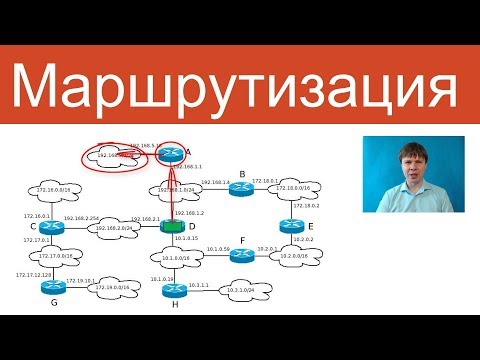
Протокол IP: маршрутизация | Курс "Компьютерные сети"
Introduction to Routing in Telecommunications
Overview of Routing
- The lecture introduces routing as a key function at the network level within the Open Systems Interconnection (OSI) model, focusing on how packets are delivered through complex networks using routers.
- Routing consists of two main stages: first, understanding the network's structure and second, determining the path for packet delivery once the network is known.
Stages of Routing
- The second stage of routing involves forwarding packets based on established network knowledge. The first stage will be covered in more advanced parts of the course.
Example Network Structure
- An example is presented with a composite network showing various subnets, each with its address and mask, along with interconnected routers.
Router Decision-Making Process
Possible Actions for Routers
- When a router receives a packet, it has three potential actions:
- Directly forward to a connected subnet.
- Send to another router that can reach the desired subnet (gateway).
- Discard if no route is known.
Differences Between Routers and Switches
- Unlike switches that broadcast unknown frames to all ports, routers discard unrecognized packets to prevent congestion from "garbage" packets.
Understanding Router Interfaces and Routing Tables
Key Information for Packet Forwarding
- Routers have multiple interfaces; they must determine which interface to use for sending packets based on their routing tables.
Structure of Routing Tables
- A simplified view of routing tables includes columns for subnet address, mask, interface, and metric. This information helps routers decide where to send packets.
Practical Examples of Routing Tables
Windows vs. Linux Routing Tables
- In Windows systems, routing table entries use IP addresses as identifiers for interfaces; Linux uses interface names like 'wlan' or 'eth0'.
Importance of Gateway Information
- The gateway column indicates whether a subnet is directly connected or requires forwarding through another router by specifying its IP address.
Multi-Router Pathways and Metrics
Handling Multiple Routes
- If reaching a destination requires passing through multiple routers, only the next hop's address is recorded in the routing table; subsequent hops are not noted.
Metric Usage in Route Selection
Routing Metrics and Methods
Understanding Routing Metrics
- The routing metric considers not only the number of intermediate routers but also the speed of channels between networks. Sometimes, it is more advantageous to route through two routers with faster connections.
- There are two types of routing: static and dynamic. Static routing involves manually configuring routing table entries, which is practical for small, infrequently changing networks.
- Dynamic routing automatically adjusts routes using protocols like RIP, PSP, FTP, etc., which will be explored in advanced course sections.
Advantages of Dynamic Routing
- In dynamic routing, if a router fails, other routers learn this via routing protocols and remove the failed route from their tables. Conversely, new routers can be added automatically to the routing table.
- For large networks like the internet, it's impractical for routers to know all routes; hence a default router is designated for unknown network packets.
Default Routes in Routing Tables
- A default route in a routing table is represented by four zeros in the address and subnet mask (0.0.0.0/0). This typically points to a router connected to the internet that knows how to navigate complex networks.
Route Selection Process
- When multiple entries match an IP address but have different subnet masks, the entry with the longest mask is chosen as it indicates a more specific route.
- An example illustrates how a university divides its IP address block among campuses and faculties using varying subnet masks (e.g., /16 for university-wide and /18 for faculties).
Rules for Route Selection
- The selection process prioritizes routes based on mask length:
- Longest mask (32 bits) corresponds to a specific host.
- If no specific host route exists, it searches for subnet routes with longer masks before falling back on the default route (/0).
Routing Tables Beyond Routers
- All network devices including regular computers maintain smaller routing tables that describe connected networks and default gateways used primarily for internet access or corporate connectivity.
Summary of Routing Concepts
- The lecture concludes by summarizing that routing involves finding paths for packet delivery across interconnected networks through intermediate nodes called routers. It consists of two main stages: network discovery and packet forwarding.
Key Takeaways on Routing Practices
- Effective use of routing tables includes mandatory columns such as address, subnet mask, interface gateway, and metrics. Multiple routes may exist between networks; thus selecting one with minimal metrics is crucial while utilizing default routers when explicit routes are unavailable.