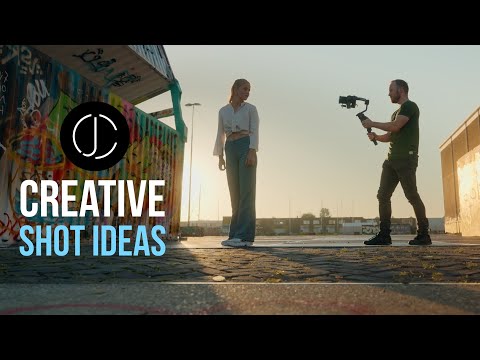
7 CREATIVE GIMBAL MOVES - Epic SHOT IDEAS for CINEMATIC VIDEO - DJI RS3 - Camera Movement
Seven Creative Gimbal Moves for Cinematic Video
In this tutorial, the speaker shares seven creative gimbal moves and epic shot ideas for cinematic video. The speaker explains how to do each move, when to use them, what lenses to use, and what your gimbal settings should be.
Reveal Turnaround
- Introduce the character into the frame with a reveal turnaround.
- Turning around looking to see who or what's behind him creates opposite movement to make the shot more dynamic.
- Use a 35 millimeter lens or 70 millimeter lens for more parallax.
- Put your gimbal in pan tilt follow mode with custom movement speed.
Character Switch
- Follow one character and switch to another going in a different direction.
- Use pan follow mode with medium gimbal speed.
- Shoot from behind using a wider lens for more movement with foreground passing by.
- Use a 24 millimeter lens for better results.
Tracker Reveal
- Combine standard movements with each other in one seamless move.
- Start with the standard side track first and focus on the feet of your subject initially creating anticipation because you know nothing about the character but doing a reveal of both in one continuous move makes it more dynamic.
- A 35 millimeter lens will give you good distance from the feet but is wide enough when you pull back.
- This shot works better in inverted mode.
Point of View Swing
- Emulate a point of view perspective of two people dancing and cutting to quick shots of individual faces makes an interesting scene.
- Shoot at higher frame rates like 50 or 60 frames per second on full-frame camera using a 35 millimeter lens.
Ride-In
- Bring your character into a stop-start movement from the opposite side and do a criss-cross as you sweep past.
- Keep your character in the right third of the frame with your head sweeping the horizon.
- Shoot from a lower angle to elevate your character making this a great hero shot.
- Use lens choice of 35 to 70 millimeter to achieve parallax.
Tilt Up Forward Push
- Push forward towards your subject with the camera tilting up.
- Add head movement like looking up into the lens as the camera tilts up.
- Use longer lenses above 70 millimeter and shoot at 100 frames per second or more for slow motion.
Free Webinar
- The speaker mentions a free webinar they did for Sony and Alpha Universe platform where they break down the 12 steps to cinematic video.
Shooting from a Moving Object
In this section, the speaker discusses how to shoot from a moving object while maintaining optimal stability.
Using a Scooter for Stability
- Adding a deep foreground can make the shot feel more dynamic.
- Depending on your camera, you might have to pre-focus in manual and keep the same distance from your subject.
- Switch your gimbal to pan follow mode with custom settings.
The speaker mentions using a scooter for stability when shooting from a moving object.