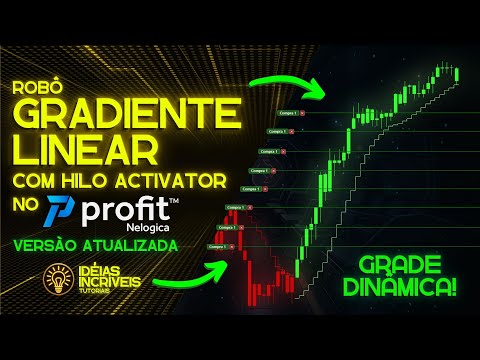
ROBÔ GRADIENTE LINEAR COM HILO ACTIVATOR | Versão dinâmica! #viral #trading #gradientelinear
Introduction to the Dynamic Linear Gradient Robot
Overview of the New Version
- The video introduces a new version of the linear gradient robot, highlighting its dynamic capabilities as it operates in live market conditions.
- The date and time of operation are specified as January 15th at 11:27 AM, showcasing real-time functionality.
Key Differences from Previous Version
- Unlike the previous version, which had no limit on grid orders, this updated version allows for controlled order management based on maximum position settings.
- The exit strategies have been improved; now individual lines can have distinct exit points rather than a single exit for all lines. This flexibility is demonstrated with specific selling points shown in the video.
Configuration Parameters Explained
New Features and Settings
- A variety of new parameters are introduced, including "max period," which determines whether the base price for the grid is set to recent highs or lows over a specified number of candles (e.g., last two or three candles).
- The grid quantity parameter allows users to define how many orders will be sent simultaneously (e.g., four orders currently displayed). Users can adjust this number easily within settings.
Exit Strategy Customization
- Users can choose whether exit orders maintain the same distance as entry orders or if they should be customized based on user-defined values. For instance, if entry distance is set at 100 points, exits can also reflect that unless specified otherwise.
- A newly integrated stop loss feature functions differently than before; it executes market orders instead of pending ones when triggered by price movements. This ensures operations resume only after candle closure rather than during active trading periods.
Operational Guidelines and Risk Management
Trading Timeframes and Execution Modes
- The robot is designed to operate across various timeframes but is currently set to a five-minute chart for demonstration purposes. It’s adaptable for different trading instruments like mini indices or mini doors.
- Important execution modes include allowing multiple order submissions without waiting for candle closures, addressing potential delays in live markets effectively. This setting enhances operational efficiency during trading hours from 9 AM to 6 PM daily.
Risk Management Features
- Users can establish gain objectives and loss limits within risk management settings, ensuring better control over trading outcomes and minimizing potential losses through strategic planning before executing trades.
Understanding the Trading Robot's Functionality
Overview of Code and Candle Operations
- The tutorial does not cover the entire code (141 lines), but explains that the robot operates only when a candle closes. A variable named "cano fechado" indicates whether the candle is open or closed.
- The function "bar count" tracks total candles since the beginning. If this number differs from a specific variable, it signals that a new candle has closed, prompting the robot to operate.
Order Execution and Movement
- Orders remain static until executed; they do not move unless triggered by price action. This contrasts with standard grid trading where orders adjust dynamically.
- The grid will only move if no orders have been executed. If an order is filled, subsequent movements are paused until an exit order is executed.
Adjusting Parameters for Trading Strategy
- After entering a buy position, there may be delays in sending out buy grids. Adjustments can be made to parameters like distance between orders (e.g., setting it to 200 points).
- Verifying distances between orders shows accurate spacing (185 points). This ensures proper execution of trades based on set parameters.
Managing Order Quantity and Grid Size
- When increasing order quantity and grid size, adjustments must align with maximum limits set in configurations. Initial settings may need modification for successful execution.
- Issues arise when trying to execute more contracts than allowed; adjustments in configuration are necessary to resolve these issues.
Finalizing Configuration Settings
- It's crucial that the quantity per order is defined before starting trading operations; errors can occur if changes are made mid-operation.
- Successful configurations show correct numbers of orders being sent out after adjustments are made, confirming operational integrity.
Measuring Performance Metrics
- After adjusting parameters again (e.g., setting distance back to 100 points), performance metrics such as point differences between buy and sell orders are measured accurately.
- Changes in parameters can reset previous order placements; monitoring system messages helps understand any resets or changes in strategy during operation.
Observing Market Behavior
- A pause was taken during operations for analysis purposes, indicating ongoing market behavior observation while ensuring functionality remains intact.
How to Use the Infutines Robot for Trading
Setting Up the Replay and Automation
- On January 13, the user initiates a replay of the Infutines asset by clicking on it and selecting strategies for automation.
- The user duplicates an existing robot for multiple assets, ensuring that changes in code do not pause the real-time robot.
- After executing the robot, it waits for a candle to close before making any purchases; once closed, it immediately buys.
Understanding Order Placement
- The spacing between exit orders is set at 50 points with each entry order spaced at 100 points above previous entries.
- In contrast to previous versions, this dynamic grid allows more flexibility as there are no limits on order placements unless specified in settings.
Adjusting Parameters and Execution
- The user modifies parameters such as maximum contracts allowed in the grid to enhance trading strategy effectiveness.
- Upon closing a red candle, the robot sells immediately and sends out its grid of orders based on updated parameters.
Dynamic Grid Functionality
- The new version features a dynamic grid that moves with price changes without accumulating orders outside designated areas.
- When reaching a target of 500 points, operations automatically conclude, showcasing improved efficiency over prior iterations.
Final Testing and Observations
- A delay may occur when executing trades; however, adjustments can be made in settings to minimize this issue.
- As trades execute successfully, the system maintains consistent distance between entry and exit orders without misalignment or accumulation issues.
Robô de Trading: Atualizações e Funcionalidades
Processo de Salvamento e Reset do Robô
- O apresentador demonstra como salvar o código do robô, enfatizando que não houve alteração no código, apenas um salvamento.
- Após reiniciar o robô, ele informa que as ordens podem ter sido resetadas para os preços mais próximos, utilizando o candle mais recente como referência.
- A atualização do robô é destacada, mostrando a ausência de acúmulo de ordens e saídas incorretas, melhorando a eficiência da operação.
Detalhes Técnicos do Código
- O apresentador menciona que o código possui 141 linhas, sendo um dos maiores apresentados no canal. Ele alerta sobre a complexidade e a necessidade de atenção ao modificar qualquer parte do código.
- Um QR code é disponibilizado para aquisição do robô; ele destaca que mudanças indevidas no código podem comprometer seu funcionamento adequado.
Considerações Finais sobre Aquisição
- O apresentador recomenda cautela ao adquirir o código aberto após 8 dias; mudanças não intencionais podem dificultar retornar à configuração original.