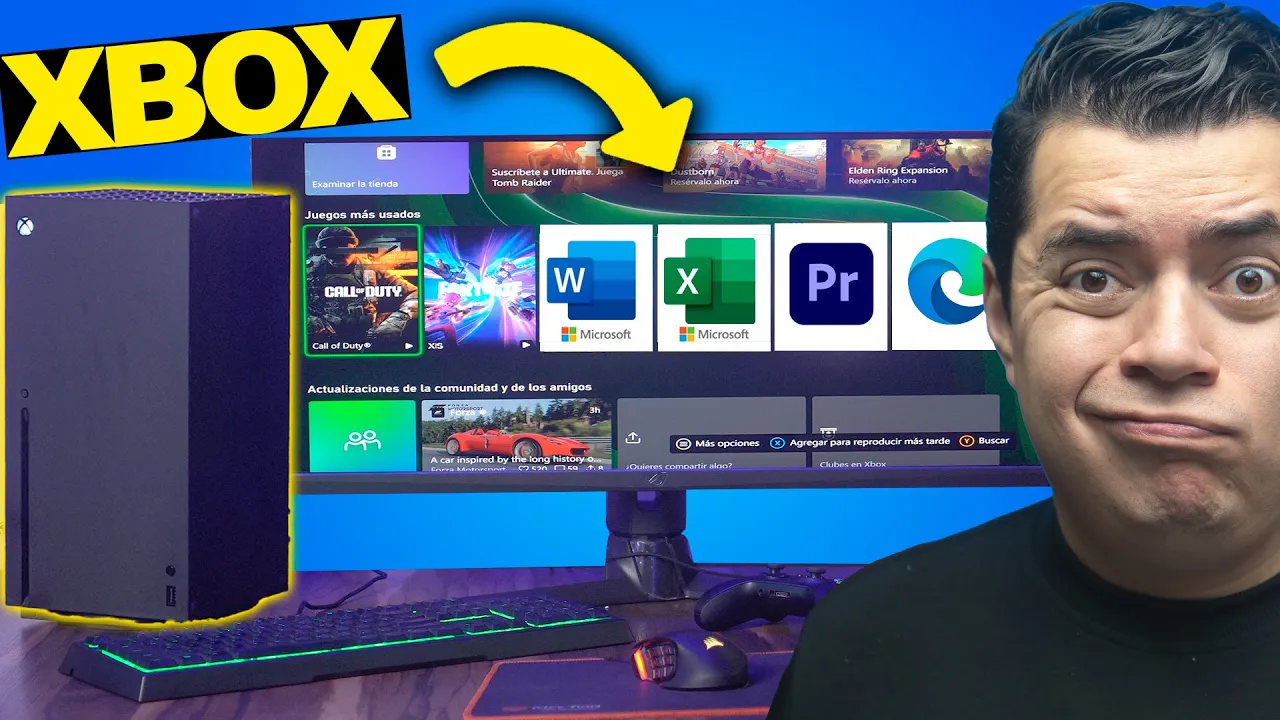
Uso Xbox X como PC Gamer ECONOMICA ¡SI FUNCIONA! PERO...
Vámonos a utilizar el Xbox como una computadora para videojuegos ultra mega hiper barata
In this section, the speaker introduces the idea of using an Xbox as a cost-effective gaming computer. They discuss utilizing it for editing, playing games, and typical computer tasks.
Exploring Xbox as a Budget Gaming Computer
- The speaker expresses excitement about using an Xbox X for various tasks like editing and gaming.
- They highlight the advantage of using Edge on Xbox for tasks such as email, text files, and YouTube videos.
- Discusses the limitation of only being able to use certain Microsoft Store applications on Xbox.
- Demonstrates attempting to use Outlook on Xbox but faces limitations in accessing certain features like email.
Integración de Xbox con el sistema y uso de Google Drive
This part focuses on integrating Xbox with systems like Google Drive and exploring its capabilities and limitations in handling tasks typically done on a computer.
Integration with System and Google Drive Usage
- Shows how tasks like writing essays or saving documents can be done on Xbox using Google Drive.
- Discusses the inability to download files directly from the internet onto Xbox but mentions the option of using a USB drive for data access.
Creación de documentos y uso del teclado en el explorador
Here, the speaker demonstrates creating documents, spreadsheets, and utilizing keyboard functions within the browser on Xbox.
Document Creation and Keyboard Usage
- Shows how to create spreadsheets seamlessly on Xbox using native keyboard and mouse support in the browser.
- Highlights smooth functionality for office-related tasks without requiring additional configurations.
Especificaciones técnicas del procesador y tarjeta gráfica del custom Xbox
This segment delves into technical specifications of the custom-built processor and graphics card within the custom Xbox system.
Technical Specifications Analysis
- Details specifications of AMD Ryzen processor with 8 physical cores and 16 threads compared to Ryzen 7 3600X.
Por qué editar video en Xbox
In this section, the speaker discusses the process of editing videos on an Xbox console and highlights some challenges faced during the editing process.
Editing Videos on Xbox
- The speaker questions why they downloaded a video editor for Xbox and expresses frustration about the difficulties encountered while trying to edit videos on an Xbox.
- They mention the limitation of not being able to use a mouse in all programs while editing on Xbox, emphasizing the need for compatibility to utilize certain features effectively.
- The speaker reveals that the last gaming console they played and still own is the Xbox 360, indicating their familiarity with gaming consoles despite encountering issues with video editing on Xbox.
Challenges in Video Editing Process
This part delves into specific challenges faced during the video editing process on an Xbox console, highlighting technical issues and complexities encountered.
Technical Challenges
- The speaker encounters bugs while attempting to open a project file, showcasing technical glitches that hinder smooth workflow during video editing.
- Despite efforts to troubleshoot and navigate through the software interface, technical issues persist, leading to frustration and difficulty in completing tasks efficiently.
Exploring Editing Tools and Functionality
This segment focuses on exploring various editing tools and functionalities available on the Xbox for video editing purposes.
Tool Exploration
- The speaker reflects on how having a mouse would simplify the editing process but faces challenges due to system limitations, making it challenging to navigate through tasks seamlessly.
- They highlight the complexity of using certain features for editing purposes on Xbox, expressing dissatisfaction with its suitability for advanced editing tasks compared to traditional computer setups.
Utilizing Additional Features for Productivity
Here, emphasis is placed on utilizing additional features and tools within the software environment to enhance productivity during video editing processes.
Productivity Enhancement
- The speaker recommends utilizing VIP RDK for purchasing licenses at low costs to activate Windows or Office applications securely via PayPal.
- Despite encountering challenges such as menu malfunctions and software bugs, there is an acknowledgment of potential productivity gains by understanding and adapting to these issues over time.
Enhancing Visual Elements in Editing
This part explores enhancing visual elements within the editing environment of an Xbox console, focusing on graphics configuration options available for users.
Visual Enhancement
- Discussion revolves around configuring graphic settings such as showing FPS (frames per second), motion blur effects, and advanced graphics options available within the software interface.
Detailed Monitor Review
In this section, the speaker provides a detailed review of a monitor, highlighting its specifications and features.
Monitor Specifications
- The monitor is not 4K but Quad HD with 220 Hz refresh rate and 1ms response time.
- Discussion on whether to use DDR5 or DDR4 memory for optimal performance in gaming.
- Choosing between DDR5 and DDR4 memory based on latency and speed considerations.
- Personal preference towards DDR4 due to lower latency despite the advantages of DDR5.
- Transitioning to playing Fortnite on the monitor, noting smooth gameplay experience.
Gaming Experience: Fortnite
This part focuses on the gaming experience while playing Fortnite on the monitor.
Gaming Performance
- Initial observations of gameplay without FPS display visible.
- Smooth gameplay experience noted, especially with the high refresh rate of the monitor.
- Switching between keyboard and mouse controls seamlessly for varied gaming experiences.
Exploring Game Compatibility
The speaker explores game compatibility and usability with different input methods.
Input Method Testing
- Testing compatibility with keyboard and mouse controls in games other than Fortnite.
- Exploring ease of closing games and switching between different titles seamlessly.
Testing Warzone Gameplay
Evaluation of gameplay performance while testing Warzone on the Xbox console.
Warzone Performance
- Noticing slower performance in Warzone initially, questioning potential causes.
- Addressing issues related to game animation affecting overall gameplay experience.
Understanding Xbox Series X as a PC Replacement
In this section, the speaker discusses the potential of using Xbox Series X as a replacement for a PC, focusing on compatibility with keyboards and mice.
Exploring Compatibility
- The speaker mentions trying to use a keyboard and mouse with Xbox Series X for gaming, highlighting the compatibility of these peripherals.
- Emphasizes that certain games are compatible with keyboards and mice on Xbox Series X, suggesting checking an editor's list for compatibility details.
Game Compatibility Issues
- Discusses encountering issues with game detection on Xbox Series X, particularly mentioning Overwatch 2 not appearing in the list despite being a shooter game.
- Differentiates between games suitable for different platforms (console vs. PC), indicating a need to focus on compatible games when using Xbox Series X.
Streaming and Multimedia Capabilities
This part delves into the streaming capabilities of Xbox Series X, including webcam integration and streaming to platforms like Twitch and YouTube.
Streaming Features
- Explores the possibility of streaming gameplay directly from Xbox Series X to platforms like Twitch without complications.
- Mentions seamless streaming experiences without hurdles, highlighting the ease of starting streaming activities directly from the console.
Xbox Series X: A Versatile Gaming Device
The speaker reflects on utilizing Xbox Series X not just for gaming but also for various multimedia tasks like listening to music while playing.
Multifunctional Use
- States that Xbox Series X can serve multiple purposes beyond gaming, such as listening to Spotify while playing games seamlessly.
- Considers Xbox Series X as a cost-effective alternative to both consoles and PCs for basic tasks like office work, music listening, and gaming.