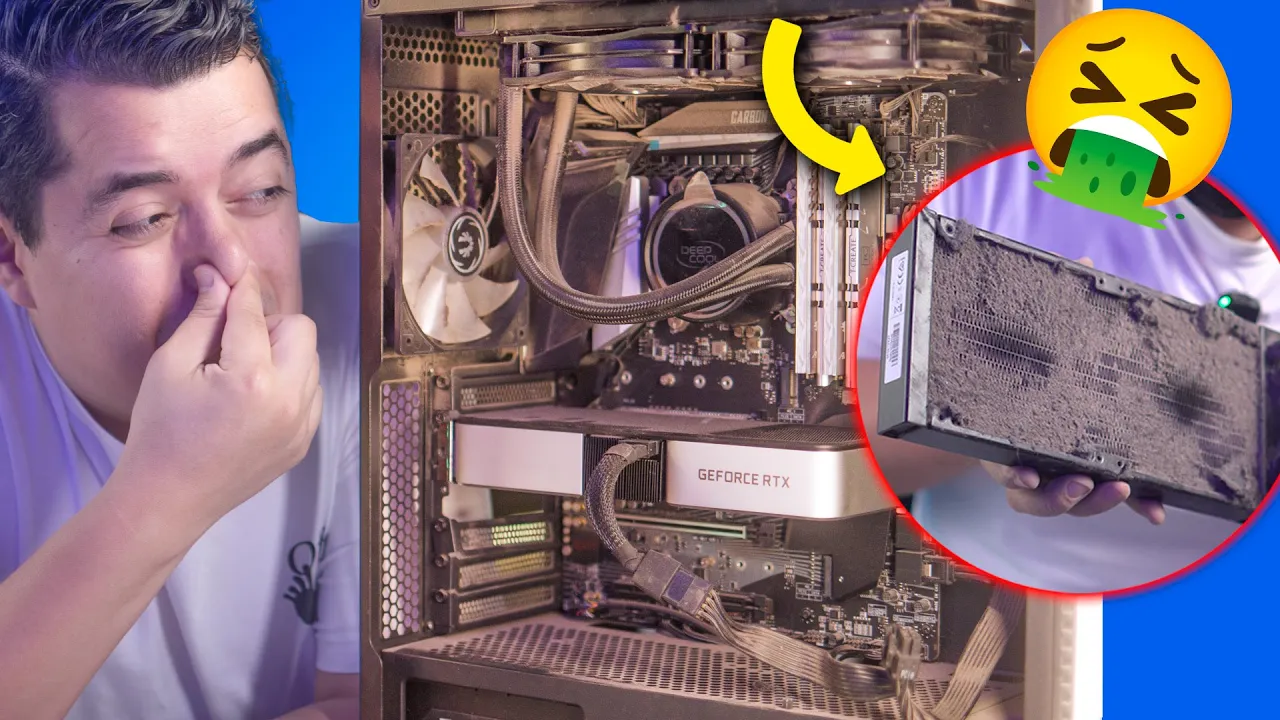
Rescatamos PC Gamer MUY SUCIA ¡Mantenimiento PROFUNDO!
Maintenance of a Computer System
In this section, the speaker introduces the task of performing maintenance on a computer system, emphasizing the importance of thorough cleaning and care for optimal performance.
Disassembly Process and Importance of Maintenance
- The computer has not received maintenance for two years despite working long hours daily, highlighting the necessity of immediate attention.
- Dust poses a significant issue during disassembly due to allergies, underscoring the need for precautions like wearing a mask.
- The disassembly process begins with removing components while acknowledging the substantial dust accumulation.
Cleaning Components and Precautions
- Removal of an RTX 3060 Ti graphics card reveals moderate dirt accumulation, surprising the speaker.
- Emphasizes fearlessly disassembling the PC entirely to demonstrate proper cleaning techniques throughout the video.
Precautions and Professional Maintenance Tips
This segment focuses on safety measures and professional maintenance advice to ensure effective cleaning procedures.
Safety Measures and Surface Considerations
- Stressing non-conductive surfaces for workstations to prevent static electricity issues during maintenance tasks.
Frequency of Maintenance and Course Recommendation
- Recommends using compressed air every few months to maintain cleanliness efficiently, reducing the need for extensive deep cleaning sessions.
- Suggests conducting thorough maintenance every two years to prolong computer lifespan effectively.
Deep Maintenance Procedures and Training Courses
Discusses in-depth cleaning processes and promotes specialized training courses for professional development in computer maintenance.
Specialized Cleaning Techniques
- Demonstrates advanced disassembly techniques while mentioning Vortex Academy's specialized maintenance course for professional skill enhancement.
Benefits of Professional Training
Desarmado de Computadoras - Cleaning and Disassembling Computers
The speaker discusses the process of disassembling computers for cleaning, highlighting the importance of thorough cleaning to maintain optimal performance.
Detailed Disassembly Process
- The speaker emphasizes the need for a complete disassembly of all components in the computer, including cables, to ensure a thorough cleaning process.
- There is a playful threat to burn those responsible for neglecting their computers' maintenance, underlining the seriousness of proper upkeep.
- Removing each screw meticulously is highlighted, with a humorous mention of triggering an imaginary bomb sound if any unusual noise occurs during disassembly.
- The discovery of dust and debris accumulation inside the computer prompts a call for intense cleaning using compressed air or blowers.
- The speaker encounters challenges like dirt and hair entangled within components, stressing the necessity of meticulous cleaning even with external tools like washers.
Intensive Cleaning Procedures
The focus shifts to the extreme dirtiness found within the computer components, necessitating intensive cleaning methods.
Intensive Cleaning Insights
- Shock and disbelief are expressed at the extreme filth present in the computer parts, prompting immediate action for thorough cleaning outside using blowers.
- A comparison is made with previous dirty PCs maintained by others, highlighting this current PC as a strong contender for being exceptionally filthy.
- Despite disgust at the level of dirt accumulated in this PC, there is acknowledgment that it presents an opportunity for detailed maintenance and restoration.
- Emphasis is placed on urgent intervention due to potential hardware damage from excessive dust accumulation affecting temperatures and overall performance.
Cleaning and Maintaining a Computer
In this section, the speaker discusses the process of cleaning and maintaining a computer, emphasizing the importance of proper care to ensure optimal performance.
Cleaning Components Properly
- The importance of having fans to generate electricity when spinning.
- Emphasizing the need for careful handling to avoid damaging components.
- Stressing the significance of cleanliness after disassembling the computer.
Thermal Paste Application
- Demonstrating the removal of thermal paste with caution.
- Highlighting the importance of not rotating fans during maintenance.
Reassembly Process
- Advising on reassembling components meticulously to prevent issues.
- Emphasizing replicating original component placement for successful reassembly.
Importance of Choosing Motherboard for Specific Processors
This section delves into selecting an appropriate motherboard for specific processors, focusing on considerations such as power phases and capabilities.
Motherboard Selection Tips
- Recommending motherboards with sufficient power phases for high-energy processors like Ryzen 7 5700X.
- Suggesting that even mid-range X570 motherboards can effectively support various processors.
Teaching as a Learning Method
Exploring teaching as a method to enhance learning and deepen understanding in technical subjects like computer maintenance.
Learning Through Teaching
- Discussing how teaching reinforces knowledge acquisition and understanding.
Ventilation System Assembly Guide
In this section, the speaker provides a detailed guide on assembling a ventilation system, focusing on fan installation and airflow direction.
Ventilator Installation Process
- The speaker emphasizes using long screws for attaching fans securely.
- Understanding the airflow direction of fans is crucial; one side expels air while the other side draws it in.
- Discusses reversible fan blades that allow changing the airflow direction by swapping blades.
- Introduces "Swap fans" designed to address aesthetic concerns when fan bases are visible in cases.
- Explains the use of reversible fans to enhance aesthetics and improve airflow direction visibility.
Motherboard and Cooler Installation
This part covers mounting the motherboard and cooler, emphasizing cable management for optimal system functionality.
Motherboard and Cooler Setup
- Highlights the importance of basic computing knowledge gained through engineering studies for computer assembly.
- Demonstrates installing the motherboard along with the cooler and managing cables effectively.
- Emphasizes connecting components correctly to avoid conflicts, such as connecting pump cables to designated headers.
- Differentiates between connecting pump and CPU fan cables to prevent operational issues due to low fan speeds.
- Shows how multiple fans can be connected using adapters provided with cooling components for efficient operation.
Radiator Installation and Cable Management
This segment focuses on radiator installation, screwing techniques, and cable organization for a clean setup.
Radiator Setup and Cable Handling
- Demonstrates securing radiators with appropriate screws while ensuring a stable attachment.
- Advises against overtightening screws during radiator installation to prevent damage or stripping.
Setting Up Computer Components
In this section, the speaker demonstrates how to connect various computer components such as USB 3.0, SATA cables, and front panel connectors.
Connecting Computer Components
- The process begins by connecting SATA cables and USB 3.0.
- Attention is given to properly placing the front panel connectors like reset and power buttons.
- Emphasizes the importance of taking photographs before disconnecting cables for reference during reconnection.
- Discusses challenges faced in cable management and opting for Molex connections for fans.
- Highlights difficulties encountered with stubborn components like Sata cables during installation.
Finalizing Computer Assembly
This part focuses on completing the assembly of computer components including video card installation and cable management.
Completing Assembly Process
- Demonstrates routing cables for powering the video card.
- Addresses the placement of additional SATA connectors for enhanced functionality.
- Appreciates the visual appeal of a well-assembled computer setup.
- Stresses securing hard drives properly to prevent vibrations during operation.
- Details the process of fixing hard drives using screws and ensuring proper connection.
Final Steps and Cost Comparison
The final steps involve powering up the computer after completion, reflecting on time spent, cost savings compared to professional services, and encouraging DIY practices.
Concluding Assembly Process
- Addresses challenges when lacking sufficient bays for component installation.
- Reflecting on time invested in assembly compared to potential technician costs.
- Encourages viewers to undertake similar tasks themselves with caution and attention to detail.