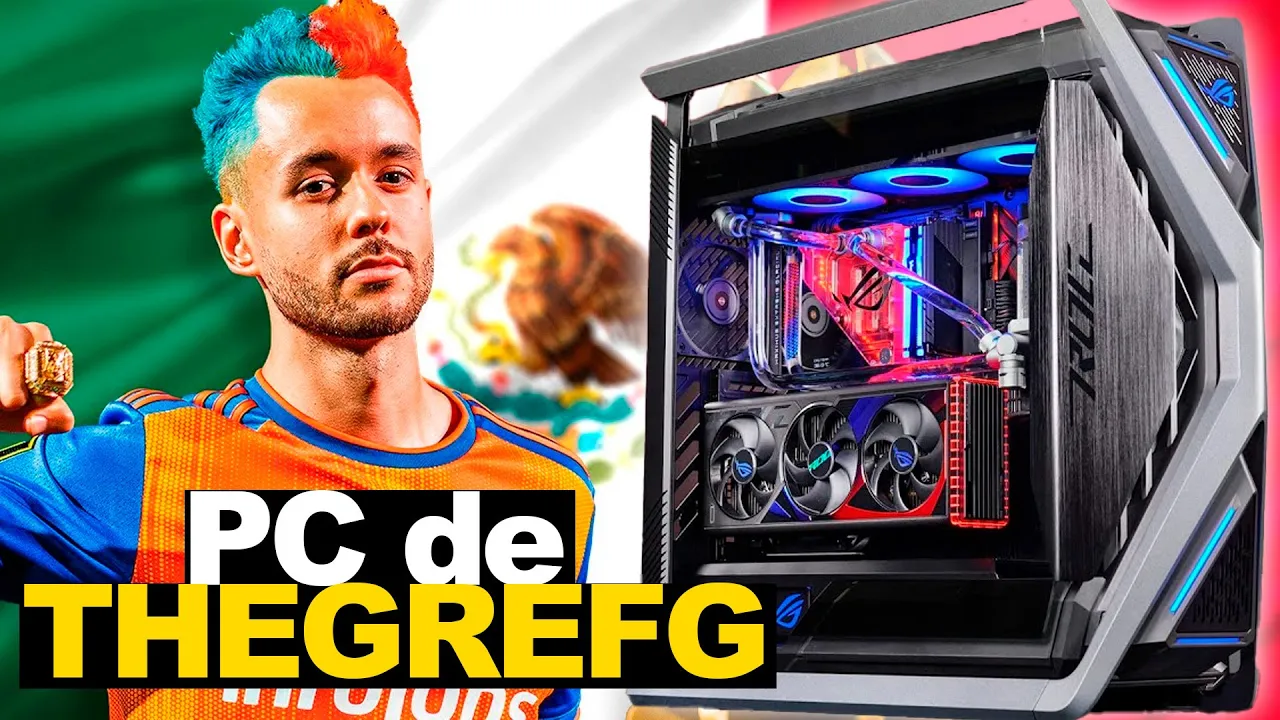
La PC Gamer para TheGrefg en México ¡TODO ESTO LE PUSIMOS!
Overview
In this video, the speaker discusses the computer setup of Gref, focusing on the components used and their capabilities. The discussion includes details about the processor, motherboard, cooling system, RAM, and collaboration with ASUS Mexico.
Processor Details
- The Core i9 14900 processor has 8 physical cores for performance and 16 physical cores for efficiency, totaling 24 physical cores and 32 threads for work.
- The processor is optimized for gaming with all cores utilized when playing games and efficient cores ready for tasks like Photoshop or browsing with Google Chrome.
Collaboration with ASUS Mexico
- ASUS Mexico provided components to build Gref's computer setup in just two days.
- The motherboard used was a high-end model capable of managing power efficiently for top-tier processors like the Core i9 14900.
Processor Capabilities
This section delves into the capabilities of the Core i9 14900 processor used in Gref's computer setup.
Performance Features
- The processor boasts new technology allowing optimal utilization during gaming by distributing workload effectively between performance and efficiency cores.
- It offers significant benefits for streamers as it can allocate efficiency cores to tasks like encoding signals while streaming.
ASUS Motherboard Specifications
Here, details about the ASUS motherboard used in Gref's setup are highlighted along with its advanced features.
Motherboard Features
- The ASUS motherboard provides robust power management through superior phase design suitable for high-performance processors like the Core i9 series.
- It includes advanced features such as WiFi 7 support and PCIe 5.0 compatibility, offering extensive expansion options for users.
RAM Configuration
This part focuses on the memory configuration of Gref's computer setup, emphasizing the importance of sufficient RAM capacity.
Memory Capacity Importance
- Equipped with 64GB of DDR5 RAM, the system ensures smooth multitasking even under heavy loads from applications like web browsers or video games.
Detailed Computer Build Discussion
In this section, the speaker delves into the specifics of a computer build, discussing components such as RAM, graphics cards, and power supplies.
RAM, Graphics Cards, and Storage
- The discussion focuses on the components of the computer build:
- Mention of an i5 fourth-generation processor and ASUS Z790 motherboard with 32 GB of RAM.
- Emphasis on the importance of solid-state drives (SSDs) over traditional hard drives for improved performance.
- Solid-state drives are recommended due to their affordability and performance benefits compared to traditional hard drives.
- The speaker highlights the availability of components at their store hypro.com.mx for customers in Mexico.
Graphics Card Selection
- The importance of selecting a suitable graphics card is discussed:
- Recommendation for a 4070 Super or 4070 Ti for streaming purposes.
- Emphasis on balancing performance needs with cost-effectiveness.
- Comparison between different graphics cards like the 4080 Super and 4090 in terms of performance and cost.
Power Supply Considerations
- Discussion on power supply requirements:
- Recommendation for a robust 1000W power supply to support high-end components like the RTX series graphics cards.
- Caution against exceeding 80% usage of the power supply capacity to ensure stability and longevity.
ASUS Flagship Cabinet and Pricing
This section covers details about an ASUS flagship cabinet, pricing considerations for high-end computer builds, and additional components included in premium packages.
ASUS Flagship Cabinet
- Description of a premium ASUS flagship cabinet by hyperon gr701 known for its robust design and impressive features.
Pricing Details
- Insights into pricing for high-end computer builds:
- Average cost estimation around 90,000 Mexican pesos (~4,500 USD).
- Inclusion of extra components like super fans and monitor stands in premium packages.
Additional Components
- Mention of additional items included with premium packages:
Detailed Discussion on Monitors and GPU Maintenance
In this segment, the speaker discusses the features of quad HD monitors and Fast IPS monitors. Additionally, there is a conversation about maximizing monitor performance with the 4080 GPU. The importance of maintenance versus purchasing a new graphics card is also highlighted.
Quad HD Monitors and GPU Performance
- The speaker expresses admiration for quad HD monitors and Fast IPS monitors, emphasizing their impressive components.
- Discusses the economic alternative of maintaining a current graphics card rather than buying a new one to ensure optimal performance.
- Differentiates between maintaining a graphics card for longevity and upgrading to a higher-tier GPU for enhanced performance.
Importance of Maintenance vs. Upgrading
- Emphasizes the distinction between maintenance (e.g., changing thermal paste) and purchasing a new graphics card in terms of functionality and cost-effectiveness.
- Shares an amusing anecdote about receiving a message requesting assistance with acquiring a high-performance computer before an upcoming event.
Building Community Through Collaboration
This part delves into the importance of supporting fellow content creators within the community. The speaker emphasizes collaboration, mutual respect, and shared passion as key elements in fostering growth and camaraderie.
Fostering Community Support
- Expresses admiration for fellow content creators like de grev, highlighting how they inspire through their work ethic and community engagement.
- Stresses the significance of supporting individuals who share similar passions, ensuring inclusivity and encouragement within the community.
Collaboration and Mutual Respect
- Affirms an open-door policy for collaboration with like-minded individuals who demonstrate dedication, passion, and alignment in goals.
- Narrates an instance where prompt action was taken to assist another creator in need by arranging for a high-performance computer within a tight timeframe.
Hotel Room Setup and Computer Assistance
The speaker discusses receiving computer assistance for gaming needs, particularly from a recommended individual named Proto, who provides a high-end computer setup.
Receiving Computer Assistance
- The speaker sought advice on acquiring a better computer for gaming and streaming.
- Contacted Proto, a recommended YouTuber in Mexico specializing in computers, who offered immediate help.
- Proto arranged for a top-tier computer setup with a 4080 Super and Ryzen 9 to be delivered to the hotel room.
High-End Computer Setup
- The new setup includes cutting-edge components like the 4080 Super GPU and latest-generation Ryzen processor.
- Additional monitor provided by Kings League complements the powerful computer setup.
Computer Knowledge Sharing and Personal Development
The speaker emphasizes problem-solving skills and personal development within the community while sharing insights on computer hardware compatibility.
Problem-Solving Mentality
- Encourages resolving technical queries promptly to foster learning within the community.
- Discusses compatibility of older cream-colored computer cases with modern ATX or micro ATX motherboards.
Computer Hardware Guidance
- Offers specific guidance on installing motherboards in older cases through available online resources.