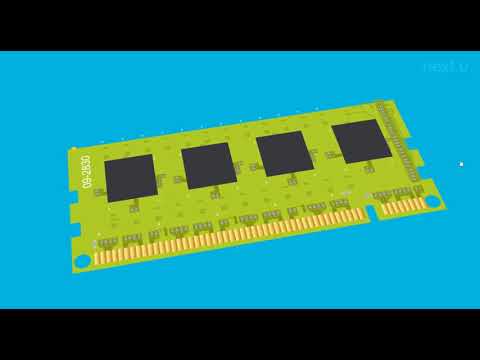
Memoria Principal
Memory Components of Computers
Introduction to Memory
- The session begins with an enthusiastic welcome, focusing on expanding knowledge about computer components, specifically the main memory.
- Memory is defined as the location where data is stored in integrated circuits or chips that hold binary patterns represented by on/off states (1s and 0s).
Types of Memory
Volatile vs. Non-Volatile Memory
- Memory can be categorized into two types: volatile and non-volatile.
- Volatile memory requires constant electrical power to maintain its content.
- Non-volatile memory retains data without needing power.
RAM and ROM
- Two primary types of memory are discussed:
- ROM (Read-Only Memory): Permanent storage, high reliability but cannot be updated and is slower than RAM.
- RAM (Random Access Memory): Temporary storage for data and programs while the computer is powered on; it allows reading/writing at any position.
Detailed Look at VRAM
Static vs. Dynamic VRAM
- VRAM can be static (SRAM) or dynamic (DRAM):
- Static RAM (SRAM): Faster access times, does not need frequent rewriting, used mainly for cache within processors.
- Dynamic RAM (DRAM): Commonly installed for program execution and data storage; known as main memory.
Communication Between CPU and Main Memory
Bus Architecture
- The communication between the CPU and main memory occurs via a bus system connected through the chipset's northbridge functionality.
- Key elements affecting bus performance include:
- Width of the bus determines how many bits are read simultaneously.
- Speed of the bus affects how quickly data travels through it.
Evolution of Memory Technologies
DDR Variants Over Time
- Historical context provided regarding different types of DRAM:
- Early computers used SDRAM; later versions included DDR2, DDR3, with expectations for DDR5.
Physical Differences in Modules
- Each generation has physical differences in pin configurations which affect compatibility across motherboards.
Compatibility Considerations
Form Factors in Desktop vs. Laptop Computers
- Different form factors exist for desktop modules versus laptop modules:
- Desktops typically use DIMM modules with varying pin counts (e.g., 168, 184).