Протокол FTP | Курс "Компьютерные сети"
New Section
The lecture introduces the File Transfer Protocol (FTP), discussing its history, functionality, and key components.
Understanding FTP
- FTP was developed in 1971, predating protocols like TCP/IP. It evolved with versions based on TCP/IP, with the current specification including extensions like passive mode and IPv6 support.
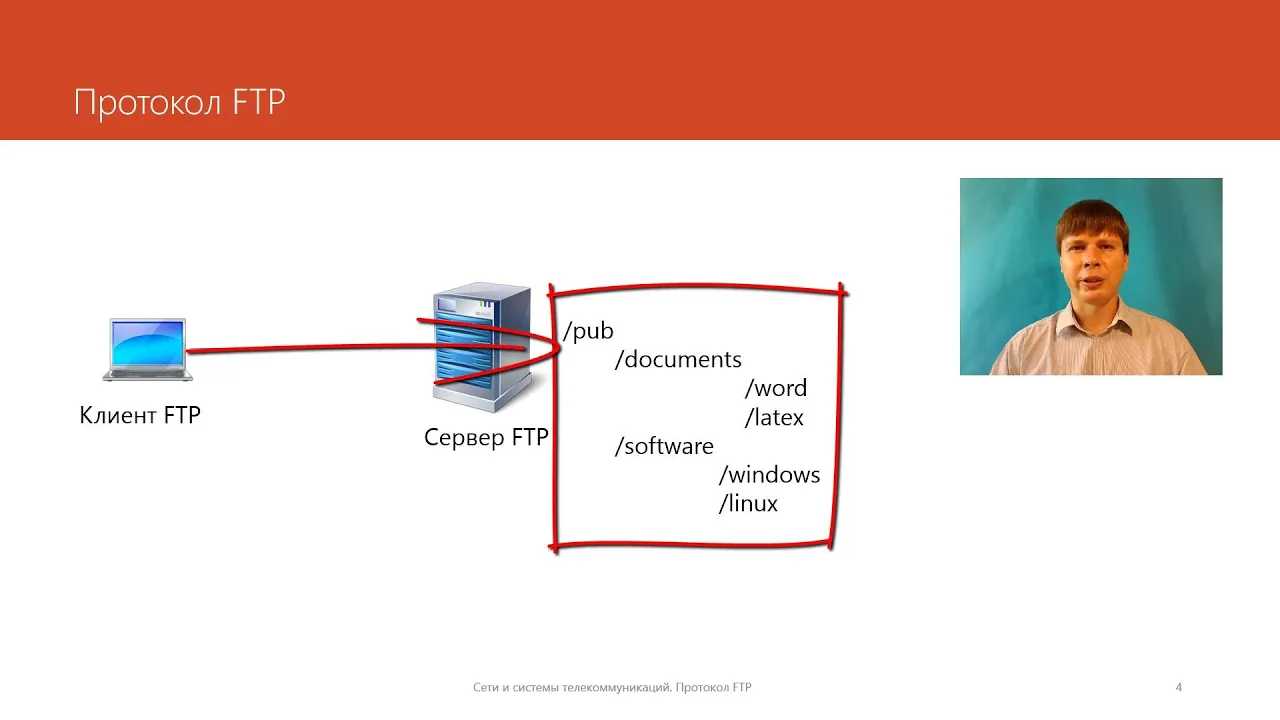
- FTP operates at the application layer as a client-server model. Clients connect to servers to interact with the file system, enabling actions such as browsing directories, transferring files, and executing file system operations.
- FTP uses URLs for file addressing, comprising three parts: protocol identifier (ftp), server name (DNS or IP address), and file path within the file system.
Connection Establishment and Modes
- FTP utilizes two separate connections: one for control and another for data transfer. The control connection uses TCP on port 21 on the server.
- Active mode involves the server initiating the data connection using port 20, while passive mode allows clients to establish data connections using ports above 1024.
User Authentication and Commands
- Users authenticate with FTP using identifiers and passwords that determine access rights within the server's file system. An anonymous user type exists with limited permissions for downloading files.
- Commands in FTP resemble those of other application layer protocols like POP3, involving actions such as authentication (USER/PASS), listing directory contents (LIST), and transferring files (RETR).
New Section
This segment delves into command functionalities within FTP, emphasizing text versus binary modes of data transmission.
Command Operations
- FTP supports text and binary data transmission modes. Text mode allows special character processing, while binary mode does not alter characters during transmission.
- Commands like MKD (make directory) and RMD (remove directory) facilitate directory management. Servers typically operate in active mode but can switch to passive mode for data transfer efficiency.
Session Example Analysis
- A session example demonstrates connecting to an FTP server on port 21, initiating control connections, receiving status responses from servers containing status codes indicating successful command execution.
- Authentication processes involve commands like USER for login information exchange. Servers prompt users for email-like passwords without actual email analysis but restrict access rights based on authentication success.
New Section
This part explores further interactions within an FTP session regarding authentication success confirmation and setting up data transfer modes.
Data Transmission Setup
New Section
This section discusses the File Transfer Protocol (FTP) and its usage for transferring files.
Understanding FTP Port Configuration
- FTP uses two numbers to determine the port for establishing a connection.
Data Transmission Process in FTP
- Servers inform clients about established data transmission in control connections.
- Data transfer occurs in binary mode during file transmission.
New Section
This part delves into the conclusion of an FTP session and its significance.
Conclusion of an FTP Session
- After file transfer completion, servers notify clients who then issue the "quit" command to terminate the connection.
- Servers provide statistics on bytes transferred before bidding farewell at the end of an FTP session.
New Section
Exploring the unique characteristics of FTP compared to other protocols.
Unique Features of FTP
- Unlike most application layer protocols, FTP utilizes two connections: control connection and data transfer connection.
- Passive mode FTP was introduced to address issues with data transmission initiation, particularly concerning firewalls and network devices.
New Section
Discussing security concerns associated with traditional FTP usage.
Security Challenges in Traditional FTP
- Traditional FTP poses security risks as user identifiers and passwords are transmitted openly over networks.
- The vulnerability of open data transmission makes it easier for malicious actors to intercept sensitive information during file transfers.
New Section
Transitioning from traditional FTP to more secure protocols like SSH.
Shift Towards Secure Protocols
- Due to security vulnerabilities, traditional FTP is being replaced by more secure protocols like SSH (Secure Shell).
- The diminishing use of traditional FTP is attributed to its inherent security flaws, prompting a shift towards safer alternatives in modern networking practices.