Протокол HTTP | Курс "Компьютерные сети"
New Section
The lecture discusses the HTTP protocol, its significance in the World Wide Web system, and the structure of URLs.
Introduction to HTTP Protocol
- Tim Berners-Lee developed the HTTP protocol at CERN in 1989, forming the basis of the World Wide Web.
- HTML markup language, web servers, and browsers were integral components of early web browsing.
- Hypertext is a special type of markup used to define text display; tags like h1 denote headings.
URL Structure and Components
This section delves into how URLs are structured and their components for accessing web pages.
Understanding URLs
- URLs consist of protocols (e.g., http), domain names, server addresses, and specific page paths.
- Web servers operate on port 80 for clients' automatic port generation; communication follows a request-response model.
Evolution of HTTP Protocol
Evolutionary stages and versions of the HTTP protocol are discussed along with packet composition.
HTTP Protocol Evolution
- The official adoption of HTTP 1.0 as a standard in 1996 marked a significant milestone.
- The introduction of HTTP 1.1 brought enhanced features but faced gradual adoption due to browser-server compatibility issues.
HTTP Request Methods
Various request methods within the HTTP protocol are explored for different interactions with web servers.
Request Methods
- Requests include methods like GET (retrieve webpage), POST (send data), HEAD (retrieve headers), PUT (upload resource), DELETE (remove resource).
- Headers such as host specify server domains; message bodies may contain webpage content or parameters for processing.
HTTP Response Codes and Methods
Response codes and methods in handling requests within the HTTP protocol are detailed.
Response Codes & Methods
- Status codes categorize responses into informational messages (1xx), successful actions (2xx), client errors (4xx), server errors (5xx).
New Section
This section discusses different HTTP status codes and their meanings, including 2xx for successful responses, 3xx for redirection, 4xx for client errors, and 5xx for server errors.
HTTP Status Codes
- Status codes starting with 2 indicate successful responses sent to the client.
- Codes beginning with 3 signify redirection; for instance, 301 denotes permanent redirection while 307 indicates temporary redirection.
- Status codes starting with 4 indicate client-side errors like the common error 404 (page not found) or error 403 (forbidden access).
- Codes starting with 5 denote server-side errors such as the internal server error (500).
New Section
This part delves into making requests and receiving responses from a web server using examples of connecting to a web server via TCP protocol.
Making Requests and Receiving Responses
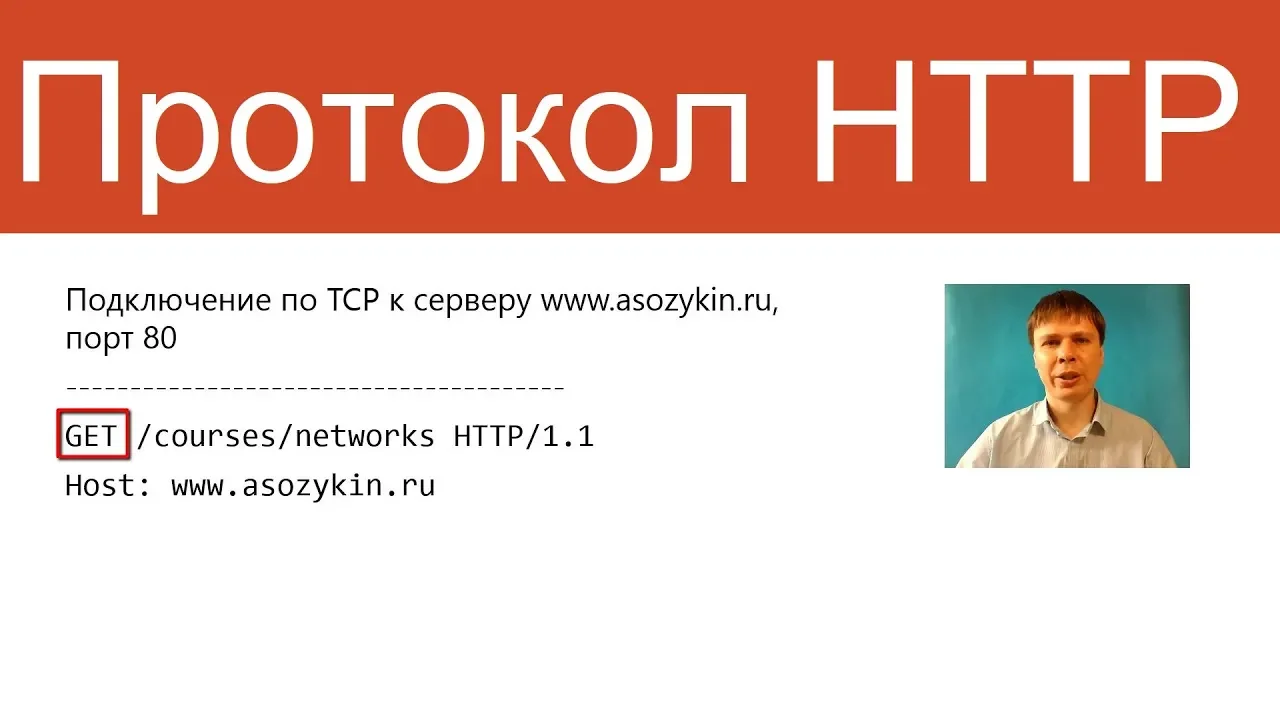
- To connect to a web server like "www.example.ru" on port 80 using TCP protocol manually through clients like Telnet on Linux or PuTTY on Windows.
- After sending a request specifying the method (e.g., GET), desired resource ("casus nadox" page), and protocol version (HTTP/1.1), headers like 'Host' are crucial for the server's response.
New Section
This segment explores the structure of HTTP requests and responses, detailing protocols, headers, content types, and data transmission processes.
Structure of HTTP Requests and Responses
- HTTP requests include protocol versions (e.g., HTTP/1.1), various headers indicating server details and content type (e.g., text/html), character encoding (UTF-8), page length, etc.
- Initially designed as question-answer interactions with methods like GET or POST exchanging data between clients and servers; modern websites are dynamic with programs generating pages dynamically from databases or other servers.
New Section
This part emphasizes the complexity of modern web pages that incorporate dynamic elements such as images, external data sources, client-side scripts, and user session management requirements.
Complexity of Modern Web Pages