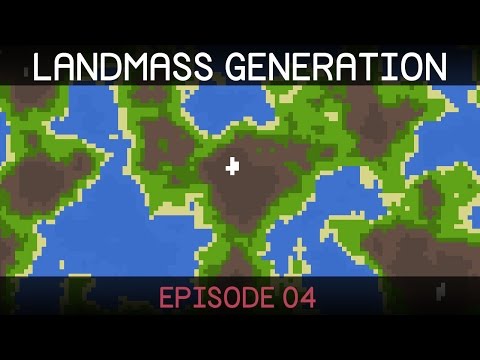
Procedural Landmass Generation (E04: Colours)
Creating Color Maps from Noise in Unity
Introduction to Terrain Types
- The episode begins with the goal of creating color maps based on generated noise.
- A public struct is introduced for different terrain types, including a float for height values and a color attribute.
- An additional string is added to label terrain types (e.g., water, grass, rock), ensuring it is system serializable for inspector visibility.
Setting Up Regions
- Two initial regions are created: "water" and "land," with blue and green colors assigned respectively.
- Height values are set: water at 4 and land at 1, defining their respective ranges within the map.
Implementing Color Mapping Logic
- The script loops through the noise map using nested loops to access each coordinate's height value.
- For each height value, it checks which region it falls into by comparing against defined heights.
- Upon finding the correct region, the corresponding color is saved in a one-dimensional color map array.
Drawing Modes and Texture Generation
- An enum called
draw modeis created to toggle between displaying the noise map or the color map.
- A new static class named
texture generatoris introduced to handle texture creation from a one-dimensional color map.
Creating Textures from Color and Height Maps
- A method
texture from color maptakes a color array along with width and height parameters to create a texture.
- Another method
texture from height mapcopies previous logic but focuses on generating textures based on height data instead of directly creating them.
Final Adjustments in Map Display Class
- The draw method in the display class transitions from drawing only noise maps to general texture drawing capabilities.
- Adjustments are made in how textures are drawn by passing either noise or color maps as needed.
Testing in Unity
- The session concludes with testing changes in Unity, confirming that the draw mode can switch between displaying noise maps and generated color maps effectively.
Improving Texture Clarity and Region Management
Enhancing Texture Definition
- The speaker discusses the current state of the texture, noting that water and land regions are drawn but appear blurry. They express a desire for crisper definitions in these textures.
- To address the blurriness, the speaker changes the texture filter mode to
Pointinstead ofBilinear. This adjustment aims to enhance clarity in how textures are rendered.
- Additionally, they modify the wrapping mode from
RepeattoClamp, which prevents parts of the map from seeping through and ensures a cleaner visual output.
- After saving and regenerating the texture with these adjustments, it is confirmed that the regions now appear clearly defined without any overlap from other sides of the map.
Challenges with Region Management
- A significant issue arises when trying to add new regions; for instance, inserting a second variant of sand would require manually shifting all existing regions down. This process is described as cumbersome and inefficient.
- The speaker indicates plans to create a custom editor later on to streamline region management, making it easier to handle such modifications without extensive manual effort.