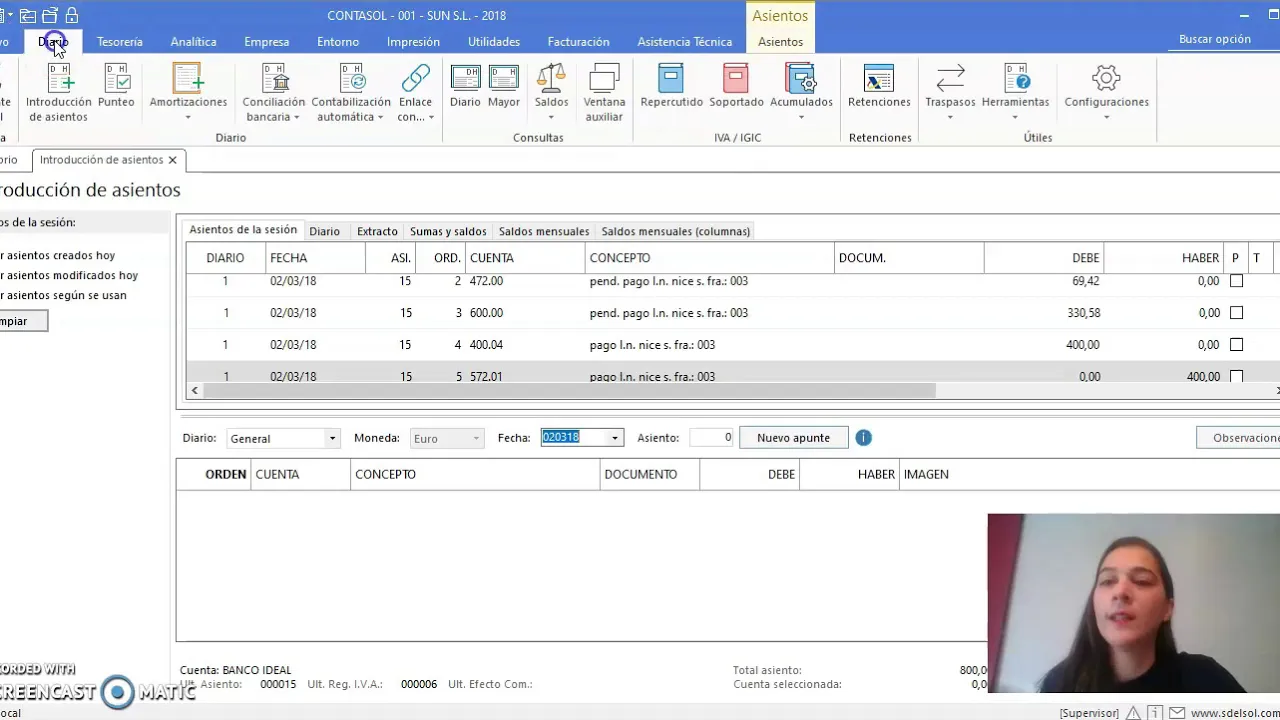
TUTORIAL CONTASOL - INTRODUCCIÓN DE ASIENTOS
Introduction to Entering Transactions in Accounting Software
In this section, the speaker introduces how to enter transactions using accounting software.
Introducing Transaction Entry
- The speaker mentions that the exercise shown was done in 2018 for annual closure purposes.
- Instructions on searching for dates or manually inputting them are provided.
- Emphasis on entering relevant information like account numbers and concepts for transaction clarity.
- Highlighting the importance of starting transactions with clients, suppliers, or creditors for automation in the VAT register.
Creating a Supplier Transaction
- Demonstrating creating a new supplier entry and adjusting its nature from credit to debit.
- Selecting tax types such as normal, reduced, or productive VAT rates.
- Inputting payment details and choosing specific VAT rates if applicable.
Completing Purchase Transactions
This part focuses on finalizing purchase transactions within the accounting software.
Finalizing Purchase Entries
- Adding pending payments and invoice details for accurate record keeping.
- Completing the transaction by confirming account entries and amounts.
Payment Processing and Record Keeping
Here, the process of processing payments and maintaining records is discussed.
Processing Payments
- Demonstrating how to offset payments against accounts payable for balance adjustments.
- Creating new bank accounts if necessary and recording payment transactions accordingly.
Reviewing Entries