Revolutionizing Deep Fakes: Experience One-Click AI-Powered Transformation with Roop
Deep Fix Method Overview
Introduction to the New Deep Fix Method
- The speaker introduces a new method for deep fixing images that can be executed with a single click, highlighting its recent release.
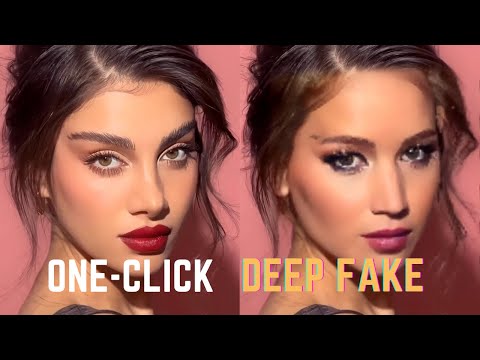
- An example is provided using an image of Jennifer Lawrence, showcasing the results achieved through this method.
Installation Process
- The installation process is described as straightforward for Linux users but more complex for Windows users, requiring multiple downloads and installations.
- Users must clone a specific repository using
git cloneand navigate into the cloned directory. Instructions are given on how to do this effectively.
Required Downloads
- Essential components include downloading FM pack and K Lite Codec Pack (recommended full version) for Windows users due to current issues with the repository. Links will be provided in the description.
- After downloading necessary files, users should install dependencies via
pip install requirements.exe, noting potential issues with numpy that may require reinstallation or updates.
Setting Up Environment
Additional Software Requirements
- Users need to download Microsoft Visual C++ Redistributable if not already installed; links will also be included in the description for convenience.
- For those with NVIDIA GPUs, there’s an option to install GPU support, although it currently only functions on CPU for Windows systems. Updates are anticipated in future releases.
Starting the Application
- To launch the application, users execute
python1.py, which opens a user interface allowing them to select faces and target videos for processing. This step marks the beginning of utilizing the deep fix method effectively.
Executing Face Swap
Selecting Input Files
- The user selects a JPEG file containing a face and specifies a target video (e.g., "RK.mp4") before initiating the process by pressing start and designating an output folder name (e.g., "output arcane").
Processing Time Considerations
- The processing time varies based on system specifications; running on CPU may lead to slower performance compared to GPU setups, which could yield faster results once operational on Windows systems again.
Output Generation
- As processing occurs, images are generated in an output folder where face swaps take place progressively; viewers can observe changes as they happen during execution of the program's functionalities.
Face Swapping Tutorial Results
Overview of Face Swapping Process
- The video pauses to show the results of a face-swapping process, highlighting the progression of the image transformation.
- The speaker notes that using a GPU is recommended for better performance, as their system became slow during the process, taking several minutes to open images.
- After completing the face swap, the final output is revealed as an "Arcane" video, which is described as looking "pretty perfect."
Ethical Considerations
- A disclaimer is provided regarding the potential for creating fake content with this technology, emphasizing the importance of ethical usage.
- The speaker encourages viewers to engage with their content by commenting and subscribing for more tutorials.