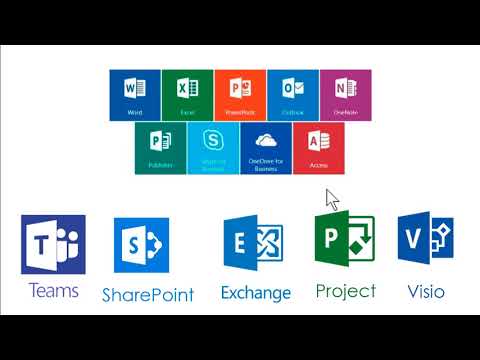
Para que sirven los programas de Microsoft Office
Microsoft Office Programs Overview
Microsoft Word
- Microsoft Word is a versatile tool for creating various text documents, including theses, essays, and letters.
- It allows the insertion of images, audio, video, and links but is not recommended for web page creation due to messy HTML and CSS code.
Microsoft Excel
- Excel functions as a spreadsheet program that enables data entry and arithmetic operations.
- It supports the creation of tables, charts, and internal databases with options for data retrieval through forms.
Microsoft PowerPoint
- PowerPoint is designed for making presentations, commonly used in educational settings.
- The program allows integration of multimedia elements like audio and video while supporting statistical graphics from Excel.
- Presentations can be exported to video formats for sharing online or with others.
Microsoft Outlook
- Outlook serves as an email management tool that facilitates sending emails to multiple recipients.
- It supports various email services (e.g., Hotmail, Gmail), allowing attachments such as images and videos.
OneNote
- OneNote acts as a content organizer where users can store information like passwords and task lists.
- It offers features for quick note-taking on mobile devices and allows hierarchical organization of tasks with password protection.
Microsoft Publisher
- Publisher provides tools similar to Adobe InDesign for creating printed materials like brochures or magazines.
- It streamlines the design process compared to Word or PowerPoint by offering specialized resources for layout creation.
Skype
- Skype includes both free messaging features and business capabilities for group chats and video conferencing.
Utilization of Skype for Communication
Making Calls and Video Conferencing
- Skype allows users to make phone calls from their computer using a headset or speakers, enabling both voice and video communication.
- It functions like a regular phone, allowing calls to any part of the world, which is essential for maintaining constant communication and organizing contacts.
Cloud Storage with OneDrive
- OneDrive provides cloud storage solutions for businesses, allowing users to store information online as if it were on a physical hard drive managed by Microsoft.
- Users can access their files from anywhere in the world, ensuring that important documents are always available regardless of location.
Database Management with Access
- Access is designed for managing databases efficiently; it can handle large amounts of data that exceed Excel's capabilities.
- For smaller datasets (e.g., around 5,000 entries), Excel may suffice; however, Access is preferable for larger datasets such as employee records.
Additional Applications in Office Suite
Team Collaboration with Teams
- Microsoft Teams facilitates collaboration among team members who may not be physically present in the same office by providing a platform for task organization and communication.
- Users can assign tasks within Teams, see who is connected, chat individually or in groups, and share files seamlessly.
Project Management with SharePoint
- SharePoint serves as a secure space to organize and share information across devices while minimizing conflicts during collaborative projects.
- It allows multiple users to contribute to a single document simultaneously without the complications of merging different versions later.
Calendar and Email Management with Exchange
- Exchange offers tools for managing calendars, business emails, and contacts through an online network similar to cloud services.
Microsoft Tools for Project Management and Collaboration
Overview of Microsoft Tools
- The discussion begins with the integration of email management within a company, emphasizing the importance of maintaining a list of corporate emails and contact information.
- Microsoft Project is introduced as a tool for organizing projects, highlighting its academic and practical applications beyond just business teamwork.
- Key aspects of project management are outlined, including phases, timelines, budgets, and objectives to ensure effective execution and supervision.
- The utility of Microsoft Project in various fields such as architecture, construction, sociology, economics, and pedagogy is noted for its rigorous control over project phases.
Diagramming with Visio
- Microsoft Visio is presented as software for creating diverse diagrams like flowcharts, organizational charts, building plans, data flow diagrams, and more.
- The versatility of Visio is emphasized; it serves not only in programming but also in various professional contexts requiring visual representation.
Other Microsoft Tools Mentioned
- Skype for Business and OneDrive are mentioned as less commonly used tools compared to others discussed but still play roles in business communication.