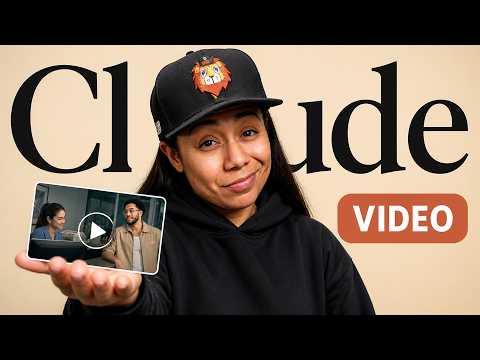
I Can't Believe Claude Cowork Turned One Image Into a Cinematic Video
Creating Cinematic Short Videos with Claude CoWork
Introduction to Video Creation
- Nikki introduces the process of creating cinematic short videos using Claude CoWork and Higgsfield MCP, starting from a single image. She promises a step-by-step guide and reveals a useful skill at the end of the video.
Overview of Nikki's Background
- Nikki shares her experience working with personal brands and AI companies, highlighting her role in running Lion's Behavior, an AI-powered creator wellness community. This establishes her credibility in the field.
Steps to Create a Short Video
- The video creation process involves five key steps: collecting references, storyboarding, locking in the look, rendering shots, and stitching everything together using CoWork. Each step is crucial for efficient video production.
Collecting References
- Reference images are essential for defining character appearance and props needed for the video. Pinterest is recommended as a source for inspiration and visual ideas.
Storyboarding Process
- The main character, Manny, has a storyline involving picking up his mom from rehab while dealing with relationship issues through text messages. This narrative will be transformed into an eight-panel storyboard to visualize scenes effectively.
Utilizing Claude CoWork for Storyboarding
Inside Claude CoWork
- Nikki demonstrates how to input reference pictures into Claude CoWork to create a storyboard prompt that breaks down each scene visually and narratively. She emphasizes using Whisper Flow for efficiency in generating prompts by voice.
Testing Character Consistency
- After creating the storyboard, it's important to test one shot (Manny inside an elevator) to ensure character consistency across scenes before proceeding further with video production.
Finalizing Shots and Pacing
Using SeeDance 2.0
- For video creation, SeeDance 2.0 is utilized as it provides high-quality outputs during this recording period; ensuring that all elements align well within each scene is critical for emotional impact on viewers.
Adjusting Missing Elements
- During production, adjustments are made when realizing that key elements like text messages were missing from certain scenes; this flexibility allows real-time corrections without needing extensive rework on prompts or images created earlier.
Crafting Emotional Engagement
Rendering Each Shot
- As shots are rendered individually within CoWork, attention is paid to pacing and emotional resonance—key factors that differentiate quality videos from less engaging content produced by AI tools alone.
This ensures that every second contributes meaningfully to viewer engagement.
Iterative Improvements
- Nikki discusses making iterative changes based on feedback after reviewing initial versions of the video; she highlights how easy it is to communicate desired changes directly in plain text within Claude instead of traditional editing methods.
Conclusion: Streamlining Video Production
Final Version Review
- The final version showcases improvements made throughout the process; Manny successfully grabs his badge before going through security without any glitches like doors opening unexpectedly—demonstrating effective storytelling through visuals.
Nikki notes how having a clear storyboard simplifies overall production efforts significantly.
Skill Sharing
- At the end of the tutorial, Nikki offers access to her developed skill which automates much of this workflow—from uploading reference pictures through creating storyboards—to stitching videos together seamlessly.
She encourages viewers to engage with her content by commenting on their projects or seeking further assistance if needed.