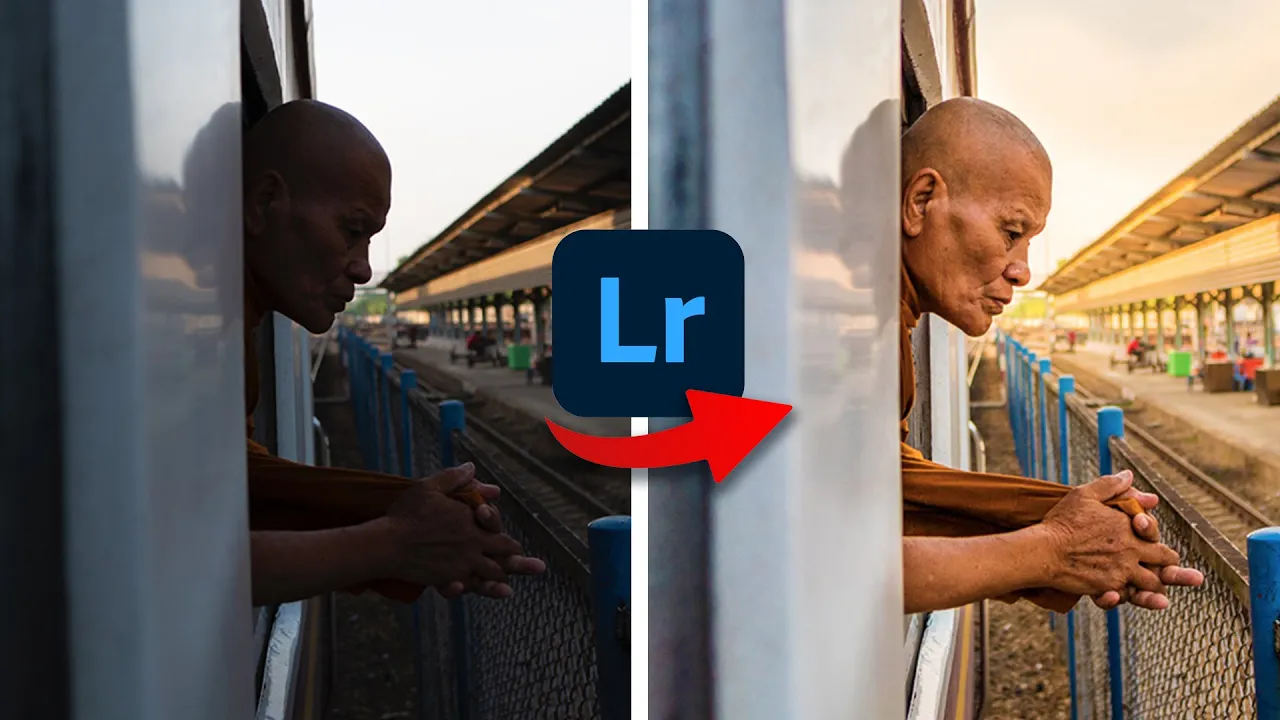
Edito VUESTRAS fotos!!
Lesson on Photo Editing Using Lightroom
In this section, the speaker discusses the process of editing a photo using Lightroom, focusing on adjustments to improve lighting, contrast, and color.
Analyzing and Correcting Image
- Analyze the image for exposure, contrast, and composition.
- Identify areas to improve such as exposure levels and straightening horizons.
Basic Adjustments in Lightroom
- Adjust shadows and highlights to balance the image.
- Fine-tune exposure settings based on the image's characteristics.
Enhancing Colors and Contrast
- Increase intensity to enhance colors without affecting skin tones.
- Adjust contrast levels for a more dynamic look.
Adding Warmth and Contrast
- Increase warmth in specific areas to create a sunset effect.
New Section
In this section, the speaker discusses adjusting contrast and highlighting specific areas in an image during editing.
Adjusting Contrast and Highlighting Areas
- Adjusted contrast to highlight a specific area while reducing information in another.
- Used a brush to decrease contrast and clarity in a particular zone for a softer look.
- Added warmth and exposure to simulate sunlight hitting an area, creating a glowing effect.
- Attempted to enhance the sky by reducing exposure and highlights selectively.
New Section
The speaker reviews the edited image and shares insights about its creation process.
Reviewing Edited Image
- Showcased the before-and-after of the editing process for comparison.
- Mentioned that the video was from an older Patreon account now moved to free photography courses.
- Noted improvements in editing tools efficiency for current students compared to past Patreon users.