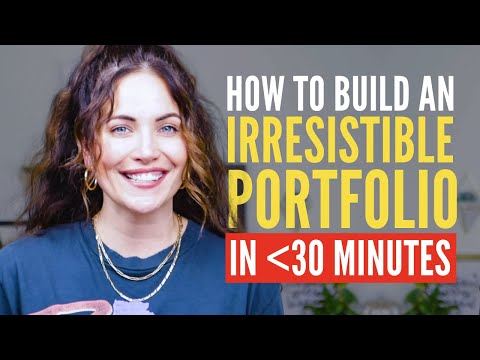
How To Build An Irresistible Copywriting Portfolio From Scratch (Step-By-Step Tutorial)
Building an Irresistible Copywriting Portfolio in 30 Minutes or Less
In this video, the speaker provides a step-by-step tutorial on how to build an irresistible copywriting portfolio in 30 minutes or less. The speaker emphasizes the importance of having a portfolio that showcases your skills, talent, and worth.
Setting Up Your Gmail Account
- Create a Gmail account specifically for your copywriting business.
- Use a professional email address that is separate from your personal account.
- Google's free apps like Google Drive, Google Calendar, Google Docs, and Google Sheets are included with your Gmail account.
Creating Your Portfolio
- Create a new folder in Google Drive named after yourself followed by "portfolio for client name."
- Organize subfolders by niche if you have written copy in multiple niches. Then create folders separated by brand and specific campaign or project inside each niche folder. Finally, put individual assets you wrote for that campaign or project inside each of those folders.
Personalizing Your Portfolio
- Customize your portfolio for each client by creating a new folder in Google Drive and moving all corresponding documents into that folder.
- Showcase only relevant work samples to clients based on their needs and interests.
Tips for Creating an Irresistible Portfolio
- Include case studies that demonstrate results achieved through your copywriting skills.
- Highlight any awards or recognition received as a copywriter.
- Provide testimonials from satisfied clients.
Conclusion
The speaker concludes the video by emphasizing the importance of having an irresistible copywriting portfolio that showcases your skills, talent, and worth. The speaker also encourages viewers to personalize their portfolios for each client and to include case studies, awards, and testimonials.
Organizing Your Copy Documents
In this section, the speaker explains how to organize copy documents within a project folder. She uses an example of a student's portfolio to illustrate her points.
Tips for Organizing Copy Documents
- Number your assets in the order you want them to be read and name them based on what type of copy asset it is.
- Add a Table of Contents at the top of your document with multiple assets.
- Use headlines formatting in Google Docs to automatically pull text into the Table of Contents.
Personalizing Your Portfolio
In this section, the speaker explains why it's important to personalize your portfolio and offers tips on how to do so effectively.
Tips for Personalizing Your Portfolio
- Include an executive summary or letter to your client that highlights your portfolio.
- Answer questions like what was the best thing you learned about working on that project? What did you do differently compared to your other work? Did you contribute more than just copy?
- Talk about what you enjoyed most about working on the project as it reflects greatly on your ability to work within a team and collaborate.
Updating Sharing Access
In this section, the speaker emphasizes the importance of updating sharing access before sharing portfolios with clients and provides tips on how to do so effectively.
Tips for Updating Sharing Access
- Share only View Only settings when sharing your portfolio.
- Share the highest-level folder, the parent portfolio folder.
- Add the email address of the person you want to share it with or update the "Get Link" properties.
Learn Highly-Paid Copywriting Skills in 8 Weeks
In this section, Alex introduces his 8-week copywriting program and invites viewers to join.
Program Details
- The program is an 8-week copywriting course.
- Participants will learn highly-paid copywriting skills.
- They will write an irresistible portfolio from start to finish.
- The program aims to ignite participants' copywriting business in just eight weeks.
Importance of Formatting in Copywriting
In this section, Alex shares his opinion on the importance of formatting in copywriting and offers a free gift for those interested in learning more.
Unpopular Opinion
- According to Alex, the copywriting formulas you learn don't mean much until you master the art of formatting.
Free Gift Offer
- Viewers can click on a link provided by Alex to receive a free gift related to formatting in sales pages.
Peek Behind the Scenes of Sales Pages
In this section, Alex invites viewers to take a look at what his sales pages look like before publishing.
Sales Page Preview
- Viewers can see what Alex's sales pages look like before they are published.