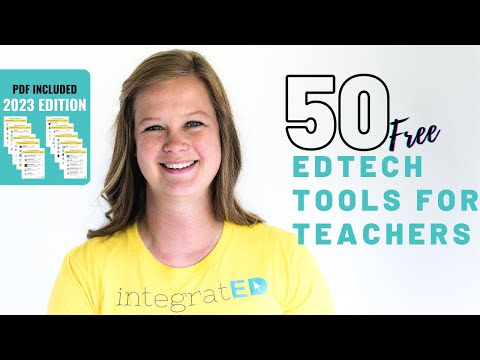
50 Free Tech Tools for Teachers | 2023 Edition
Game-Based Tools
In this section, the speaker discusses various game-based tools that can be used to engage students while teaching them important concepts.
Competitive Strategy Games
- Students answer questions and play a competitive strategy game at the same time.
- Questions are related to the material being taught.
- Students earn points or advance in the game when they answer questions correctly.
Kahoot
- Students answer multiple-choice questions with a leaderboard.
- The faster they answer correctly, the more points they get.
- Incorrect answers result in zero points.
Classcraft
- Gamification tool where students earn experience points for positive behaviors and achievements.
- Encourages positive student engagement and academic performance.
Gimkit
- Can be used as a game show or for independent learning.
- Students can create their own games using Gimkit.
Educandy
- Create mini-learning games like crosswords and word searches for younger learners.
Lesson Support Tools
In this section, the speaker discusses various tools that can be used to make lessons more interactive and engaging.
Edpuzzle
- Embed questions inside videos from YouTube, Khan Academy, or your own videos.
- Questions appear at certain points in the video for students to answer either individually or as a class live.
- Variety of pre-made videos available on Edpuzzle.
Nearpod
- Interactive lessons and activities with real-time question answering by students.
- Teachers receive progress updates in real-time as well.
Pear Deck
- Makes Google Slides interactive during presentations.
- Interactivity is available live so teachers get feedback from students in real-time.
- Teachers can add questions on demand during live teaching sessions.
Classroom Screen
- Virtual screen that displays widgets helpful for classroom management.
- Gives students a visual for what's coming next in the lesson or how the lesson is going to go.
Tech Tools for Teachers
In this section, the speaker discusses various tech tools that can be used by teachers to enhance student learning and engagement.
Assignment Tools
- Insert learning into any webpage, allowing students to highlight and teachers to see individual student notes.
- Flipgrid allows for video answers with pictures, emojis, and text. Students can respond in a social media-like format.
- Quizlet is great for virtual flashcards and quiz review.
- Teacher Made turns paper worksheets into interactive digital worksheets by adding answer blanks on top of them. It accepts PDF or JPEG files and allows students to create their own answer blanks if they are old enough.
- Formative is an interactive quiz tool that is great for formative assessment. It has many different question types available and allows students to mark up PDF files.
Student Engagement Tools
- Seesaw is a learning platform that creates visual portfolios throughout the year of student work. It has adaptive tools for younger learners such as reading questions aloud or using a microphone to talk their answers.
Reading Support Tools
- Common Lit is a literacy program with reading lessons inside. It has built-in differentiation tools so all learners can interact with the text at their level.
- Rewordify easily differentiates any text you want by taking it up or down reading levels depending on what each student needs. It also includes interactive activities based on the piece of text.
- Epic and Books are libraries of interactive books. Epic includes audiobooks and learning videos while Books brings storybooks to life through animation.
The speaker also mentions her Top Tech Tools for Teachers course, which offers graduate credit through a university.
Educational Websites for Students
In this section, the speaker discusses various educational websites that students can use to learn and explore different topics.
Wonderopolis
- A website where students can type in any question they have and get an answer.
- Provides answers to questions on a variety of topics, including science and history.
Math Learning Center
- Interactive visual models for math learning.
- Can be used by both teachers and students as a teaching tool or for self-learning.
Wolfram Alpha
- A computational search engine that provides factual information on various topics.
- Useful for comparing items or getting information on historical figures.
PhET Simulations
- Interactive simulations for physics, chemistry, math, earth science, and biology.
- Can be used by both teachers and students as a teaching tool or for self-learning.
Scratch
- An easy-to-use platform for learning how to code.
- Allows students to create stories, games, and animations while learning how to code.
Toy Theater
- Digital manipulatives that can be used as a teaching tool or by students to experiment with concepts.
- Includes educational games designed for kids.
Adaptive Learning Paths
In this section, the speaker discusses various adaptive learning tools that allow teachers to tailor their lessons based on individual student needs.
Khan Academy
- Offers in-depth classes with teaching videos, assignments, activities.
- Teachers can assign specific assignments inside of those classes depending upon what each student needs.
Khan Academy Kids
- Specifically designed for pre-K through second grade (ages 2 - 8).
- Puts children on an adaptive learning path where it adjusts based on how the student is interacting.
Bottle
- Assigns math assignments based on standards
- Students play games to do their work
- Has teaching videos inside of there and students are able to write right on top of the questions to work out their math.
Prodigy
- Sends students on a magical math adventure full of activities.
- Offers an adaptive learning path that provides support based on individual student needs.
Zern
- Digital math video lessons with real-time data for the students.
- Provides individualized support, including specific videos for incorrect answers.
Communication Tools
In this section, the speaker discusses various communication tools that can be used in the classroom.
Moat
- A Chrome extension that allows teachers to leave voice notes for students.
- Can be used to provide feedback or instructions.
Google Classroom
- An online platform where teachers can create and manage classes.
- Allows for easy communication between teachers and students, as well as assignment management.
Communication Tools for Teachers
In this section, the speaker discusses various communication tools that teachers can use to communicate with their students and parents.
Loom
- Loom is a great communication tool for recording screen and voice over to explain something.
- The video is not sent out as an attachment but rather through a link.
- It's free for teachers and can be downloaded as a Chrome extension or software.
Remind
- Remind sends out texts and email reminders without having to share personal phone numbers.
- Teachers can text with parents personally or send messages to the whole class.
- It has added features beyond sending texts.
Teacher Student Conversational Builder
- This tool helps engage students in conversation by posing social and emotional questions.
- Students can respond with text, audio, or video.
Class Dojo
- Class Dojo is great for behavior management in younger learners.
- Students earn "dojos" for positive behavior or achievements.
Educational Tools for Teachers
In this section, the speaker discusses various educational tools that teachers can use in their classrooms.
Virtual Field Trips
- Free educational virtual field trips are available through the provided link.
- A video about virtual field trip creation tools is also available.
Canva
- Canva is a drag-and-drop editor used to create graphics for classrooms or student projects.
- There are many templates available to start from.
Clips
- Clips is a video creation app that allows users to add live captioning while recording videos.
Sutori
- Sutori is recommended for creating interactive timelines.
- It's great for both teachers and students.
Creative Cloud Timeline Maker
- This timeline maker is a simple interface that uses only date and description to create an interactive timeline.
Giphy
- Giphy allows users to create and send gifs, which can be fun for students to use their creativity.
Productivity Tools for Teachers
In this section, the speaker discusses various productivity tools that teachers can use to stay organized.
Trello
- Trello helps organize projects using planning boards, workflows, or task lists.
Wakelet
- Wakelet is used to organize web links into specific collections for easy reference later on.
Padlet
- Padlet is an interactive and collaborative bulletin board tool that can be used with students on one topic.
Symbaloo
- Symbaloo is great for younger learners as it creates a bookmarks web page where they're able to click on links.
Tiny URL and Teacher Tools
In this section, the speaker talks about two useful resources for teachers: Tiny URL and Flippity.
Tiny URL
- Tiny URL is a tool that allows users to create custom links for long URLs.
- It makes long links easier to access and share.
- No account is needed to use it.
Flippity
- Flippity is a spreadsheet-based teacher tool that allows users to customize different types of teacher tools.
- It offers various resources for Math and English Language Arts, including full unit plans.
- No account is needed to use it.
QR Codes and Databases
In this section, the speaker talks about two more useful resources for teachers: Go QR and three databases - Fish Tank Learning, Smithsonian Learning Lab, and Common Sense Media.
Go QR
- Go QR is a tool that allows users to quickly make QR codes for websites, documents or locations.
- No account is needed to use it.
Fish Tank Learning
- Fish Tank Learning provides curriculum guides for Math and English Language Arts with full unit plans and many resources.
Smithsonian Learning Lab
- Smithsonian Learning Lab offers virtual field trips where users can explore museum artifacts.
Common Sense Media
- Common Sense Media reviews edtech tools which are rated by teachers and parents.
- They also offer digital citizenship curriculum.
- Parents can use this website if they want information on books or videos their children are interested in.
Conclusion
In this section, the speaker concludes the video by encouraging viewers to download the digital list of 50 free Ed Tech tools for teachers and to comment below if they have any other favorite edtech tools that are free, user-friendly, and educational.
- The speaker encourages viewers to download the digital list of 50 free Ed Tech tools for teachers.
- Viewers are encouraged to comment below with their favorite edtech tools that are free, user-friendly, and educational.
Turn any video into a summary like this
YouTube links, meetings, lectures. With transcripts, search, and chat.