UD2 Componentes fundamentales de los sistemas microinformáticos 15
Memory Types and Locations in Computers
Overview of Memory Configuration
- The discussion begins with an overview of memory types, focusing on their locations in desktop, laptop, and mobile devices. Emphasis is placed on desktop configurations.
- Modern CPUs typically have integrated memory controllers, contrasting with older systems that used separate chipsets (Northbridge and Southbridge).
- The integrated memory controller defines the characteristics of accessible memory based on CPU specifications, including compatibility with different RAM types (e.g., DDR4 vs. DDR3).
Slot Configurations and Channels
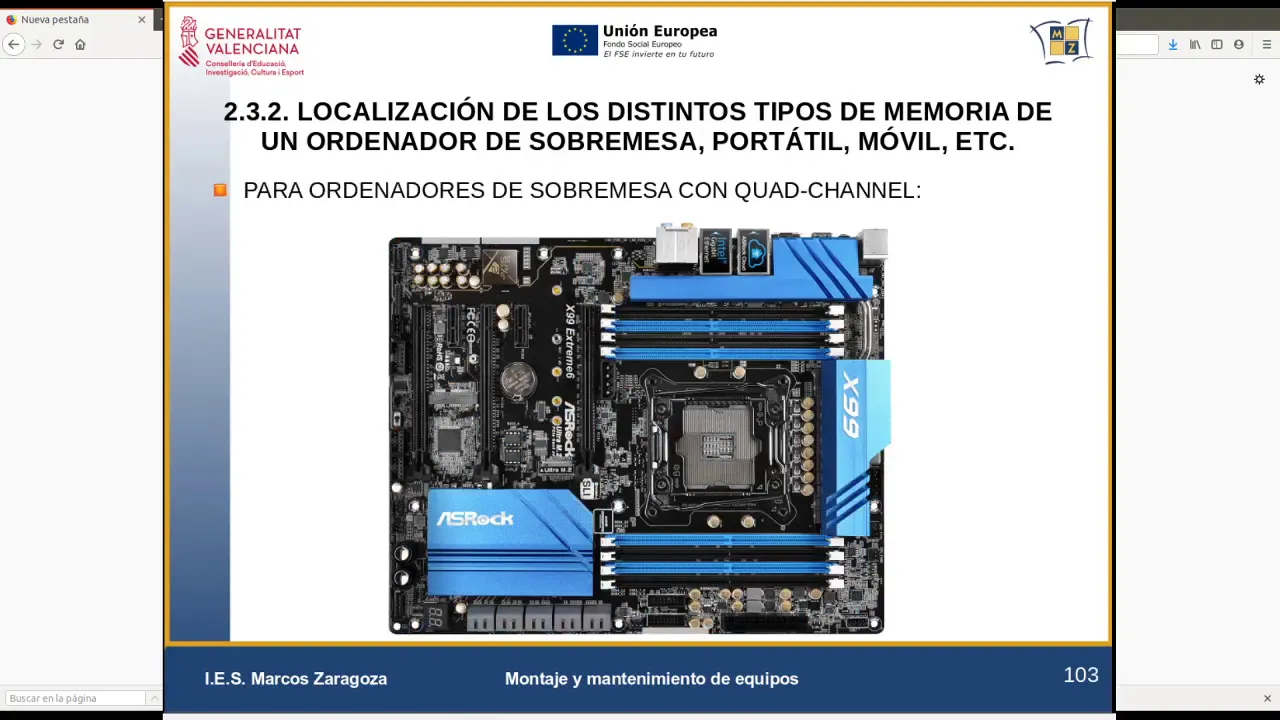
- Memory slots are usually located near the CPU; common configurations include 2 to 8 slots depending on the system type (gaming or server).
- Different channel configurations exist: single-channel (2 slots), dual-channel (4 slots), and triple-channel (6 slots). Each configuration impacts performance.
- SODIMM modules are highlighted as smaller form factors suitable for compact builds like mini ITX systems.
Practical Examples and Visual Aids
- An example of a motherboard layout shows various slot colors indicating different channels for optimal memory installation.
- Discussion includes practical advice on consulting motherboard manuals for proper module installation to avoid performance loss.
Manufacturer Insights
- The speaker navigates manufacturer websites to find examples of motherboards designed for gaming and workstations, emphasizing dual-channel capabilities.
- Key differences between non-ECC buffered and unbuffered RAM are noted; unbuffered RAM is more common due to cost-effectiveness despite lower reliability.
Advanced Server Configurations
- Server motherboards often feature additional PCI Express slots for multiple graphics cards using technologies like SLI or CrossFire.
Hardware Overview and Memory Specifications
Memory Characteristics and Recommendations
- Discussion on the importance of memory characteristics, emphasizing the recommendation to purchase modules from reputable brands like Gigabyte for better performance.
- Mention of ultra-durable memory with a 30-year warranty, highlighting the significance of control circuitry in preventing damage to motherboards during module installation.
Workstation Capabilities
- Explanation of dual-channel support and configurations for high-performance workstations, particularly for video editing and engineering applications.
- Overview of graphics card configurations such as SLI or Crossfire, noting that multiple PCIe x16 slots are available for enhanced graphical performance.
Storage Connectivity
- Description of server capabilities including ten SATA ports for extensive disk connectivity, crucial for data storage solutions in server environments.
Processor Compatibility
- Clarification on processor compatibility with high-end processors like Intel's Xeon series; mentions socket type LGA 1551 relevant to workstation setups.
Mobile Devices and RAM Limitations
Mobile RAM Configuration
- Insight into mobile device RAM configuration where RAM is typically soldered onto the motherboard without expansion slots, making upgrades challenging.
Integrated Memory Chips
- Discussion about integrated memory chips in mobile devices (e.g., Samsung), which usually range from 2GB to 4GB. These chips are directly soldered onto the PCB.
Internal Storage Features