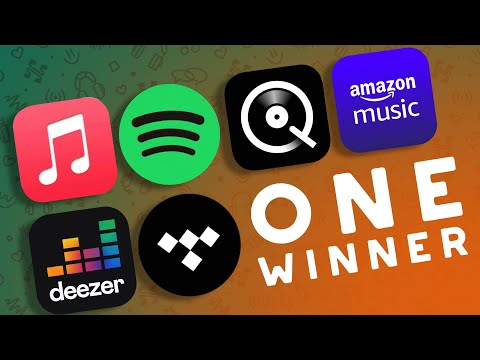
Most ARE NOT Lossless! What's the best music streaming service?
Introduction and Overview
In this video, the host discusses various music streaming services and helps viewers understand how to choose the right one for their needs.
Understanding Library Size and User Experience
- Apple Music and Amazon have excellent library sizes.
- Cobuzz is constantly improving its library size.
- Spotify has a massive library due to artists being able to self-publish on the platform.
- Deezer also has a great library size.
- User experience can vary across different platforms.
- Apple Music may require manual adjustment of sample rates on certain devices.
- Amazon HD's user interface is not user-friendly.
- Cobuzz's interface can be slow and sometimes confusing.
- Tidal occasionally blends together artists with similar names, causing confusion for users.
- Title offers genuine 44.1 kHz bit-perfect audio on Android devices.
- Spotify has a fantastic user interface and allows remote control from other devices.
- Deezer's user experience is comparable to Cobuzz but not as good as Spotify or Tidal.
Discoverability and Recommendations
- Spotify stands out for its excellent discoverability and recommendation algorithm.
- It offers an infinite amount of music similar to what you're currently listening to, leading to the discovery of great music.
- Tidal also provides good recommendations, although not as impressive as Spotify's offerings.
- Apple Music tends to prioritize pop music recommendations over other genres, which may not suit all users' preferences.
Conclusion
The host concludes by summarizing the key points discussed in the video regarding library size, user experience, and discoverability/recommendations offered by different music streaming services.
Lossless Music Streaming
This section discusses the importance of lossless music streaming and the requirements for playing lossless music.
Lossless Music Streaming
- Lossless streaming means that the digital information being served to the customer is exactly the same as what the artist provided, with no loss or alteration.
- Some streaming services advertise lossless music streaming, but whether you can actually play this music losslessly depends on certain factors.
- To stream and play lossless music, you need three things:
- The streaming service needs to have lossless music available.
- You need a way of playing this music bit-perfectly, without any changes in data between being handed to you and outputting to your DAC (Digital-to-Analog Converter).
- You need a player that can change the sample rate of your DAC to match the sample rate of the track.
Apple Music
- Apple Music allows streaming of lossless files up to 192kHz/24-bit on iOS devices.
- On Mac OS, it doesn't automatically change your DAC sample rate, so you either need to manually change it or use a free tool called "Lossless Switcher" for automatic sample rate adjustment.
- On Windows PC and Android devices, Apple does not support lossless streaming.
Amazon HD
- Amazon HD offers lossless files up to 192kHz/24-bit.
- By disabling volume normalization and enabling exclusive mode, it can play bit-perfectly. However, it does not automatically change your DAC sample rate on Windows.
Qobuz
- Qobuz provides lossless files up to 192kHz/24-bit and supports bit-perfect output via exclusive mode or an SEO device.
- While its Android app has a sampling rate issue at 44.1kHz, this can be resolved by using USB Audio Player Pro.
Tidal
- Tidal is a well-known lossless music streaming service.
- For tracks without the "Master" badge, lossless streaming is possible at 44.1kHz with bit-perfect output and proper DAC sample rate adjustment when exclusive mode is turned on.
- However, an increasing number of tracks on Tidal no longer have lossless versions available.
Deezer
- Deezer offers lossless music streaming but does not have a bit-perfect output in its player.
- Currently, the only way to play lossless music from Deezer without any changes is by using a network streamer instead of the Windows client.
Spotify
- Spotify, the largest music streaming service, does not currently offer a lossless tier.
- They have mentioned plans to add it in the future, but there is no specific timeline.
Conclusion
- For current options for streaming and playing lossless music, Qobuz and Apple Music (for Apple devices) are recommended choices.
- Other services may sometimes offer lossless options but may not always be consistent or fully bit-perfect.
Additional Information
This section provides additional information about resources and recommendations related to audio research.
Golden's Research
- Golden has done extensive research on audio topics and provides valuable insights on his YouTube channel.
- He has upcoming content that takes a deep dive into audio, making it worth following his channel for more information.
References
New Section
The speaker concludes the video and encourages viewers to leave a like, comment, and provide suggestions for future content. They also mention the availability of a forum and Discord community.
Wrap-up and Community Engagement
- Narrow down your focus on things that matter the most to you.
- Like the video if you enjoyed it.
- Leave a comment with suggestions for future content.
- Get active in the community through the Forum or Discord (links available in the video description).
This section concludes the video and provides information on how viewers can engage with the content creator and join their community.