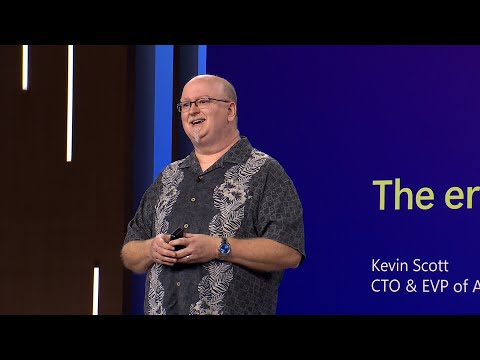
The era of the AI Copilot | KEY02H
Introduction and Welcome
In this section, Kevin Scott, the Chief Technology Officer and Executive Vice President of AI at Microsoft, welcomes the audience to the Build conference and highlights the rapid progress in technology, particularly in the field of AI.
Kevin Scott's Opening Remarks
- Kevin expresses his excitement to be at Build after a four-year hiatus.
- He acknowledges the significant changes that have occurred in technology over the past four years.
- Kevin emphasizes the impact of AI on a global scale and its potential for positive change.
The Power of AI
In this section, Kevin reflects on his early experiences as a developer and discusses how AI is enabling new possibilities. He shares his enthusiasm for the current advancements in AI and its ability to empower individuals.
The Thrill of Possibility
- Kevin recalls writing his first program as a developer in the early '80s.
- He describes it as a thrilling moment when he realized what was possible through programming.
- Throughout his career, he has been driven by finding moments where something impossible becomes possible with technology.
The Excitement of AI
- Kevin expresses that the power of AI is currently one of the most exciting things in his career.
- He highlights how AI enables people to take something in their hands, explore what was once impossible, and create something great with it.
Technological Themes Driving Progress in AI
In this section, Kevin discusses some key technological themes that are driving progress in AI. He focuses on OpenAI's partnership with Microsoft and their role in setting the pace of innovation.
Foundation Models and Innovation
- OpenAI's partnership with Microsoft is driving rapid innovation in AI.
- The attention surrounding foundation models, such as ChatGPT, is capturing the zeitgeist.
- Microsoft's end-to-end platform for building AI applications includes powerful supercomputers and capable foundation models.
Azure: The Cloud for AI
In this section, Kevin highlights Azure as the cloud platform for AI development. He emphasizes the capabilities of Azure and its role in enabling ambitious AI projects.
End-to-End Platform
- Microsoft's end-to-end platform starts with Azure, which is considered the cloud for AI.
- Azure provides infrastructure for hosting foundation models and building advanced AI applications.
- It offers powerful supercomputers for training models and developing applications.
Windows: The Best Client for AI Development
In this section, Kevin discusses how Windows serves as an excellent client for AI development. He mentions upcoming features that enable running powerful AI models on Windows PCs.
Hybrid AI Applications
- Windows is positioned as the best client for developing AI applications.
- Users will have the ability to run powerful AI models on their Windows PCs.
- This enables the creation of hybrid AI applications that span from edge devices to the cloud.
Copilots and Conversational Interfaces
In this section, Kevin introduces the concept of copilots - applications that use modern AI with conversational interfaces to assist with cognitive tasks. He explains that Microsoft has been working on building copilots and shares their vision of opening up the platform for others to build their own copilots.
What is a Copilot?
- A copilot is an application that utilizes modern AI with a conversational interface to assist users with cognitive tasks.
- Microsoft has been working on building copilots and has launched several releases recently.
- The platform for building copilots is being shared with developers to encourage the creation of their own copilots.
Conclusion
Kevin Scott's opening remarks at the Build conference highlighted the rapid progress in technology, particularly in the field of AI. He expressed his excitement about the power of AI and its ability to enable new possibilities. Kevin discussed key technological themes driving progress in AI, including foundation models and innovation. He emphasized Azure as the cloud platform for AI development and Windows as the best client for AI development. Lastly, he introduced the concept of copilots and encouraged developers to build their own applications using conversational interfaces powered by AI.
The transcript provided does not cover the entire video, so this summary may not include all topics discussed in the full video.
Building GPT4 and ChatGPT
In this section, Greg Brockman, the President and Co-founder of OpenAI, discusses his experiences building GPT4 and ChatGPT.
The Journey of ChatGPT
- ChatGPT has been a surprising success in terms of adoption and interest.
- Building ChatGPT posed significant engineering challenges.
- The idea of a chat system had been in development for years, with an early version called "WebGPT" being demoed at Build.
- The breakthrough moment came when GPT4 was deployed with instruction following capabilities, allowing for conversations with the model.
Infrastructure and ML Challenges
- Developing ChatGPT required addressing infrastructure and machine learning (ML) challenges.
- GPT4 was a labor-intensive project that involved rebuilding the entire infrastructure.
- Attention to detail was crucial, akin to building a rocket with precise engineering tolerances.
- Boring engineering work played a vital role in achieving success.
Insights from Developing GPT4
In this section, Greg Brockman shares insights gained during the development of GPT4.
Overcoming Challenges
- OpenAI faced multiple failed attempts to surpass the performance of GPT3 before developing GPT4.
- Rebuilding the infrastructure and focusing on every detail were key steps towards success.
Uncovering Details
- Paying attention to every single detail during development was crucial.
- Addressing issues like bugs in checkpoints ensured accurate model performance.
Empowering Developers through Plugins
This section highlights the shared approach developed by OpenAI for plugins, enabling developers to extend the capabilities of models like ChatGPT.
Shared Approach for Plugins
- OpenAI aims to empower developers to write software that extends the capabilities of ChatGPT and other copilot models.
- This shared approach allows for collaborative development and innovation.
The transcript provided is in English, so the summary and study notes are also written in English.
The Exciting Opportunity of OpenAI's Technology
In this section, the speakers discuss the exciting opportunity for developers to leverage OpenAI's technology and how it can improve systems for everyone.
Leveraging OpenAI's Technology
- OpenAI's technology provides an amazing opportunity for developers to enhance systems.
- The open standard design allows any developer to build once and have any AI use it.
- This core design principle enables developers to bring the power of any domain into ChatGPT.
The Simplicity and Power of Plugins
This section highlights the concept of plugins and their simplicity in enabling powerful functionalities.
Concept of Plugins
- Plugins are simple yet powerful tools that allow developers to quickly create impactful functionalities.
- Similar to writing a basic HTTP server, understanding core concepts empowers developers to build something powerful.
Pushing the Limits with GPT4 and Future Applications
The speakers discuss pushing the limits of technology with GPT4 and share insights on future applications.
Pushing the Limits with GPT4
- GPT4 is currently in its early stage, where vision capabilities are being productionized.
- As GPT4 evolves, it will change how these systems work, feel, and enable new application possibilities.
- OpenAI aims to repeat the pattern of cost reduction seen in previous models by making new models more accessible.
Making AI Work in Specific Domains
This section emphasizes the value of making AI work in specific domains and encourages developers to explore its potential.
Adding Value through Domain Expertise
- Developers can add significant value by focusing on specific domains and understanding their unique challenges.
- Efforts such as engaging with experts in legal domains can help tailor AI technology to address specific pain points.
The Future of AI and Developer Contributions
The speakers conclude by highlighting the continuous improvement of AI technology and the role developers play in making it great.
Continuous Improvement and Developer Contributions
- AI technology is constantly improving, and what may be expensive today will become more accessible in the future.
- Developers have a crucial role in making AI great by exploring specific domains and adapting the technology to their needs.
Andrej Karpathy's "State of GPT" Session
The speakers mention an upcoming session by Andrej Karpathy on the "State of GPT," providing an overview of the technology from beginning to end.
"State of GPT" Session
- Andrej Karpathy will present a comprehensive session on the "State of GPT," covering various aspects of the technology.
- Attendees are encouraged to secure their spots for this highly anticipated session.
Copilots: A Generalized Concept
This section discusses how copilots, including ChatGPT, are part of a broader concept that applies beyond software development.
Generalizing Copilots
- Copilots, like ChatGPT, extend beyond software development and can be applied to various domains such as search, security, productivity, etc.
- Microsoft has developed multiple copilots and encourages others to build their own based on this general concept.
The Importance of Building a Copilot Technology Stack
In this section, the speaker discusses the significance of building a Copilot technology stack that enables quick and safe delivery of products to users.
Building a Coherent Technology Stack
- The ability to deliver products quickly is attributed to the development of a Copilot technology stack.
- The speaker emphasizes the importance of taking the time and energy to build this stack for efficient and safe operations.
Platforms as Enablers for Ambitious Projects
This section highlights the role of platforms in enabling developers to build ambitious projects that would otherwise be challenging or impossible without them.
The Value of Platforms
- Platforms provide opportunities for building more ambitious projects than would be possible without them.
- Developers can leverage platforms to create things that wouldn't exist otherwise.
- Bill Gates' quote emphasizes that the true value of a platform lies in how it benefits those who build on top of it, rather than just the platform itself.
Benefits and Advantages of Platforms
Here, the speaker explains why platforms are valuable and how they alleviate the burden of building complex systems from scratch.
Leveraging Platform Advantages
- Platforms prevent individuals from having to build complicated systems entirely from scratch.
- They offer reusable foundation models and an entire platform infrastructure.
- The scalability and compute power invested in these platforms are significant.
- The speaker mentions specific examples like legal copilots, medical copilots, or insurance claim copilots where building everything from scratch would be economically infeasible.
Foundation Models: Reusability and Generalizability
This section focuses on foundation models within Copilot technology, highlighting their reusability and increasing power over time.
Durable Property of Foundation Models
- The speaker expresses confidence in the durability of foundation models over time.
- These models are reusable and generalizable, allowing for a wide range of applications.
- The power of foundation models is continuously growing.
Building Applications with Incomplete Models
Here, the speaker discusses the importance of building applications on top of Copilot technology, even when the underlying model is incomplete or imperfect.
Accommodating Application Development
- Developers should not have to wait for a fully trained model to build their applications.
- Copilot technology provides ways to accommodate application development even when the model is not complete.
- Plugins are highlighted as powerful mechanisms for augmenting copilots and AI applications.
Plugins: Augmenting Copilots with APIs
This section introduces plugins as a means to enhance copilots by connecting them to external APIs.
Extending Capabilities with Plugins
- Plugins serve as actuators that connect copilots to various digital systems via APIs.
- They enable copilots to perform arbitrary computations and safely act on behalf of users.
- Plugins can retrieve useful information and expand the capabilities of copilots.
Anatomy of a Copilot: User Experience and Platform Components
The speaker delves into the anatomy of a copilot, discussing user experience considerations and platform components.
User Experience and Application Architecture
- Building copilot user experiences involves both familiar elements and new concepts to learn.
- Safety and security are crucial aspects that need careful consideration from the initial stages.
Building a Great Product
- Regardless of using advanced technology like Copilot, it's essential to focus on building a great product that addresses unmet user needs effectively.
New Section
In this section, the speaker emphasizes the importance of using existing infrastructure to solve problems and not building unnecessary infrastructure. They also highlight the need to focus on creating great user experiences and iterate quickly based on user feedback.
Using Existing Infrastructure
- The speaker advises utilizing the available infrastructure within Microsoft to solve problems effectively.
- Building unnecessary infrastructure should be avoided.
- The responsibility lies with individuals and teams to create exceptional user experiences that delight users.
Iterative Development
- It is crucial to release products to users as quickly as possible.
- By doing so, it becomes easier to identify what works and what doesn't, allowing for iterative improvements.
The Copilot Stack
This section introduces the Copilot stack used by Microsoft's Copilots. It consists of three tiers: front end, mid-tier, and back end. The speaker mentions that subsequent talks will provide more detailed information about each tier.
Front End
- The front end corresponds to the user interface of an application.
- Understanding the product idea is essential when designing the user experience.
- With Copilot, less time is spent on traditional UI elements like menus and code binding since natural language can be used for expressing user needs.
User Interface Design Considerations
- Designing a Copilot involves determining its capabilities and limitations.
- Natural language is a powerful mechanism for users to express their needs.
- Less emphasis is placed on mapping UI elements to code chunks compared to traditional development approaches.
Orchestration Layer
This section discusses the orchestration layer in Copilot. The speaker explains that every team at Microsoft initially built their own orchestration layer, but they later adopted a unified mechanism called Semantic Kernel. They also mention the availability of other open-source orchestration tools.
Orchestration in Copilot
- Orchestration refers to the business logic of a Copilot.
- Initially, each team built their own orchestration layer.
- Microsoft now uses Semantic Kernel as a unified mechanism for building apps.
- Open-source orchestration tools like LangChain are also available within the Azure ecosystem.
Flexibility and Customization
This section highlights the flexibility and customization options in Copilot. The speaker assures that developers can choose their preferred orchestration mechanism and mentions the ongoing innovation in this field.
Choosing Orchestration Mechanism
- Developers have the freedom to select their preferred orchestration mechanism.
- Microsoft offers recommended options and points to open-source favorites.
- Customizing and rolling out one's own solution is also possible.
GitHub Copilot Example
This section provides an example of GitHub Copilot's user interface and explains its focus on helping developers solve development problems efficiently.
User Interface of GitHub Copilot
- GitHub Copilot prioritizes assisting developers with solving development problems.
- The user interface design focuses on code-related tasks rather than unrelated distractions like menu choices at Taco Bell.
New Section
The transcript discusses the concept of prompts and their manipulation in the orchestration layer of an application. It covers prompt and response filtering, meta prompts, grounding, and plugin execution.
Manipulating Prompts
- A prompt is a bucket of tokens generated by the user experience layer.
- Prompt manipulation is crucial in the orchestration layer.
- Prompt and response filtering are important for ensuring model safety and meeting application needs.
- Filtering prevents unsafe or undesirable responses from being generated.
Meta Prompts
- Meta prompts are a set of instructions given to the copilot on every turn of conversation.
- They help accommodate the copilot's behavior to match desired characteristics.
- Meta prompts are used for safety tuning, defining personality, and teaching new capabilities.
Grounding
- Grounding involves adding additional contexts to the prompt to assist model response.
- In retrieval-augmented generation, relevant documents are added to provide extra context.
- This can be done through search index queries or vector databases indexed by embeddings.
- Grounding can also be achieved using arbitrary web APIs or plugins.
Plugin Execution
- Plugins allow for additional context to be added before sending the prompt to the model or executing actions on system output.
- Plugin execution occurs during grounding stages.
New Section
The transcript explores foundation models and infrastructure options available in the Copilot platform on Azure and Windows. It discusses hosted foundation models, fine-tuning APIs, and bringing your own model.
Foundation Models
- Foundation models form the bottom layer of the stack in Copilot applications.
- Hosted foundation models like ChatGPT or GPT-4 are available on Azure OpenAI API service.
- Fine-tuning APIs for ChatGPT-3 and ChatGPT-5 are live; GPT-4 fine-tuning will be available soon.
- If hosted models or fine-tuning APIs are insufficient, users can bring their own model.
- The open-source community offers various options for training and deploying custom models.
Azure AI Model Catalog
- The Azure AI model catalog provides a platform to discover popular models on Hugging Face and GitHub.
- Users can easily provision and deploy these models in their Copilot applications on Azure.
Training Custom Models
- Users have the option to train their own models from scratch.
- OpenAI offers a range of infrastructure and environments, from ambitious models to smaller-scale solutions through Azure AI supercomputing infrastructure.
The transcript is in English.
New Section
In this section, the speaker discusses their struggle with writing social media posts to advertise their podcast and introduces a copilot they built to automate the process.
Kevin's Struggle with Social Media Posts
- The speaker hosts a podcast called "Behind the Tech" and struggles with writing social media posts to advertise it.
- Their team has to repeatedly remind them to write the posts, as they often forget to read their emails.
- They express the need for a "Kevin social media copilot" that can assist in creating these posts.
New Section
The speaker introduces the copilot they built and explains how it automated the creation of social media posts for an episode featuring Neil deGrasse Tyson.
Introduction of the Copilot
- The speaker had the opportunity to interview Neil deGrasse Tyson on their podcast.
- They showcase a copilot they built that successfully created social media posts for this specific episode.
New Section
The speaker provides an overview of how their copilot works, including its components and steps involved in generating social media content.
Components and Steps of the Copilot
- The copilot runs on a Windows PC and utilizes both open-source models and hosted models.
- It performs retrieval augmented generation using these models.
- A plugin is used to complete the necessary tasks.
- The following steps are involved in generating social media content:
- Obtaining a transcript by running audio through an open-source Whisper model.
- Utilizing Databricks Dolly 2.0, a large language model, to extract information from the transcript (e.g., guest name).
- Sending relevant information (e.g., guest name) to the Bing API to retrieve additional details.
- Combining all extracted information into a single packet for generating social media blurbs.
- Using the hosted OpenAI API (DALL-E model) to obtain an image for the thumbnail.
- Invoking a LinkedIn plugin to post the thumbnail, link, and blurb on the speaker's LinkedIn feed.
New Section
The speaker emphasizes the importance of reviewing generated content before posting it and shares an example of a successful social media post.
Reviewing and Posting Content
- Before taking action on behalf of the user, it is crucial to present them with what will be posted.
- The speaker highlights that they review and click "Yes" before posting content that will reach a large audience.
- They share an example of a live post on LinkedIn promoting their podcast episode with Neil deGrasse Tyson.
New Section
The speaker acknowledges that their copilot may not be the most interesting but encourages others to explore building their own copilots using their code as a template.
Encouragement to Build Copilots
- The speaker admits that their copilot may not be the most interesting but assures its ease of implementation.
- They have shared all of the code on GitHub for others to explore and use as a template for building their own copilots.
New Section
The speaker briefly mentions AI safety and highlights Microsoft's efforts in providing tools for responsible AI applications.
AI Safety and Responsible AI Applications
- The speaker mentions that AI safety is a top priority when building copilots.
- They mention Sara Boyd, who leads Microsoft's Responsible AI infrastructure team, and the great work they are doing in this area.
- Microsoft is providing tools for users to understand when they encounter generated content and is implementing watermarking and cryptographic provenance features.
New Section
The speaker expresses their belief that users will create the most interesting copilots on the platform and shares an anecdote from their time as an intern at Microsoft Research.
Users as Creators of Interesting Copilots
- The speaker believes that users will be the ones to build the most interesting copilots on the platform.
- They compare it to other major platforms where user-created content drives innovation.
- The speaker shares a personal anecdote about their time as an intern at Microsoft Research, mentioning Murray Sargent joining them for outings.
New Section
This section discusses the impact of small technical advancements on the industry and the desire to achieve legendary accomplishments.
Murray's Contribution
- Murray played a crucial role in figuring out protected mode for the 286, allowing Microsoft software to work beyond the 64K memory barrier.
- Small technical advancements like this had a significant impact on the trajectory of the industry.
Awe and Inspiration
- The speaker was in awe of Murray's achievements and wondered what they could do in their own career to inspire others.
- The goal is for each individual to use the capabilities provided by new tools and platforms to accomplish legendary feats that will leave others in awe.
New Section
This section introduces an Executive Vice President of Cloud and AI who will be speaking next.
Introduction
- The speaker invites their colleague, an Executive Vice President of Cloud and AI, to take the stage.