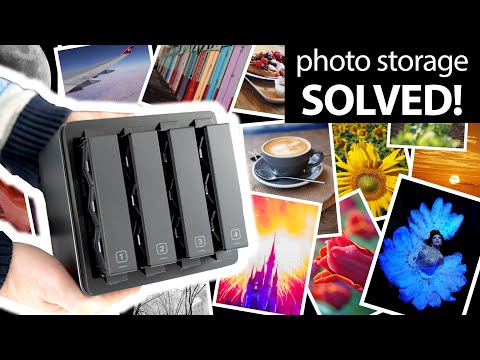
STOP PAYING for photo cloud storage! UGREEN NAS DH2300 DH4300 guide
How to Solve Your Storage Problems with NAS
Introduction to Storage Issues
- Many users face challenges with limited storage on devices and full cloud services, leading to a need for efficient file management solutions.
- The importance of data storage is emphasized, especially for preserving valuable memories that are often stored on vulnerable portable devices.
Understanding Network-Attached Storage (NAS)
- NAS devices allow multiple drives to be combined into a single large storage pool, which can be shared securely without ongoing subscription costs.
- A reliable backup strategy involves having at least two copies of data in different locations; NAS can facilitate this by duplicating important files.
Overview of UG Green's NAS Models
- The video reviews two models: the entry-level Nasync DH2300 ($200/£170) and the more advanced Nasync DH4300 Plus ($430/£360), aimed at budget-conscious consumers.
- Both models provide substantial fast storage accessible via Wi-Fi, suitable for personal use or collaborative projects among family or coworkers.
Setting Up the NAS
- Users must supply their own drives based on required storage capacity and desired protection against drive failure.
- The setup process includes fitting drives into trays within the NAS units; caution is advised regarding hot-swappability during operation.
Drive Configurations Explained
- Common configurations include JBOD (Just a Bunch Of Disks), RAID 0 (striping), and RAID 1 (mirroring), each offering different balances between speed and redundancy.
- Maximum supported drive size is 30TB per unit; RAID configurations determine total available space versus protection level against failures.
Advanced Configuration Options
- The DH4300 Plus supports up to four drives, allowing for more complex setups like RAID 5, which offers both space efficiency and fault tolerance.
- With three or four drives in RAID 5, users can maximize storage while maintaining protection against one drive failure.
Maintenance and Formatting Considerations
- In case of a drive failure, replacement is straightforward as the NAS will rebuild automatically while keeping files accessible but may slow down access temporarily.
- Formatting any drive results in slight space loss; understanding this helps manage expectations regarding usable capacity.
Understanding NAS vs. Cloud Storage
Cost Comparison of Storage Solutions
- A typical NAS unit can provide several terabytes, even tens of terabytes, with a one-time setup cost, contrasting with cloud services like iCloud or Google Drive that charge monthly fees for limited storage (around $8 to $10 for 2TB).
- Many cloud services cap at 8TB, which may not suffice long-term; ongoing subscriptions can accumulate costs as users often require more storage over time.
Setting Up the DH2300 NAS
- To set up the DH2300, install two 4TB Seagate drives into their trays and connect a network cable from the NAS to your broadband router or switch.
- The DH2300's network port operates at 1GB speed, which is adequate for most users but slower than higher-end models like the DH4300 Plus that offer 2.5GB speeds.
Powering On and Initial Setup
- After connecting the power cord and turning on the unit, status lights indicate drive readiness; setup can be done via a web page or mobile app.
- Users can easily find the NAS on their network and configure it by naming it and setting up an administrator account for remote access.
Configuring Storage Options
- With two drives in either model (DH2300 or DH4300 Plus), users can choose between JBOD/RAID zero for maximum storage (7.4TB), though this poses risks if one drive fails.
- Alternatively, RAID one offers data protection by mirroring files across drives; while total usable space is halved (3.7TB), it safeguards against single drive failures.
Advanced Configuration with RAID 5
- The DH4300 Plus allows advanced configurations like RAID 5, providing large capacity (approximately 11TB usable space with four drives) while protecting against any single disk failure.
- This configuration balances high capacity with redundancy—ideal for users needing both extensive storage and data security.
Performance During Configuration
- Initial configuration may take hours or overnight depending on drive size; during this time, the system remains accessible but may operate slower due to background tasks.
- Both models run quietly compared to typical PCs; distracting lights can be turned off using the UG Green app if needed.
Accessing and Utilizing a NAS Drive
Initial Setup and Access
- The drive is formatted for access across devices via an admin login on mobile, desktop, or TVs, or through a website.
- Users can enable SMB services to access the drive directly in Finder on Mac, providing flexibility in file management.
Advantages Over Traditional Storage
- Offers 3.7 TB of storage without needing physical connection; accessible wirelessly over Wi-Fi.
- Remote access allows users to connect from anywhere, enhancing convenience and usability.
- Multiple users can share and access files simultaneously, promoting collaboration.
- Data protection is ensured with RAID 1 configuration against disk failure.
Performance Insights
- Uploading a 2.99 GB folder took approximately 45 seconds over Wi-Fi from both Windows PC and MacBook.
- A 10 GB video file upload time varied between platforms: about 115 seconds for MacBook and 91 seconds for Windows PC.
Backup Capabilities
- Backing up over 2,600 photos from an iPhone took about an hour; subsequent updates are faster due to incremental changes.
- Compared to cloud services like Google Drive (12+ minutes for the same folder), NAS offers significantly quicker uploads.
Expanding Functionality with UGOS
File Management Features
- The Files app allows users to manage storage effectively by creating folders and sharing them easily.
- Control panel features let users create new accounts with specific access limits for family members or work-related tasks.
Remote Access Simplified
- Connecting remotely was straightforward using the UG app or web interface, making it practical for backing up devices on-the-go.
Connecting External Drives and Cloud Services
USB Connectivity Options
- Both tested units feature multiple USB ports (USB-A & USB-C), allowing easy file transfers between external drives and the NAS.
Cloud Integration Features
- The cloud drives app supports various services including Google Drive and Microsoft OneDrive; future support for Dropbox is anticipated.
Automated Backup Solutions
Syncing Capabilities
- The sync and backup app automates regular backups of specific folders or devices similar to Google Photos but without monthly fees.
Image Management Tools
- Local processing capabilities allow searching images based on recognized terms without internet dependency; enhances user experience in managing media files.
Overall Value Proposition of NAS Units
Cost-effective Alternative
- The UG Green DH2300 and 4300 Plus present affordable alternatives to cloud subscriptions while offering greater storage capacity without ongoing costs.
Enhanced Accessibility
- Unlike portable drives, these NAS units provide wireless remote access that supports simultaneous use by multiple individuals while ensuring data redundancy through RAID configurations.
UG Green NAS Units Overview
Impressions of the GH2300 and 4300 Plus
- The UG Green GH2300 and 4300 Plus units are praised for their quick setup and ease of use, particularly in accessing files remotely.
- These units allow for a single device to back up multiple family phones and provide a shared space for collaboration without incurring monthly fees.
- The devices operate quietly, with an option to disable flashing lights, making them suitable for placement in living areas.
Choosing Between Models
- The GH2300 is recommended as a basic model adequate for most home users who do not require extensive storage or high-speed transfers.
- For users needing more flexibility and speed, the 4300 Plus is suggested due to its enhanced memory, processing power, and networking capabilities.
Advanced Features of the 4300 Plus
- The 4300 Plus allows installation of additional drives for better storage management and disk protection.
- Users can download apps like Docker from the UG OS App Center on the 4300, increasing its functionality beyond basic storage needs.
Backup Considerations
- Emphasis is placed on maintaining two copies of files in different locations to ensure proper backup; relying solely on a NAS could risk losing data if it becomes the only copy.
- Recommendations include duplicating files onto portable drives or cloud storage alongside using a NAS for comprehensive data management.