Petrel Tutorial 7: Surfaces and Horizons
New Section
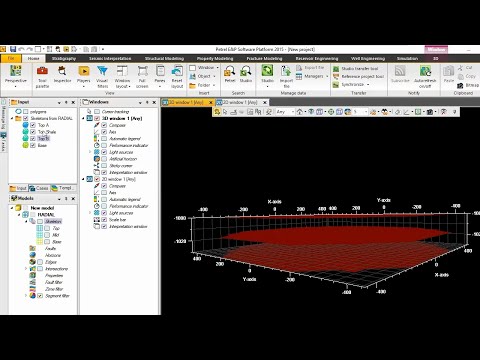
The speaker discusses the process of creating layers and surfaces in a modeling software.
Creating Layers and Surfaces
- To create layers, the speaker starts by ticking certain options.
- If the first option is ticked, the surface will be visible.
- Unticking the option will only show the skeleton.
- The planning involves making two layers with one shell layer.
- Layer A is at the top, followed by the shell layer, and then Layer B.
- Four surfaces are needed for three layers:
- Top A surface
- Base surface
- Top Shell surface
- Top B surface
Renaming Surfaces
- The speaker renames the surfaces for clarity:
- Top A becomes "Top A"
- Base becomes "Base"
- Top Shell becomes "Top Shell"
- Top B becomes "Top B"
Adjusting Depths
- The vertical thickness of the model is set to be 30 meters.
- Each layer should have a thickness of 10 meters.
- The depths of each surface are adjusted accordingly.
Separating Depths
- To separate surfaces with similar depths, their settings are modified individually.
- The depth of Top Shell is changed to differentiate it from Top B.
Finalizing Surfaces and Skeletons
- After adjusting all settings, four surfaces and three skeletons are visible.
- Background toggling can be used to enhance visibility.
Creating Horizons
- Horizons are created based on the surfaces using corner point reading.
- Four horizons are appended: Top A, Top Shell, Top B, and Base.
New Section
The speaker demonstrates how to make horizons out of created surfaces in a modeling software.
Making Horizons
- The process of making horizons is demonstrated.
- Four horizons are created based on the surfaces: Top A, Top Shell, Top B, and Base.
Assigning Surfaces to Horizons
- Surfaces are assigned to their corresponding horizons manually.
- Top A surface is assigned to the Top A horizon.
- Top Shell surface is assigned to the Top Shell horizon.
- Top B surface is assigned to the Top B horizon.
- Base surface is assigned to the Base horizon.
New Section
The speaker concludes the demonstration of creating layers and surfaces in a modeling software.
Summary
- The process of creating layers and surfaces has been successfully completed.
- Four horizons have been created based on the surfaces: Top A, Top Shell, Top B, and Base.
This summary covers only a portion of the video transcript.