Module 1 Introduction to Informatica Cloud
Overview of Informatica Cloud
Introduction to Informatica Cloud
- Welcome to the Informatica Cloud 101 on-demand course, providing an overview of Informatica Cloud.
- After this module, learners will be able to explain the purpose of Informatica Cloud and define its applications.
Key Business Processes Supported by Informatica Cloud
- Informatica Cloud integrates data across cloud-based and on-premise applications, addressing specific business processes categorized into four types:
- Data Importing/Migration: Example includes migrating leads from a tradeshow or transferring data between contact management systems and Salesforce.
- Object Synchronization: Commonly used for synchronizing account and contact data across different systems like Salesforce and accounting systems.
- Process Integration: Involves more complex scenarios such as updating order management systems based on sales activities tracked in Salesforce.
- Data Replication/Archiving: Regularly backing up data from Salesforce to an on-premise database for analytics.
Common Use Cases for Applications
Object Synchronization Scenario
- A typical scenario involves synchronizing account information between Salesforce (CRM) and an Oracle-based billing system.
- When accounts are added or updated in Salesforce, Informatica Cloud updates corresponding records in the billing system.
Process Synchronization Scenario
- The opportunity-to-order process illustrates how closed opportunities in Salesforce trigger sales order creation in ERP systems using Informatica Cloud.
- As orders progress through the ERP system, updates can be sent back to Salesforce for tracking by sales representatives.
Applications within Informatica Cloud
Types of Applications Available
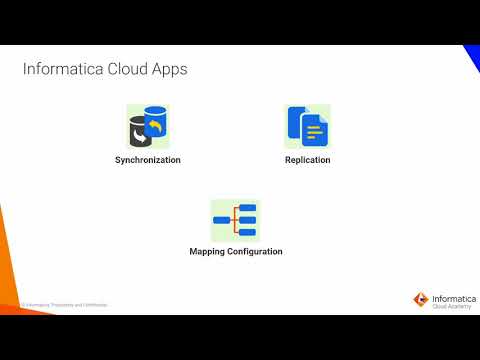
- The Data Synchronization application is primarily used for loading data and integrating various applications, databases, and files with advanced functionalities like lookups and expressions.
- Data Replication focuses on moving data out of applications for backup purposes rather than integration tasks.
Mapping Configuration
- Mapping configuration allows users to create custom tasks based on mappings or templates, extending the capabilities of Informatica Cloud.
Terminology Used in Informatica Cloud
Key Terminologies Explained
- Source: The origin from which data is moved (e.g., CSV file).
- Target: The destination where data is loaded (e.g., object in Salesforce).
- Tasks: Specific jobs created within Informatica that detail source-target mappings and options; can include synchronization or replication tasks.
Informatica Cloud Resources and Navigation Overview
Introduction to Informatica Cloud Resources
- Large companies may have separate business units requiring distinct production organizations.
- After training, users can access various resources including documentation, an online help system, and a PDF user guide.
- The community site provides articles from product experts; users are encouraged to search for information and post questions.
Trust Site and Support Access
- The trust site offers real-time status updates of Informatica cloud servers, including job run statistics.
- Users can contact global support by opening a support ticket or using live chat for enterprise customers.
Logging into Informatica Intelligent Cloud Services (IICS)
- To log in, enter the URL in a web browser, input credentials, and click the login button to access the My Services window.
- Available services vary based on user roles; users select the data integration service from the list.
Navigating Data Integration Service Interface
- Users can maximize/minimize the navigation pane and switch between available services easily.
- Access notifications, user details, and online help through icons located at the upper right side of the IICS console.
Help Options and Conclusion of Demo
- The help icon provides options for online help, support contact, videos, network access, academy resources, marketplace options, and walkthrough guides.