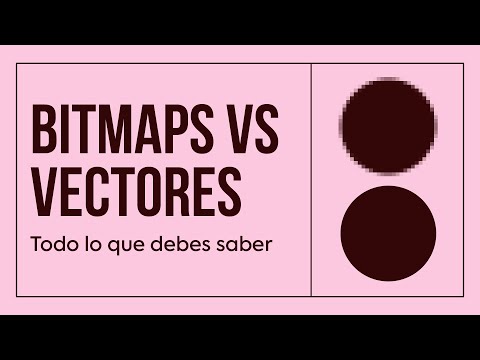
🖼️ MAPAS DE BITS e IMÁGENES VECTORIALES: Conoce bien las diferencias | Hey Jaime
New Section
In this section, the difference between bitmap images and vector images is explained in detail.
Bitmap Images vs. Vector Images
- Bitmap images, also known as bitmaps, consist of tiny pixels forming a matrix where each pixel stores a specific color. These images lack detail limits but require pixel expansion for resizing.
- Editing bitmap images like photographs may lead to quality loss when enlarged, as programs interpret or invent missing pixels beyond the original size.
- Common bitmap image formats include JPG, PNG, and PSD, with varying compression levels and transparency support.
Vector Images Characteristics
- Vector images are created using mathematical formulas instead of pixels, allowing infinite scalability without quality loss.
- Logos and typography are typical examples of vector images. Formats like EPS, PDF, and SVG are commonly used for storing vector graphics.
Distinguishing Between Bitmap and Vector Images
- A practical way to differentiate between the two image types is by using outline view; vector images show only outlines while bitmaps disappear in this mode.
- For optimal printing quality, vector images are preferred due to their scalability without loss. However, high-resolution bitmaps are necessary if vector files are unavailable.
Next New Section
This section emphasizes the importance of distinguishing between bitmap and vector images for various design needs.
Importance of Image Distinction
- Understanding the differences between bitmap and vector images is crucial for selecting the appropriate format based on specific requirements.
- Comparing resizing capabilities: enlarging a bitmap image leads to pixelation and quality loss; conversely, vector graphics maintain quality regardless of size changes.
Practical Example: Imborrable Startup
- The case study of Imborrable illustrates how choosing between bitmap and vector images impacts product customization for companies specializing in merchandise production.
Detailed Image Types Explanation
In this section, the speaker discusses the different types of images used in design work, focusing on the distinction between bitmap and vector images.
Bitmap vs. Vector Images
- Detailed images like photographs or drawings with intricate details are best suited as bitmaps for notebook covers.
- Logos and text should always be included as vector images for optimal quality.
- Conversion between vector and bitmap is possible using software like Adobe Illustrator through a process called rasterization.
- Loss of information occurs when converting from vector to bitmap due to differences in detail retention capabilities.