UD3 Componentes de E S 6
Introduction to Storage Interfaces
In this section, we will discuss the different types of storage interfaces used for connecting storage devices to the motherboard.
Types of Connections and Interfaces
- Serial ATA (SATA), M.2, PCI-Express, and USB are the main connectors and bus interfaces used for storage devices.
- M.2 is a form factor that uses the Serial ATA interface.
- The communication protocol between the device and the motherboard is important for efficient data transfer.
- HP and NVMe Express (NVMe) are commonly used protocols.
Magnetic Storage Devices
This section focuses on magnetic storage devices, specifically hard disk drives (HDD).
SATA Interface for HDD
- SATA is commonly used for connecting internal HDDs to the motherboard.
- The HP protocol is typically used with SATA connections.
- RAID mode can be set in BIOS to optimize access to HDDs.
SATA Connection Details
This section provides details about SATA connections and cables.
SATA Cable Connection
- A typical SATA cable has two connectors: one for data transfer and one for power supply.
- Internal HDDs require a separate power connection from the power supply unit (PSU).
- The orientation of the SATA connector is important; it should not be flipped.
Mechanical Hard Disk Drives (HDD)
This section explores mechanical HDDs in more detail.
Connectivity of Mechanical HDDs
- Mechanical HDDs use SATA connections.
- They have a maximum transfer speed of 150 megabytes per second.
- They support hot-plugging, allowing them to be disconnected while the system is running.
SATA Connection Example
This section provides an example of a SATA connection for a mechanical HDD.
SATA Connection Example
- The SATA cable connects the mechanical HDD to the motherboard.
- The power cable supplies electricity to the HDD.
- The SATA port on the motherboard is designed for a specific orientation and cannot be flipped.
Different Form Factors
This section discusses different form factors used in storage devices.
Different Form Factors
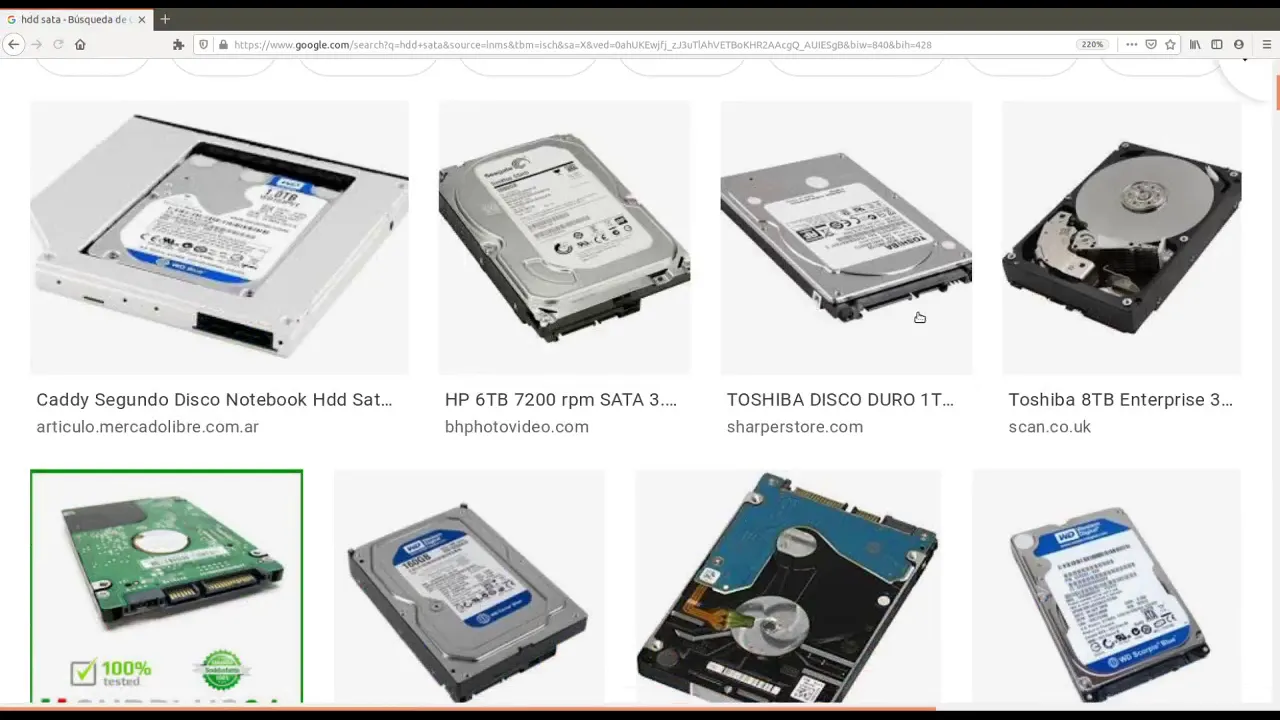
- Some storage devices have different form factors, such as 2.5-inch drives.
- These drives may have different connectors and require specific compatibility.
These notes provide an overview of the transcript, highlighting key points about storage interfaces and connections. Each section focuses on a specific aspect, including types of connections/interfaces, magnetic storage devices (HDD), SATA connection details, mechanical HDDs, and different form factors. Timestamps are provided for easy reference to the corresponding parts of the video.
New Section
This section discusses the different types of connectors and cables used for electrical connections in devices.
Cable Types and Connectors
- The size of a connector is measured in inches, with 3.5 inches being a common size.
- Different cables are used for power supply and data transfer.
- The eSATA connector is used for power supply, while the SATA interface cable is used for data transfer.
- Jumper connectors are special connectors used for specific purposes.
- SATA power and SATA data connectors are used to separate power supply and data transfer functions.
New Section
This section explores connectivity options for external hard drives, specifically through USB connections.
USB Connectivity
- USB connectors can be used to connect external hard drives to computers.
- An adapter can be used to convert a USB 3.0 connection to an external SATA connection.
- Some external hard drives have USB connectors on both ends, while others may have different types of connectors such as mini USB or micro USB.
- The speed of data transfer varies between USB 3.0 (5 gigabytes per second) and SATA 3 (6 gigabytes per second).
- USB 3.1 and 3.2 revisions have increased the maximum transfer speed even further.
New Section
This section provides additional information about connecting external disks via USB.
More on External Disk Connectivity
- Different types of USB connectors, such as mini USB or micro USB, may be used depending on the size of the disk.
- The connection between a computer's USB port and an external disk can reach speeds up to 5 gigabytes per second with USB 3.0.
- In comparison, SATA 3 offers faster speeds at up to 6 gigabytes per second.
- USB 3.1 and 3.2 revisions have further increased the maximum transfer speed, although the actual speed may be limited in practice.
The transcript provided does not cover any additional chapters or sections beyond the ones summarized above.
Turn any video into a summary like this
YouTube links, meetings, lectures. With transcripts, search, and chat.