Computer Basics: Connecting to the Internet
Home Internet Connections: An Overview
Importance of Home Internet Connection
- A home internet connection provides access to various online services such as email, news, shopping, and streaming TV shows.
- Establishing a working internet connection allows for the creation of a wireless home network, enabling multiple devices to connect simultaneously.
Types of Internet Connections
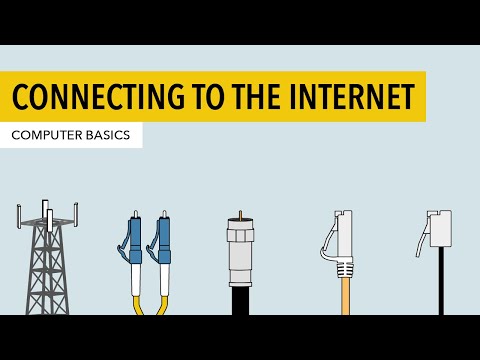
- Dial-Up: Connects via phone line; slower than other options and may be the only choice in some areas.
- DSL and Cable: Both are broadband connections offering faster speeds than dial-up. DSL uses phone lines while cable connects through cable TV infrastructure.
- Fiber Optic: The fastest broadband option available, using fiber optic cables for superior speed but may not be accessible everywhere and is often more expensive.
- Cellular Connections: Includes 4G LTE and 5G; primarily used by smartphones but can also serve as a home broadband alternative depending on location.
Choosing an Internet Service Provider (ISP)
- To set up internet service, you need to purchase it from an ISP, which could be your phone or cable company or another provider offering competitive pricing.
- ISPs typically assist with the installation process, often sending a technician to activate your connection. They may provide a modem or allow you to buy one separately.
Setting Up Your Internet Connection
- Basic setup involves connecting the modem to either a phone jack or cable TV outlet and linking your computer via an Ethernet cable.
- For multiple device connectivity, create a wireless home network using a wireless router that broadcasts the internet signal throughout your home.
Configuring Your Wireless Network
- Follow instructions provided with your router to set up the network name (SSID), enable WPA2/WPA3 encryption for security, and choose a strong password.