My Simple Productivity System (for normal people)!
Introduction to Capture and Organization
In this section, the speaker introduces the concept of "capture" and explains how it can help with productivity. They also discuss different ways to capture information.
What is Capture?
- Capture is about getting ideas out of your brain and into a trusted single place where you can work with them.
- The goal is to minimize friction between having an idea and writing it down.
- David Allen's famous quote "Your brain is for having ideas, not holding them" emphasizes the importance of capturing ideas.
Ways to Capture Information
- Use an app like Todoist or Notion to quickly input tasks or ideas.
- Start quick captures with an action verb to avoid ambiguity.
- Use natural language processing features in apps like Todoist to set reminders.
Organizing Captured Information
- Organize information by location rather than where you found it.
- Identify suitable locations for organizing information, such as Google Workspace Calendar or Notion pages.
- Organize captured information into their corresponding locations on a laptop for faster typing and easier navigation.
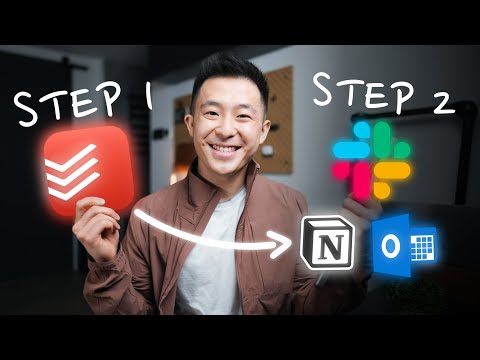
Simple Two-step Process for Productivity
In this section, the speaker shares a simple two-step process that can help increase productivity while minimizing effort. They provide real-world examples of how they use this process in their daily life.
Step One: Capture
- Literally capture all ideas and tasks related to work and personal life into an app like Todoist.
- Use quick captures with action verbs for fast inputting.
- Use natural language processing features in apps like Todoist to set reminders.
Step Two: Organize
- Identify suitable locations for organizing captured information, such as Google Workspace Calendar or Notion pages.
- Organize captured information into their corresponding locations on a laptop for faster typing and easier navigation.
- Thiago Forte's advice to organize by location you will use the information, not where you found it.
Importance of Minimizing Friction
In this section, the speaker emphasizes the importance of minimizing friction when capturing ideas. They provide examples of how different apps can affect motivation to write things down.
The Importance of Minimizing Friction
- David Allen's famous quote "Your brain is for having ideas, not holding them" emphasizes the importance of minimizing friction between having an idea and writing it down.
- Using an app with a responsive widget like Todoist can help minimize friction.
Examples of App Usage
- The loading animation and property fields in Thomas Frank's Notion template added too much friction for the speaker.
- The speaker uses Todoist only for quick captures because it has a very responsive widget.
Organizing Information by Location
In this section, the speaker explains why organizing information by location is important. They provide real-world examples of how they use this method in their daily life.
Why Organize Information by Location?
- Thiago Forte's advice to organize information by location you will use that information, not where you found it.
- Organizing information by location makes it easier to find and use later on.
Real-world Examples
- The speaker captures all their creative ideas at the gym into Todoist and organizes them into corresponding locations like Google Workspace Calendar or Notion pages on their laptop.
- When given instructions at a government tax bureau place, the speaker immediately adds them to Todoist and later blocks off a time slot on their calendar for eight months later with all necessary documents prepared beforehand.
Capturing and Organizing Tasks
In this section, the speaker discusses the importance of capturing and organizing tasks throughout the day. The speaker provides tips on how to use Todoist for non-time specific tasks and how to utilize the snooze feature in Gmail for emails that require action in the future.
Capturing Tasks
- Capture all ideas and tasks as frictionless as possible.
- Use Todoist to capture non-time specific tasks.
- Skip the calendar for tasks that are not time-specific.
Organizing Tasks
- Organize captured tasks into locations where they will be used.
- Check off completed tasks to allow your brain to forget about them.
Utilizing Snooze Feature in Gmail
- Use snooze feature for emails requiring action more than a week from now.
- Snooze email until it is most relevant, such as the Monday of that week.
Thiago Forte's Second Brain Method
In this section, the speaker introduces Thiago Forte's second brain method, which involves four steps: capture, organize, distill, and express. The speaker emphasizes that capturing and organizing are crucial first steps in this process.
Thiago Forte's Second Brain Method
- Four-step process: capture, organize, distill, express.
- Capturing and organizing are crucial first steps in this process.