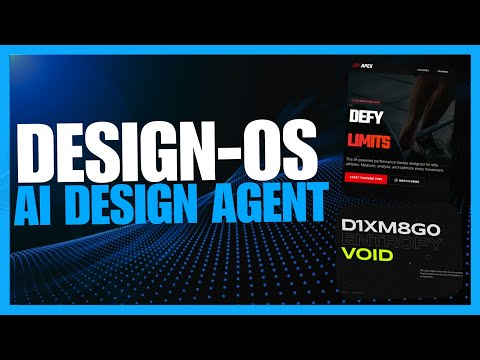
Design OS: Greatest AI Design System! Build Beautiful Websites and Apps EASILY!
AI-Driven UI Design: Introducing Design OS
The Problem with AI-Generated UIs
- AI coding is a powerful tool, but it struggles with generating unique frontends, often resulting in generic layouts and basic components.
- Design decisions are made on the fly without a clear specification or shared understanding, leading to UIs that feel more generated than designed.
Introduction to Design OS
- Design OS serves as a bridge between product ideas and codebases, functioning as a product planning design tool.
- It guides users through a structured design process before any coding begins, ensuring clarity and definition of success for coding agents.
Benefits of Using Design OS
- By separating design thinking from coding, Design OS prevents AI from making arbitrary guesses during development.
- The framework allows for the generation of quality outputs that feel authored rather than merely assembled by AI.
Demonstrations of Effectiveness
- Examples show impressive outputs from Gemini 3.0 using Design OS, highlighting interactive components and thoughtful design elements.
- Outputs from both Gemini 3.0 and Claude 4.5 demonstrate effective motion-first thinking in UI generation.
Getting Started with Design OS
- To use Design OS effectively, prerequisites include Node.js (version 18 or higher), MPM, and an AI coding agent like Claude.
- The setup process involves cloning a repository and installing dependencies to prepare for local development.
Step-by-Step Process Overview
- Users will follow a four-step process: defining the product, designing the UI collaboratively with AI, structuring data models, and exporting clear handoffs to coding agents.
- This structured approach ensures that all necessary elements are addressed before any code is written.
Product Development with Design OS
Defining the Product Vision
- The initial phase involves using the product vision command to define the product, focusing on aspects of development within the design OS framework.
- Users are prompted to share notes and ideas about what they are building, emphasizing a detailed description of problems to solve.
Building an Interactive Dashboard
- The speaker plans to create a live interface dashboard using a front-end development toolkit provided by the design OS framework.
- Previous experiences with AI-generated dashboards were laggy; thus, there is a focus on creating an interactive dashboard that performs well and includes live animations.
Processing Product Vision
- After submitting the product vision, follow-up questions regarding primary flow and features will be asked, allowing users to choose between starting from scratch or using predefined options.
- The speaker opts for option one, which involves defining hero features like a live easing curve editor and selecting export formats.
Roadmap Visualization
- Once answers are submitted, a refined vision is created that displays directly in localhost, providing visualizations of potential solutions and roadmaps for development.
- The process includes four phases: running data models, defining core entities and relationships, structuring designs, and exporting final products.
Spec-driven Development Flow
- Design OS focuses on meticulous individual steps rather than generating complete code at once; this allows for qualitative component generation such as user flows and UI requirements.
- This approach supports spec-driven development that helps in coding components properly while ensuring quality output through iterative processes.
Final Output Showcase
- An interactive live interface dashboard is successfully created where various components can be tweaked for optimal UI generation.
- The speaker compares outputs generated with different models (Opus 4.5 vs. Gemini 3.0), highlighting improvements in quality due to design OS's structured approach.
Designing with AI: Flexibility and Features
Exploring Design Themes
- The video discusses the flexibility of design themes, suggesting options like brutalist or cyberpunk styles to enhance component customization.
- Viewers are encouraged to experiment with motion settings to add depth and features, improving overall design quality.
Supporting the Channel
- The presenter invites viewers to support the channel through donations via the super thanks option available below the video.
- An invitation is extended to join a private Discord community, offering access to various AI tools subscriptions for free on a monthly basis, along with daily AI news and exclusive content.
Overview of Design OS
- The video concludes with an overview of Design OS as a spec-driven development workflow tailored for AI-based design.
- Viewers are encouraged to combine Design OS with other tools, such as anti-gravity, for enhanced functionality in their projects.
Turn any video into a summary like this
YouTube links, meetings, lectures. With transcripts, search, and chat.