Intel Processors (CPU) Explained - Super Easy Guide
Introduction
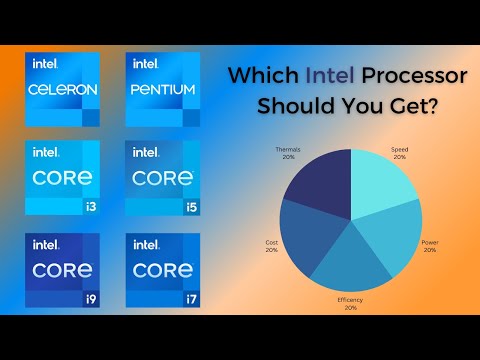
The speaker reminisces about the simplicity of buying Intel processors in the past and introduces the purpose of the video, which is to help viewers understand the differences between different Intel processors.
The Evolution of Intel Processors
- In the past, it was easy to choose an Intel processor based on its model number, as higher numbers indicated better performance.
- Today, there are many different types of Intel processors, making it more complex to determine which one is right for your needs.
- The video aims to provide a concise overview of each processor type and assist viewers in making informed decisions.
Processor Hierarchy
The speaker explains that they will start with lower-end processors and gradually move up to higher-tier ones. They will focus on consumer-class processors found in laptops and desktops.
Celeron Processor
- Designed for basic use cases like web surfing and online activities such as shopping or banking.
- Not recommended for most consumers due to low core count and slow clock speeds.
- Price-to-performance ratio is not favorable compared to other options.
Pentium Processor
- While no longer considered a powerhouse, it can handle simple tasks like word processing and web activities more efficiently than Celeron.
- Offers slightly higher core count (4 to 6) and clock speeds.
- Decent option for budget-conscious consumers with prices ranging from $150 to $300 USD.
Core i3 Processor
The speaker introduces the mainstream series of Intel processors known as Core Series. They start with Core i3, which offers improved multitasking capabilities compared to Pentium.
Key Features:
- Can handle day-to-day tasks with ease, including web browsing, word processing, and number crunching.
- Offers up to eight cores, depending on the model, allowing for better multitasking performance.
- Price range varies from $300 to $450 USD, making it subjective to individual use cases.
Core i5 Processor
The speaker discusses the popularity of the mid-range Intel Core i5 processor due to its balance between efficiency and power.
Key Features:
- Perfect balance between efficiency and power, suitable for a wide range of activities including gaming, photo/video editing, and streaming 4K content.
- Offers up to 14 distinct core counts depending on the model, enabling high-end multitasking capabilities.
- Price range varies significantly from as low as $500 USD to as high as $900 USD or more due to various configurations.
Conclusion
The transcript provides an overview of different Intel processors starting from lower-end options like Celeron and Pentium, moving up to mainstream processors like Core i3 and Core i5. It highlights key features and price ranges for each processor type. Viewers can use this information to make informed decisions based on their specific needs and budget.
New Section
This section discusses the different Intel processors and their suitability for various tasks.
Intel Core i7 Processor
- The i7 processor is suitable for activities such as complex coding, 3D animation, multi-layer 4K video editing, and intense photo editing.
- It has a high core count, ranging up to 20 distinct cores depending on the model, which allows for robust multitasking and quick information processing.
- However, i7 processors may have lower battery life compared to low-end processors due to higher power consumption.
- The i7 machines can be expensive, with prices ranging from $900 to $2000 USD or even higher depending on RAM and GPU configurations.
New Section
This section focuses on the Intel Core i9 chip and its extreme performance capabilities.
Intel Core i9 Processor
- The i9 chip is designed for demanding workflows such as playing high-end gaming titles, complex development work or programming, professional animation or 3D animation, data crunching, and 8K video editing.
- It has up to 24 distinct processing cores, making it extremely powerful.
- However, the i9 chip is only beneficial if you have an extreme use case that pushes the processor to its limits. It is not suitable for casual tasks like watching YouTube videos.
- Pre-built desktops and laptops with the i9 chip are expensive, starting at around $2500 USD and potentially going much higher depending on additional components like RAM and GPU.
New Section
This section concludes the discussion on Intel processors by summarizing key points and providing additional information.
Summary of Processor Selection
- Choosing the right processor depends on your specific use case. Most people will find either an i5 or an i7 chip to be suitable for their needs.
- The i5 processor is a good choice for general computing tasks and offers a balance between performance and affordability.
- The i7 processor is ideal for heavy computing tasks, such as complex coding, video editing, and animation. It provides robust multitasking capabilities but may have lower battery life and higher cost.
- The i9 processor is designed for extreme use cases that require maximum processing power. It is expensive and only beneficial for a small percentage of users with demanding workflows.
- Keep in mind that there are different generations and subclasses within the i5, i7, and i9 chips, which can affect performance. However, the guiding principles mentioned in this video remain relevant.
Additional Information
- Technical details such as different generations (faster than previous ones) and subclasses (U series - ultra-efficient, H series - power-hungry or power-effective, P series - in-between) exist within the i5, i7, and i9 chips.
- If you have any questions or want to learn more about Intel processors or even AMD processors, leave a comment to request further videos on these topics.
Timestamps have been associated with bullet points where available.