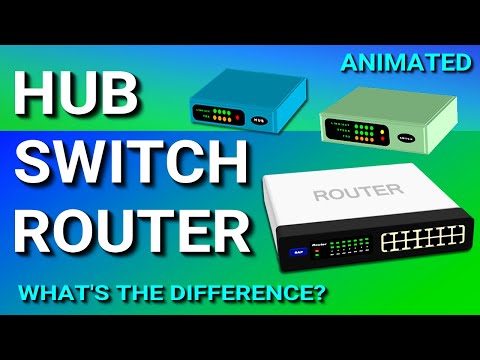
Hub, Switch, & Router Explained - What's the difference?
Understanding the Differences Between a Hub, Switch, and Router
Introduction to Network Devices
- The video introduces the topic of network devices: hubs, switches, and routers.
- It highlights that while these devices are similar, they differ in how they handle data.
Hubs
- The discussion begins with hubs as basic networking devices.
- Hubs connect multiple network devices within an internal network.
- They have multiple ports for Ethernet connections but lack intelligence in data handling.
- A hub does not filter data; it only recognizes when a device is connected to one of its ports.
- When a data packet arrives at one port, it is copied and sent to all other ports, leading to potential security issues and unnecessary traffic on the network.
Switches
- The video transitions to discussing switches, which are more advanced than hubs.
- Like hubs, switches also have multiple Ethernet ports but possess intelligence in managing data flow.
- Switches learn and store MAC addresses of connected devices in a table for efficient data delivery.
- Unlike hubs, switches direct incoming packets only to the intended destination port based on their MAC address records.
- This capability significantly reduces unnecessary traffic on the network compared to hubs.
Comparison of Hubs and Switches
- A summary comparison indicates that hubs detect physical connections while switches can identify specific connected devices through MAC addresses.
- Both hubs and switches facilitate data exchange within local area networks (LAN), such as home or business networks.
Routers
- The discussion shifts focus towards routers which manage data exchange between different networks using IP addresses.
- Routers inspect incoming packets' IP addresses to determine if they belong to their own network or another one.
- If a packet is meant for its own network, it processes it; otherwise, it forwards it elsewhere.
- Routers serve as gateways between private networks (like home networks represented by red screens in examples).
Data Packet Management by Routers
- An illustration shows how routers accept only relevant packets (red ones), rejecting others based on their IP addresses.
- An expanded view depicts multiple interconnected networks with their respective routers managing traffic effectively across them.
How Data is Exchanged Between Networks
Internal Network Communication
- Devices within a network exchange information internally, meaning their data does not leave the local network.
- This internal communication occurs without interaction with external networks, ensuring data remains secure and contained.
- The exchange of data is facilitated through devices like hubs or switches that manage traffic within the network.
External Network Communication
- To communicate with different networks, such as sending data from a red network to a blue network, the process involves leaving the local environment.
- For example, if a computer on the red network wants to connect with one on the blue network, it must send its data packet out onto the internet.
Role of Routers in Data Transmission
- The initial step involves sending the data packet to the router of the originating network for processing.
- Upon receiving the packet, the router examines its IP address and determines how to forward it appropriately across networks.
- The router sends this packet out into the internet towards subsequent routers until it reaches its destination's router on the blue network.
Final Destination Delivery
- Once at the blue network's router, it continues its journey until reaching its intended recipient computer.