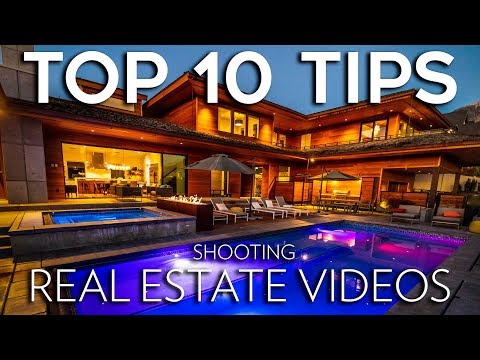
How to Shoot Real Estate Videos | TOP 10 TIPS
Tips for Shooting Professional Real Estate Videos
In this video, Parker Walbeck shares his top 10 tips for shooting professional real estate videos. He covers topics such as landing real estate gigs, pricing, pre-planning, and camera gear recommendations.
Landing Real Estate Gigs
- Having a strong demo video or portfolio is crucial for landing real estate clients.
- Target luxury listings as they usually have marketing budgets for videos.
- Approach real estate agents by driving through luxury neighborhoods or searching online for luxury listings near you.
- When contacting agents, send them your demo reel and offer to do the first video for free or at a discounted rate to showcase your value.
Pricing
- The price you charge depends on how long it takes to shoot and edit the video.
- For reference, most real estate videos take around 4 to 5 hours to shoot and another 4 to 5 hours to edit.
- Consider factors like your skill level and time investment when determining your rates.
- Parker recommends using a budget calculator provided in the Full-Time Filmmaker course.
Pre-planning
- Coordinate with the agent and seller to schedule a suitable date for shooting.
- Request pictures of the home's interior and exterior to determine lighting conditions and shooting duration.
- Have the agent walk you through the house, pointing out features to include or avoid in the video.
- Ensure that lights are turned on, rooms are clean and presentable before starting filming.
Camera Gear Recommendations
- A cost-effective setup includes a Canon SL2 camera, Tokina 11-16mm lens, Flycam Red King stabilizer, and DJI Mavic drone (totaling around $2000).
- Canon cameras provide natural-looking colors without extensive post-color correction.
- Wide-angle lenses (14mm - 18mm) help make homes appear larger in videos.
This summary provides an overview of Parker Walbeck's top 10 tips for shooting professional real estate videos. It covers landing gigs, pricing, pre-planning, and camera gear recommendations. For more detailed information, refer to the corresponding timestamps in the transcript.
Tips for Real Estate Videography on a Budget
In this section, the speaker provides tips for real estate videography on a budget.
Camera Gear and Settings
- Use a drone with aerial footage capabilities for luxury real estate gigs. Obtain Part 107 certification to fly drones commercially.
- Recommended camera gear: Canon 1DX Mark II with a Lyowa 12mm lens (which crops to around 16mm when shooting at 4K), Ronin S or Glidecam stabilizers, and Phantom 4 Pro Plus drone.
- Camera settings: Shoot in 4K if possible, but 1080p is sufficient. Set frame rate to 60fps for smoother camera movements. Keep shutter speed at double the frame rate (e.g., 1/125th). Adjust aperture based on available light. Use a picture profile that delivers natural-looking colors straight out of the camera.
Composition Techniques
- Use wide-angle lenses to capture the entire room and avoid distortion by keeping the camera level.
- Ensure straight lines in your shots to maintain proper perspective.
- Film between eye and waist level to avoid making ceilings look low or obstructing views over furniture.
- Utilize foreground elements like doorways to add depth and make rooms appear larger.
- When shooting aerial shots, try not to include neighboring houses unless necessary. Fill the frame with the property.
Focus and Camera Movement
- Set focus manually using autofocus or by adjusting manual focus for each shot.
- With wide-angle lenses, most of the room will be in focus, allowing flexibility in movement.
- For ground movements, use mostly straight push-in shots for a natural storytelling experience. Add subtle tilts or pans when appropriate.
- Keep camera movements clean, smooth, and slow. Motorized gimbals are recommended for optimal results.
Lighting and Exposure
- Use histograms to ensure balanced exposure without blown-out highlights.
- Shoot during the best time of day for natural lighting. Adjust white balance accordingly.
- Avoid overexposing windows when exposing for indoor shots.
- Artificial lights can be used to fill in light if necessary.
The transcript provided does not cover the entire video, and some sections may be missing.
Tips for Filming Real Estate Videos
In this section, the speaker provides tips for filming real estate videos, focusing on lighting and shooting times.
Filming Times and Lighting
- The best times to shoot interiors are when there is cloud coverage or at dusk right after the sun sets. These times avoid harsh direct sunlight and prevent windows from being blown out.
- Sunsets and sunrises are ideal for capturing rooms with big open windows that showcase sun flares.
- Artificial lights can be time-consuming to set up in each room, so it is recommended to use natural light whenever possible.
- For outdoor shots, sunrise, sunset, and dusk generally provide the best lighting. However, the house's position and surrounding landscapes may influence the optimal shooting time.
Shooting Order and Duration
- The speaker suggests starting around 4 or 5 p.m., shooting exterior shots for an hour or two before moving inside to capture interior shots.
- During golden hour (around sunset), return outside to shoot exterior shots again. Take advantage of different lighting scenarios by capturing rooms that look better with golden hour light.
- As dusk approaches, grab a few more interior shots in rooms that may look better during this time. Towards the end of dusk, capture drone shots showing the house lit up if applicable.
- The entire shoot typically lasts around four to five hours.
Editing Real Estate Videos
In this section, the speaker mentions upcoming topics related to editing real estate videos.
Topics Covered in Editing Process
- Questions about editing process: video length, voiceover or on-screen text, clip order, finding real estate music and sound effects, transitions, export settings, etc.
- The speaker introduces the Real Estate Video Pro Mini Course that covers these topics in-depth.
- The mini course includes an hour-long video showcasing the full editing process, raw footage, a Premiere Pro project file for a real estate video project, virtual job shadow videos demonstrating shooting processes with different stabilizers.
- Additionally, the course provides feedback videos analyzing student real estate videos to identify areas for improvement. It also offers ten recommended real estate songs and information on licensing them.
- The speaker shares Ronin-S gimbal settings and favorite drone settings for smooth cinematic shots. A Smooth Zoom Transition Premiere Pro preset pack is also included.
Conclusion
The provided transcript covers tips for filming real estate videos related to lighting and shooting times. It also mentions upcoming topics in editing real estate videos and introduces a comprehensive mini-course on the subject.