UD3 Componentes de E S 13
Introduction to External Peripherals (Monitors and Projectors)
In this section, the speaker introduces the topic of external peripherals, specifically monitors and projectors.
Understanding Peripherals
- Peripherals are devices that surround a computer system.
- Monitors and projectors are essential peripherals that receive electrical signals from the graphics card or directly from the CPU.
- Monitors have connectors like HDMI and DisplayPort at the back, which are used to connect them to the computer.
- Monitors display images using pixels, which are illuminated with different colors and intensities based on the electrical signals received.
Components of a Monitor
This section explains the components of a monitor, including LED lighting and LCD panels.
LED Lighting and LCD Panels
- Monitors consist of LED lighting at the back panel, which emits light when electrically excited.
- The front panel contains an LCD (Liquid Crystal Display) panel composed of layers of liquid crystal and color sensors (red, green, blue).
- Each pixel on the monitor is composed of these three color sensors. By adjusting their intensity, different colors can be displayed.
- The resolution of a monitor is determined by the number of pixels it has. For example, Full HD monitors have a resolution of 1920 x 1080 pixels.
Different Types of Panels
This section discusses different types of panels used in monitors such as TN, IPS, and OLED.
TN vs IPS vs OLED Panels
- TN (Twisted Nematic), VA (Vertical Alignment), IPS (In-plane Switching), and OLED (Organic Light Emitting Diode) are different types of panels used in monitors.
- Each panel type has its own characteristics and is suitable for different applications.
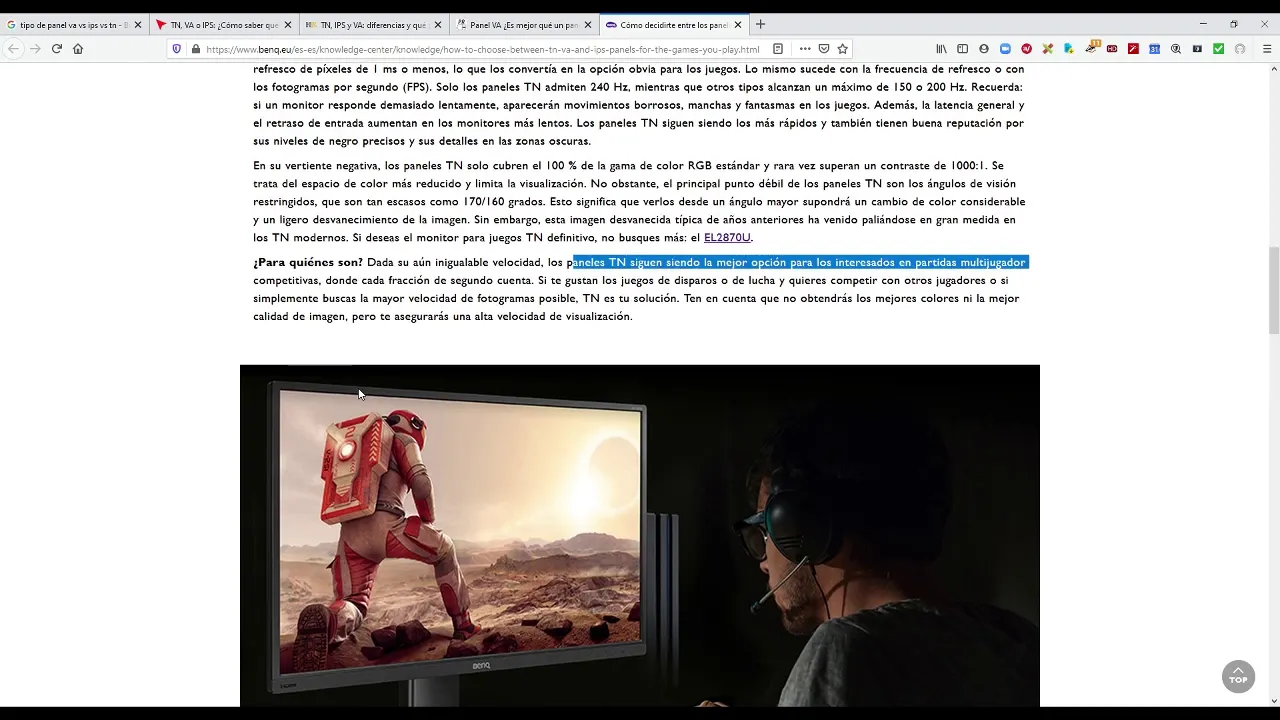
- TN panels are older and have faster response times, but limited color accuracy and viewing angles.
- IPS panels offer better color reproduction and wider viewing angles, making them ideal for professional work or gaming.
- OLED technology provides improved contrast between light and dark areas, resulting in better image quality.
Choosing a Monitor
This section provides tips on choosing the right monitor based on various parameters.
Considerations for Choosing a Monitor
- When selecting a monitor, consider factors such as size (in inches), maximum resolution, refresh rate, brightness, contrast ratio, viewing angles, panel type (TN, IPS), and backlighting technology (LED or OLED).
- It is recommended to refer to manufacturers' specifications and compare multiple sources before making a decision.
Conclusion
The speaker concludes by summarizing the main points discussed about monitors.
Summary of Monitors
- Monitors are essential peripherals that receive electrical signals from the computer's graphics card or CPU.
- They consist of LED lighting at the back panel and LCD panels with color sensors at the front.
- Different types of panels like TN, IPS, and OLED offer varying characteristics in terms of response time, color accuracy, viewing angles, and contrast ratio.
- When choosing a monitor, consider factors like size, resolution, refresh rate, brightness, contrast ratio, viewing angles, panel type (TN vs IPS), and backlighting technology (LED vs OLED).
Timestamps may not be accurate due to limitations in processing natural language.
Panel Speed and Refresh Rate
The transcript discusses the speed and refresh rate of panels in monitors. Some panels can reach a maximum refresh rate of 240Hz, while others are limited to 150-200Hz. Higher refresh rates allow for more frequent screen refreshing, resulting in smoother motion.
- Panels with higher refresh rates are better for fast-paced games or multiplayer gaming.
- Panels with lower refresh rates may experience motion blur or ghosting in high-motion images.
- Contrast is also a factor to consider, as some panels may have poor contrast performance.
Image Quality and Viewing Angles
This section focuses on image quality and viewing angles in monitors.
- IPS panels offer better color reproduction and wider viewing angles compared to other panel types.
- IPS panels are recommended for movies or images with vibrant colors.
- However, IPS panels may have slower response times compared to other panel types.
Contrast and Refresh Rate
The transcript explores the importance of contrast and refresh rate in monitors.
- High contrast ratios result in deeper blacks and brighter whites, enhancing image quality.
- Refresh rate is crucial for avoiding flickering and ensuring smooth motion, especially in high-motion content.
- IPS panels are known for their excellent color reproduction but may not have the fastest refresh rates.
HDR Technology
This section discusses HDR (High Dynamic Range) technology in monitors.
- HDR technology enhances the visual experience by providing a wider range of colors and improved contrast.
- Monitors with HDR support are recommended for gaming, particularly competitive first-person shooter games.
Considerations for Monitor Selection
This section provides important factors to consider when selecting a monitor.
- Pay attention to the type of panel used, such as IPS or LCD.
- LED backlighting is becoming more common in monitors and offers advantages over traditional halogen lamps.
- Regular maintenance, including cleaning and filter replacement, may be required for projectors.
Projector Technology
The transcript discusses the technology behind projectors.
- Projectors emit light onto a screen or surface to display images.
- Different technologies, such as LCD, DLP, and LCoS, are used in projectors.
- LED lamps are now commonly used in projectors due to their energy efficiency and longer lifespan.
LCD Projectors
This section focuses on LCD projectors.
- LCD projectors are more affordable and offer good color reproduction and brightness.
- However, they may suffer from image degradation over time and require regular maintenance.
Contrast in Projectors
The transcript explains the importance of contrast in projectors.
- Good contrast ratios result in deeper blacks and brighter whites, enhancing image quality.
- Higher contrast ratios provide better image clarity and sharpness.
These sections cover the main points discussed in the transcript.
New Section
The importance of good lighting and projectors in a well-lit workspace.
Importance of Good Lighting and Projectors
- Having good lighting is crucial in a workspace with a lot of surrounding light.
- A projector with at least 3,000 lumens is necessary to stand out amidst the other sources of light.
- In spaces with low light, it is important not to dim the projector completely as it may darken the room too much.
New Section
Factors to consider when choosing a projector, such as aspect ratio and resolution.
Factors to Consider When Choosing a Projector
- Aspect ratio and resolution are important factors to consider.
- VGA (800x600) or Full HD (1920x1080) are common resolutions available.
- There are also projectors available with 4K resolution.
- Contrast ratio is another factor to consider, with 2000:1 being common.
- Mounting options include ceiling and wall installations, which require proper adjustment of distance for focus and zoom.
New Section
Installation considerations for ceiling-mounted projectors.
Ceiling-Mounted Projector Installation
- Ceiling-mounted projectors require a support arm or bracket for installation.
- Distance adjustment is necessary for proper focus and zoom settings.
New Section
Adjusting projection size and clarity based on distance from the screen.
Adjusting Projection Size and Clarity
- Closer proximity to the screen requires reducing zoom settings for smaller parts of the projection.